
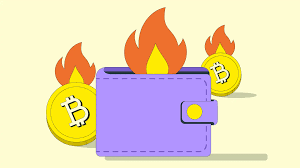
A burner wallet is a temporary crypto wallet. You use it for specific, often risky, transactions. Then, you can discard it. It acts like a disposable email for your digital assets. This helps protect your main, long-term wallet from exposure.
What is a Burner Wallet?
A burner wallet is like a temporary digital purse for your crypto. Think of it as a spare change purse you only use for a quick trip. You put a small amount of money in it.
You make your purchase. Then, you can leave the purse behind. You don’t use it for anything else important.
In the crypto world, this means a wallet you create for a single purpose. Maybe you’re trying a new decentralized app (dApp). Or you want to interact with a new project.
You might not fully trust it yet. Instead of using your main wallet, which holds all your funds and transaction history, you create a separate, “burner” wallet.
You fund this burner wallet with only a small amount of crypto. This is important. If something goes wrong with the dApp or project, only the small amount in the burner wallet is at risk.
Your main wallet, with its much larger balance and connection to all your past activities, stays secure. It’s a smart way to manage risk.
The key idea is privacy and security. Your main wallet often has a long transaction history. This history can link to your identity.
A burner wallet starts fresh. It has no history. It’s not linked to your other wallets or personal information.
This makes it hard for others to track your main crypto activities.
After you finish your transaction or interaction, you can simply “burn” the wallet. This means you can clear it out and stop using it. You might even delete the wallet software or seed phrase.
This adds another layer of separation from your main holdings.
So, a burner wallet is a tool for safer, more private crypto use. It’s for when you want to explore without putting your main assets in harm’s way. It’s a practical approach to the dynamic crypto space.
Why Use a Burner Wallet?
You might wonder why you’d need this extra step. It seems like more work. But for anyone serious about crypto security and privacy, it’s a vital tool.
There are several key reasons why using a burner wallet makes sense.
First, and most important, is risk mitigation. The crypto world is exciting. It’s also new and can be unpredictable.
New projects pop up daily. Some are great. Others can be scams or have security flaws.
When you connect your wallet to a new service, you’re giving it permission to interact with your funds.
If that service is compromised, your main wallet could be drained. This is a nightmare scenario. A burner wallet limits this exposure.
You only put in what you’re willing to lose. If the dApp is hacked, only the small amount in the burner wallet is affected. Your primary crypto savings remain untouched.
Second, it enhances privacy. Every transaction you make on a public blockchain leaves a trace. This trace is linked to your wallet address.
Over time, these addresses can be linked together. They can potentially be linked to your real-world identity. This is called chain analysis.
When you use a burner wallet for a specific interaction, that interaction is tied only to that temporary address. It doesn’t show up on the transaction history of your main wallet. This keeps your main wallet’s activity more private.
It makes it harder for others to build a profile of your crypto habits.
Third, it’s useful for testing and experimentation. Are you curious about a new NFT marketplace? Want to try a new DeFi protocol?
Connecting your main wallet can feel like a big commitment. A burner wallet is perfect for this. You can test the waters without any significant risk.
You can see how the platform works. You can practice making transactions. You can get a feel for the user experience.
Once you’re comfortable and trust the platform, you can then decide if you want to use your main wallet for more significant amounts.
Fourth, it helps manage gas fees. Sometimes, interacting with a dApp requires paying network fees, often called gas fees. These fees can fluctuate.
If you’re only making a small transaction with a burner wallet, you might be more willing to pay a higher gas fee for that specific interaction. You don’t want to spend a lot of gas on small, exploratory moves with your main wallet.
Finally, it’s a good practice for security hygiene. Regularly creating and discarding temporary wallets for certain activities is like regularly changing passwords or clearing your browser history. It’s proactive security.
It keeps your digital life cleaner and more secure.
So, while it adds a step, the benefits of a burner wallet for security, privacy, and experimentation are significant. It’s a core strategy for many crypto users who want to stay safe in a fast-evolving landscape.
Burner Wallet Use Cases
Exploratory dApp Use: Trying new decentralized applications without risk.
New NFT Projects: Interacting with unfamiliar NFT marketplaces or minting events.
Airdrop Participation: Engaging with projects that might offer future airdrops.
Limited-Time Offers: Taking advantage of short-term promotions or sales.
Testing Smart Contracts: Developers testing smart contract interactions.
Choosing the Right Type of Burner Wallet
When you decide to use a burner wallet, you have a few options. The best choice depends on your needs. It also depends on the blockchain you’re using.
Most burner wallets are software-based. They are managed through an app or browser extension.
For most users, a non-custodial mobile wallet is a great starting point. These are apps you download onto your smartphone. Examples include Trust Wallet, MetaMask (which also has a browser extension), or Coinbase Wallet.
When you set up one of these, you’ll be given a seed phrase (also called a recovery phrase). This is a list of 12 or 24 words. It’s the master key to your wallet.
You must write this down and keep it very safe. Never share it with anyone. Never store it digitally where it can be hacked.
For a burner wallet, you’d create a brand new wallet within the app. You’d get a new seed phrase for it. You’d use this wallet only for your specific, temporary task.
After you’re done, you can simply discard the seed phrase. You don’t need to back it up long-term. This is a key difference from your main wallet.
Another popular option is a browser extension wallet. MetaMask is the most well-known here. These wallets integrate directly with websites.
They make interacting with dApps on your computer very easy.
Again, for a burner wallet, you would create a new account within the extension. Or, you might install a fresh instance of the extension. You’d generate a new seed phrase for this temporary wallet.
You’d use it for your specific online crypto activities.
Some people also use hardware wallets for burner purposes, but this is less common. Hardware wallets are physical devices. They offer the highest level of security.
They are generally used for long-term storage of significant assets. Using a hardware wallet as a burner might involve setting it up for a specific task, funding it minimally, and then potentially wiping it clean.
However, for the typical use case of temporary, exploratory transactions, software wallets (mobile or browser extension) are much more practical and cost-effective.
What’s important for a burner wallet is that it’s non-custodial. This means YOU control the private keys (via the seed phrase). You don’t rely on a company to hold your crypto for you.
This gives you the power to truly discard the wallet.
When creating your burner wallet, especially if using a mobile app, make sure you select the option to “Create a New Wallet.” Do NOT choose “Import Wallet” unless you are trying to recover an existing one.
The process for setting up most non-custodial wallets is very similar. You’ll download the app, agree to terms, and then go through the wallet creation process. This is where you’ll get your seed phrase.
Wallet Styles for Burners
Mobile Wallets: Easy to use on the go. Great for many dApps.
Browser Extensions: Seamless integration with websites for desktop use.
Hardware Wallets: Highest security, but less common for pure burner use.
How to Set Up a Burner Wallet: Step-by-Step
Let’s get practical. Setting up a burner wallet is straightforward. We’ll use a common example, like MetaMask, for this guide.
The steps are very similar for most popular non-custodial wallets.
Step 1: Choose Your Wallet Software
First, decide if you want a mobile app or a browser extension. For most people exploring dApps, MetaMask is a good choice. It’s available as a browser extension for Chrome, Firefox, Brave, and Edge.
It also has a mobile app.
You can download the MetaMask extension from your browser’s add-on store. Or, find the mobile app in your phone’s app store.
Step 2: Install the Wallet
Once you’ve found it, install the extension or app. Be sure to download it from the official source. This prevents you from getting a fake or malicious version.
After installation, open the wallet. You’ll see a welcome screen.
Step 3: Create a New Wallet
On the welcome screen, look for an option like “Create a New Wallet.” Click or tap this. You’ll likely be asked if you want to help improve MetaMask by sharing data. You can choose “No thanks” or “Yes, let’s do it” based on your preference.
This doesn’t affect the wallet’s function.
Next, you’ll need to create a password. This password is for accessing the wallet on your specific device. It’s NOT your seed phrase.
Make it strong, but memorable for you. You’ll need this password every time you open the wallet on that device.
Confirm your password. Then you’ll be ready to move on.
Step 4: Secure Your Seed Phrase (Recovery Phrase)
This is the MOST CRITICAL step for any non-custodial wallet. You will be shown your seed phrase. It’s usually 12 words.
These words are the only way to recover your wallet if you lose access to your device or password. They are the master keys.
DO NOT SKIP THIS STEP. DO NOT TAKE A PICTURE OF IT. DO NOT SAVE IT TO YOUR COMPUTER OR CLOUD STORAGE.
Write down the words in the correct order on a piece of paper. Double-check the spelling. Make sure you have all 12 words.
Store this paper in a safe place. Think of a secure location like a safe, a locked drawer, or with other important documents.
For a burner wallet, while you still must record it, you understand it’s temporary. You might not need the same level of cold storage as for your main wallet. However, always write it down.
Never rely on digital storage.
Step 5: Verify Your Seed Phrase
The wallet will usually ask you to confirm your seed phrase. It might ask you to click on the words in the correct order. This ensures you’ve written it down accurately.
Complete this verification.
Step 6: Wallet Ready! Now Add Funds
Congratulations! Your new burner wallet is set up. You’ll see your wallet address.
This is a long string of letters and numbers. This is where people send you crypto. You can copy it easily from the wallet interface.
Now, you need to fund it. Go to your main crypto exchange or your primary wallet. Send a small amount of the cryptocurrency you need (e.g., ETH for Ethereum network dApps) to your new burner wallet address.
Start small. Send only what you expect to use for your specific transaction. Wait for the transaction to confirm on the blockchain.
Once confirmed, the funds will appear in your burner wallet.
Step 7: Connect to dApps (Carefully!)
Now you can use your burner wallet. Go to the website or dApp you want to interact with. Look for a “Connect Wallet” button.
Select your wallet type (e.g., MetaMask). Your wallet will pop up asking for permission to connect. Approve it.
When you make a transaction through the dApp, your burner wallet will again pop up. It will show you the transaction details and the estimated gas fees. Review these carefully.
Approve the transaction if you are comfortable.
Step 8: “Burn” the Wallet When Done
Once your task is complete, you can “burn” the wallet. This means you stop using it. You don’t need to formally delete it in most cases.
Simply avoid connecting it to anything else. Do not add more funds to it. If you used a mobile app, you could uninstall it after you’ve emptied it.
If you want to be extra sure, you can send any remaining small amounts to your main wallet or an exchange. Then, you can uninstall the wallet app or remove the browser extension. You can also physically destroy the paper where you wrote down the seed phrase if you are completely finished with it and have secured your main wallet.
Quick Setup Checklist
- Choose wallet: Mobile app or browser extension.
- Install from official source only.
- Select “Create a New Wallet.”
- Create a strong password.
- WRITE DOWN YOUR SEED PHRASE and store it safely.
- Verify your seed phrase.
- Send a small amount of crypto to the wallet address.
- Connect to dApps and review all transactions.
- Discard the wallet by uninstalling or wiping when done.
Real-World Context: When a Burner Wallet Saved the Day
I remember a time a few years back. I was really excited about a new DeFi project. It promised high yields and a revolutionary approach to lending.
Everyone in the crypto community was buzzing about it. The website looked professional. The team had some credibility.
But it was still very new. The smart contracts hadn’t been audited by major firms yet. There was a definite risk involved.
My main wallet holds a good chunk of my crypto savings, built up over years. The thought of connecting it to an unproven platform made my stomach clench.
So, I decided to create a burner wallet. I used MetaMask, installing it fresh in a separate browser profile on my computer. I generated a new seed phrase, wrote it down on a scrap of paper, and tucked it into a book on my shelf.
I sent just $50 worth of Ethereum to this new address. That was it.
I connected my burner wallet to the DeFi platform. I explored the interface. I even put that $50 into their lending pool.
I watched it for a week. Everything seemed to be working fine. The yields were as advertised.
I was tempted to put more in.
Then, one morning, I woke up to a flood of panic messages on crypto forums. The project had been exploited. A hacker had found a flaw in their smart contract.
They had drained almost all the funds from the platform. People who had connected their main wallets lost everything.
My heart sank for them. But then, I looked at my own wallets. My main wallet was completely untouched, as it should be.
My burner wallet held $50 worth of ETH, which was now gone from the platform. But that was the extent of my loss. It was just the small amount I had decided was acceptable to risk.
That experience taught me a profound lesson. It reinforced the value of a burner wallet. It wasn’t a complex tool.
It was a simple precaution. But it saved me from a potentially devastating financial loss. It let me test the waters without drowning.
Since then, I’ve made it a habit. Anytime I’m unsure about a new platform, a new NFT mint, or a less-known dApp, I use a burner. It’s a small step that provides immense peace of mind.
It’s become a non-negotiable part of my crypto security strategy.
What This Means for You
Understanding burner wallets means you have a new tool for safer crypto interaction. It’s not about being paranoid. It’s about being smart.
The crypto space is full of opportunity. It also has risks.
When it’s normal to use a burner wallet:
Using a burner wallet is perfectly normal when you want to explore new dApps. It’s common when you are testing a new crypto game. It’s smart when interacting with a project you know little about.
It’s ideal for trying out new NFT drops. Think of it for any situation where you need to connect a wallet to a service you don’t fully trust yet.
When to be cautious about your main wallet:
You should be very cautious about connecting your main wallet to anything if it holds significant value. If you are unsure of the platform’s security. If the website looks unprofessional.
If there are many negative reviews or warnings. If you are asked to share your seed phrase (never do this!). In these cases, a burner wallet is your best friend.
Simple checks before connecting any wallet:
Always check the website URL. Make sure it’s the official one. Look for security audits of the smart contracts if available.
Read reviews from trusted sources. Understand what permissions you are granting when you connect your wallet.
If you are ever in doubt, create a burner wallet. Fund it with a small amount. Use that to interact with the service.
If all goes well, you can decide if you want to use your main wallet later. If something goes wrong, you’ll be glad you did.
Burner Wallet: Normal vs. Concerning
Normal: Connecting to a new, reputable DeFi protocol with a small amount of funds.
Normal: Testing an NFT minting site you found through a trusted influencer.
Concerning: Connecting your main wallet to a random link sent in a DM.
Concerning: Sending crypto to an unknown address for a “guaranteed return.”
Normal: Using a burner wallet for a crypto game you’re trying out.
Quick Tips for Burner Wallet Use
Using a burner wallet is about making smart, small steps. Here are a few quick tips to help you use them effectively:
1. Keep it Truly Separate: Never mix funds from your main wallet and your burner wallet. If you need to send crypto to your burner, send it from an exchange or your main wallet to the burner’s address.
Do not send from burner back to main unless you’ve cleared it and are ready to “burn” it.
2. Start Small with Funding: Always fund your burner wallet with only a small amount. This is the core principle.
Only send enough crypto to cover the transaction you intend to make, plus a little extra for gas fees.
3. Review Transactions Carefully: Before you approve any transaction in your burner wallet, read the details. Check the amount, the recipient address, and the gas fee.
Ensure it matches what you expect.
4. Don’t Store Important Data: A burner wallet is temporary. Do not use it to store important NFTs or large amounts of crypto long-term.
Its purpose is fleeting interaction.
5. Keep Seed Phrase Records Safe (Temporarily): Even though it’s a burner, you still need to write down the seed phrase. Keep this record safe while you are actively using the wallet.
Once you are done and have emptied it, you can discard this record securely.
6. Understand Gas Fees: Be aware that you will need to pay network transaction fees (gas) to move crypto into or out of your burner wallet, and to interact with dApps. Make sure you send enough crypto to cover these.
7. Uninstall When Done: For mobile apps, uninstalling the app after you’ve finished and emptied the wallet is a good final step. For browser extensions, you can remove it from your browser.
This physically severs the connection and removes it from your active devices.
Frequently Asked Questions About Burner Wallets
Is a burner wallet really necessary if I’m careful?
While being careful is crucial, a burner wallet adds an essential layer of security and privacy. It protects your main wallet from unknown risks associated with new platforms or potential smart contract exploits. It’s an extra safety net that’s highly recommended.
Can I just create multiple wallets in my main wallet app?
Yes, many wallet apps like MetaMask allow you to create multiple accounts within the same app. This is a good way to create separation. However, for maximum security and privacy, especially if you are deeply concerned about an unknown platform, a completely separate installation of the wallet software (or a new app) is even better.
This ensures no accidental cross-contamination of data.
What if I lose the seed phrase for my burner wallet?
If you lose the seed phrase for a burner wallet that you still intend to use, you won’t be able to recover it if something happens to your device. However, since it’s a burner, the impact is usually minimal. The key is to ensure you have your seed phrase for your main wallet stored extremely securely.
How much crypto should I put in a burner wallet?
Only put in what you are willing to lose entirely. This usually means a small amount, perhaps $10-$100 worth of crypto, depending on your risk tolerance and the cost of the intended transaction (including gas fees). It’s never for storing significant funds.
Can I use a burner wallet to claim free airdrops?
Yes, a burner wallet is ideal for claiming airdrops, especially from projects you are not fully familiar with. It allows you to interact with their smart contracts without exposing your primary wallet to potential risks. Just ensure the airdrop process itself is legitimate.
Is there a difference between a burner wallet and a paper wallet?
A paper wallet is a physical piece of paper with your private keys printed on it. A burner wallet is a digital wallet you create for temporary use. While a paper wallet can be used for temporary storage, a burner wallet is more about the process of temporary, high-risk interaction.
Most modern burner wallets are software-based.
Conclusion
Setting up and using a burner wallet is a smart move for anyone navigating the crypto world. It’s a simple yet powerful technique. It greatly enhances your security and privacy.
By creating a separate, temporary wallet for specific tasks, you shield your main holdings from unknown risks. Remember to always fund it sparingly and manage its seed phrase responsibly, even if temporarily. This practice is a cornerstone of safe crypto exploration.
Leave a Reply