The best wallet for airdrops is one that is secure, easy to use, supports the necessary blockchain networks, and is compatible with popular decentralized applications (dApps). It should prioritize user safety and offer clear transaction management.
Understanding Crypto Wallets for Airdrops
Think of a crypto wallet as your digital purse or bank account for cryptocurrencies. It holds your private keys. These keys are like the password to access and control your digital money.
They aren’t the coins themselves, which live on the blockchain. A wallet lets you send, receive, and manage your digital assets. For airdrops, a wallet is your gateway.
Projects send free tokens to specific wallet addresses as a reward or for promotion. Having the right wallet ensures you can connect to these distribution platforms and receive your tokens smoothly. It’s a fundamental tool for anyone looking to participate in the crypto space beyond just buying and selling.
Different wallets exist, each with its own features. Some are simple to use for beginners. Others offer more advanced control for experienced users.
The key is finding a balance that suits your needs, especially when dealing with airdrops. Airdrops often happen on various blockchain networks. So, a wallet that can handle multiple networks is usually more helpful.
The security of your wallet is also super important. You don’t want to lose access to your tokens or have them stolen. So, choosing a wallet with strong security measures is a top priority.
We’ll dive into what those measures look like soon.
Why a Specific Wallet Matters for Airdrops
It’s not just any wallet that works best for airdrops. Some wallets are better suited for this task. Why?
Because airdrop events often require specific actions. You might need to connect your wallet to a website to claim tokens. This website is called a decentralized application, or dApp.
Some wallets are built to connect to these dApps more easily and securely than others.
Also, many airdrops occur on networks like Ethereum, Binance Smart Chain (BSC), Solana, or Polygon. A good airdrop wallet should support these popular networks. If your wallet only supports one network, you might miss out on airdrops happening on others.
This is a common pitfall for newcomers. They might get a wallet for one coin and then realize it doesn’t work for other projects.
Furthermore, the way a wallet displays your tokens and transactions can make a big difference. When you receive an airdrop, you want to see it clearly. You want to know what it is and how much you got.
A clunky interface can make this confusing. We’ve all been there, staring at a screen trying to figure things out.
The gas fees associated with transactions are another factor. These are small fees paid to the network to process your actions. Some wallets help you manage these fees better.
They might show you estimated fees or let you adjust them. This can save you money in the long run, especially when dealing with multiple airdrops.
Security is paramount. A compromised wallet means lost funds. For airdrops, you might be connecting your wallet to new sites.
You want a wallet that protects you from malicious websites or scams. This protection is a key reason why choosing the right wallet is so vital. It’s your first line of defense.
Types of Wallets: Hot vs. Cold
When we talk about wallets, there are two main types: hot wallets and cold wallets. Understanding the difference helps you pick the best one for your airdrop strategy.
Hot Wallets are connected to the internet. This makes them super convenient for frequent use. Think of your everyday spending wallet.
You can quickly access your funds. Most software wallets and exchange wallets are hot wallets. They are great for making quick transactions, connecting to dApps, and receiving airdrops easily.
However, because they are online, they are more vulnerable to online threats like hacking or malware.
Cold Wallets, also known as hardware wallets, are not connected to the internet. They store your private keys offline. This makes them the most secure option for storing large amounts of crypto.
Examples include Ledger and Trezor. While they offer top-notch security, they are less convenient for frequent transactions or connecting to dApps for airdrops. You usually need to connect the hardware wallet to a computer or phone to interact with the blockchain.
For airdrops, you might use a cold wallet to store the bulk of your crypto and a separate hot wallet for claiming.
For airdrop hunters, a common strategy is to use a hot wallet for daily activities and claiming. Then, move valuable tokens from airdrops to a cold wallet for long-term safekeeping. This gives you both convenience and security.
It’s a smart way to manage your digital assets. It balances the risks and rewards effectively.
Browser Extension Wallets (Hot)
These are a very popular type of hot wallet. They work as add-ons to your web browser, like Chrome, Firefox, or Brave. When you visit a website for an airdrop or a dApp, you can connect your browser wallet directly.
This seamless integration is why they are so loved by airdrop participants.
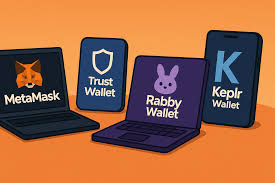
Popular examples include MetaMask, Phantom (for Solana), and Trust Wallet (which also has a mobile app). They allow you to manage multiple cryptocurrencies and tokens across different blockchains. Setting them up is usually straightforward.
You create a password and, most importantly, a recovery phrase. This recovery phrase is critical. Never share it and store it safely offline.
If you lose access to your device or browser, this phrase is the only way to restore your wallet.
Connecting these wallets to dApps is typically a one-click process. The wallet will prompt you to approve or deny a connection request. It will also ask you to approve any transactions, showing you estimated fees.
This makes managing airdrop claims very convenient. It’s like having a direct line to the crypto world right in your browser. However, always remember that these are online, so be cautious about the websites you connect them to.
Hot Wallet Quick Scan:
- Convenience: Very high. Easy to use daily.
- Security: Moderate. Vulnerable to online threats.
- Best For: Frequent trading, dApp interaction, claiming airdrops.
- Examples: MetaMask, Phantom, Trust Wallet.
Mobile Wallets (Hot)
Similar to browser extension wallets, mobile wallets are applications you download onto your smartphone. They offer a great balance of convenience and accessibility. You can manage your crypto and claim airdrops right from your phone.
Many mobile wallets also support multiple blockchains and tokens.
Trust Wallet is a prime example that functions as both a browser extension and a mobile app. Exodus is another well-regarded mobile wallet that offers a user-friendly interface and supports a wide range of cryptocurrencies. Coinbase Wallet is also popular, though it’s separate from the Coinbase exchange account itself.
These apps often have built-in dApp browsers, making it easy to navigate the decentralized web on your phone.
The security for mobile wallets relies on your phone’s security features (like fingerprint or face ID) and the wallet’s own password protection. Just like browser wallets, they will provide you with a recovery phrase. This phrase is your ultimate backup.
Guard it with your life. For those who are constantly on the go, a mobile wallet can be the most practical choice for managing airdrops and other crypto activities.
Hardware Wallets (Cold)
For serious crypto holders, hardware wallets are the gold standard for security. Devices like Ledger Nano S Plus or Trezor Model One store your private keys on a physical chip that is never exposed to the internet. When you need to make a transaction, you connect the device to your computer or phone, and the transaction is signed offline.
This offline signing process makes them incredibly resistant to malware and phishing attacks. Even if your computer is compromised, your private keys remain safe. For airdrops, you might use a hardware wallet as your primary storage.
You would then create a separate, smaller wallet (perhaps a hot wallet) to interact with airdrop platforms. You’d then transfer any claimed tokens from the hot wallet to your secure hardware wallet.
While they offer unparalleled security, hardware wallets are less convenient for frequent use. They also have a cost associated with them. However, if you hold a significant amount of crypto or are very concerned about security, a hardware wallet is a wise investment.
It provides peace of mind that hot wallets simply cannot match for large holdings. Think of it as a super-secure vault for your most valuable digital assets. You don’t leave your life savings lying around; you keep them in a safe place.
The same logic applies to significant crypto holdings.
Cold Wallet Quick Scan:
- Convenience: Low. Less ideal for frequent use.
- Security: Very High. Immune to online threats when offline.
- Best For: Long-term storage of significant crypto assets.
- Examples: Ledger Nano S Plus, Trezor Model One.
Key Features to Look for in an Airdrop Wallet
So, you know the types of wallets. Now, what specific features make one a great choice for airdrops? It’s more than just holding coins.
It’s about ease of use, security, and compatibility.
First, multi-chain support is a big one. As mentioned, airdrops can happen on many different blockchains. A wallet that supports Ethereum, BSC, Polygon, Solana, Avalanche, and others will give you access to more opportunities.
You don’t want to set up a new wallet for every single airdrop project.
Next, dApp connectivity. Most airdrops require you to connect your wallet to a platform to claim them. Your wallet should have a seamless and secure way to do this.
Browser extension and mobile wallets often excel here with built-in dApp browsers or easy integration.
User-friendly interface is crucial. You want to see your balances clearly, track incoming tokens, and manage transactions without confusion. A cluttered or confusing interface can lead to mistakes, like sending tokens to the wrong address or missing important claim windows.
Transaction management is also important. When claiming airdrops, you often need to approve a transaction. Your wallet should clearly show you what you are approving and the associated fees (gas fees).
Some wallets even offer options to adjust gas fees, which can save you money if you’re willing to wait a bit longer for the transaction to process.
Security features are non-negotiable. Beyond the basic recovery phrase, look for wallets that offer two-factor authentication (2FA) for accessing the app or website, clear warnings about risky dApps, and robust encryption. While hot wallets are inherently less secure than cold wallets, strong software security practices can significantly mitigate risks.
Finally, community and support. A wallet with an active community and good customer support can be invaluable. If you run into a problem or have a question, having access to help is very comforting.
A wallet that is actively maintained and updated by its developers is also a good sign of its ongoing reliability and security.
Essential Airdrop Wallet Features:
- Multi-Chain Support: Access airdrops across various blockchains.
- dApp Connectivity: Easy and secure connection to claiming platforms.
- Intuitive UI: Clear display of assets and transactions.
- Transaction Clarity: Understand gas fees and approvals.
- Robust Security: Strong encryption and protection measures.
My Own Airdrop Wallet Journey
I remember when I first got into crypto. It was all about Bitcoin and Ethereum. Then I started hearing about free tokens through airdrops.
Exciting! But how? I downloaded an exchange wallet.
It seemed simple enough. I linked it to a few airdrop sites. That’s when I hit a snag.
One day, I tried to claim a promising airdrop. The website asked me to connect my wallet. I clicked the button.
Suddenly, my wallet popped up, asking me to approve a transaction with a huge gas fee! I was confused. I hadn’t initiated a transaction myself.
It turned out the website was a bit shady. It tried to trick me into sending my ETH to them. Thankfully, I saw the warning signs and denied it.
My heart was pounding though. That’s when I realized how crucial wallet choice and understanding what you’re approving really are.
After that scare, I did more research. I learned about MetaMask. It was a browser extension and felt much more secure for interacting with dApps.
The interface was clearer too. I could see the estimated gas fees upfront and carefully review what I was approving. I started using MetaMask for claiming most of my airdrops.
I would send the valuable tokens to a Ledger hardware wallet I had bought for safekeeping. This dual approach made me feel much more in control and safer. It was a steep learning curve, but those early mistakes taught me invaluable lessons about protecting my digital assets.
Popular and Recommended Wallets for Airdrops
Based on extensive use and community feedback, certain wallets consistently stand out for their airdrop compatibility and overall quality. Here are some of the top contenders that I and many others rely on.
MetaMask
MetaMask is arguably the most popular and widely used wallet for Ethereum and EVM-compatible chains. It functions as a browser extension and a mobile app. If you’re involved in Ethereum-based airdrops, DeFi, or NFTs, you’ve likely encountered MetaMask.
Its strengths lie in its broad compatibility with dApps. Almost any Ethereum-based project will support MetaMask. It also supports adding custom networks like Polygon, BSC, and Avalanche with just a few clicks.
The interface is generally easy to navigate, and it clearly shows transaction details and gas fees. For airdrops on these chains, MetaMask is usually the go-to choice. Just remember to keep your recovery phrase extremely safe and only connect to trusted websites.
Phantom Wallet
For those looking into the Solana ecosystem, Phantom is the dominant wallet. It’s a browser extension and mobile app that makes interacting with Solana dApps and claiming Solana-based airdrops a breeze. Solana has a growing number of exciting projects, and Phantom is the key to unlocking them.
Phantom offers a clean interface that displays your SOL, SPL tokens (Solana’s version of tokens), and NFTs. Connecting to Solana dApps is as simple as with MetaMask on Ethereum. It also has features like staking SOL directly from the wallet.
If you’re exploring Solana airdrops, Phantom is essential.
Trust Wallet
Trust Wallet is a highly versatile mobile-first wallet that also offers a browser extension. It supports a vast array of blockchains and thousands of tokens. This makes it an excellent all-around wallet for airdrop hunting across different networks.
Its built-in dApp browser is robust, allowing you to interact with decentralized applications directly from your phone. It’s known for its user-friendliness, making it accessible for beginners. If you want one wallet that can handle many different types of airdrops without needing multiple setups, Trust Wallet is a strong contender.
Exodus
Exodus is another excellent multi-currency wallet that offers both desktop and mobile applications. It’s highly praised for its beautiful and intuitive user interface, making it very easy to manage your crypto assets. Exodus supports a large number of blockchains and tokens.
While it might not have as many direct dApp integrations as MetaMask or Phantom for specific network actions, it’s a fantastic choice for overall portfolio management and receiving airdrops across many chains. If you value a sleek design and ease of use for managing a diverse crypto portfolio, Exodus is a top pick. You can also connect it with a Trezor hardware wallet for added security.
Top Airdrop Wallets at a Glance:
| Wallet | Type | Primary Networks | Key Strength |
|---|---|---|---|
| MetaMask | Browser Extension/Mobile | Ethereum, EVM Chains | Vast dApp compatibility |
| Phantom | Browser Extension/Mobile | Solana | Seamless Solana dApp interaction |
| Trust Wallet | Mobile/Browser Extension | Many Blockchains | Versatile, beginner-friendly |
| Exodus | Desktop/Mobile | Many Blockchains | User-friendly interface |
Setting Up Your Airdrop Wallet Safely
Setting up a new wallet can feel like unlocking a new level in a game. But with digital assets, safety is the absolute priority. Here’s how to do it right:
1. Choose Your Wallet: Select one from the trusted list above or one you’ve researched well. For airdrops, a browser extension like MetaMask or a mobile wallet like Trust Wallet is usually a great start.
If you’re storing significant value, pair it with a hardware wallet later.
2. Download from Official Sources ONLY: This is critical. Go directly to the wallet’s official website or your device’s official app store.
Never download from a link sent in an email or social media message. Scammers create fake wallet sites to steal your information.
3. Create a Strong Password: Use a unique, strong password for your wallet application. This is the first layer of protection.
Make it a mix of uppercase and lowercase letters, numbers, and symbols. Don’t reuse passwords from other accounts.
4. Backup Your Recovery Phrase (Seed Phrase): This is the MOST IMPORTANT step. When you create a wallet, you’ll be given a list of 12 or 24 words.
This is your recovery phrase. It’s the master key to your wallet.
- Write it down: Use a pen and paper.
- Store it securely offline: Keep it in a safe place where only you can access it. Think a fireproof safe, a safety deposit box, or multiple hidden locations.
- Never digitize it: Do NOT take a photo of it, save it in a notes app, email it to yourself, or store it on your computer. If your device is hacked, your phrase could be compromised.
- Never share it: Anyone who asks for your recovery phrase is a scammer.
5. Verify Your Setup: After writing down your phrase, the wallet will usually ask you to re-enter it to confirm you’ve saved it correctly. Pay close attention to this step.
6. Enable Extra Security (if available): If your wallet or device supports it, enable fingerprint unlock or facial recognition. For web-based wallets, consider enabling 2FA if offered for your account associated with the wallet service.
Setting up your wallet correctly from the start is the best defense against losing your crypto or falling victim to scams. It takes a little extra effort upfront, but it’s absolutely worth it for peace of mind.
Wallet Setup Checklist:
- Official Download: Confirmed.
- Strong Password: Set and recorded securely.
- Recovery Phrase: Written down, stored offline, never digitized, never shared.
- Confirmation: Phrase verified by wallet.
- Extra Security: Enabled where possible (e.g., Face ID).
Connecting Your Wallet to dApps for Airdrops
This is where the magic happens for claiming airdrops. Once your wallet is set up, you’ll need to connect it to the airdrop platform.
1. Navigate to the Airdrop Page: You’ll typically find a link to the official airdrop page from the project’s announcement channels (Twitter, Discord, official website). Always double-check that you are on the legitimate page.
Scammers create fake airdrop pages all the time.
2. Find the “Connect Wallet” Button: Most dApps have a prominent button, usually in the top right corner, that says “Connect Wallet,” “Connect,” or similar. Click this button.
3. Select Your Wallet: A list of compatible wallets will appear. Choose the wallet you have installed (e.g., MetaMask, Phantom).
4. Approve the Connection: Your wallet will pop up, asking for permission to connect to the website. This is a crucial step.
It will usually show the website’s name and ask if you want to grant access. Carefully review this prompt. For a connection request, it shouldn’t ask you to approve any transaction or pay any fees.
5. Confirm Your Address (Optional but Good Practice): Some wallets might show you your public wallet address on the website after connecting. You can verify this address matches what you see in your wallet application to ensure you’re connected to the correct site.
6. Follow Airdrop Instructions: Once connected, the airdrop platform will guide you. This might involve signing a message (which is free and just proves you control the wallet), completing tasks, or directly claiming your tokens if you qualify.
Always pay attention to what the wallet prompt asks you to approve. If it asks you to send crypto or pay a high gas fee unexpectedly, something is wrong.
It’s normal for your wallet to ask for a free signature to confirm your identity. This is a security measure that doesn’t cost gas. However, any prompt asking you to sign a transaction that involves sending funds or spending a significant amount of gas without a clear reason is a red flag.
Always proceed with caution and common sense.
dApp Connection Safety Tips:
- Verify Website: Always confirm the URL is correct.
- Review Prompts: Understand what your wallet is asking you to approve.
- No Unsolicited Transactions: Be wary of unexpected transaction requests.
- Free Signatures: These are normal for connection; sending funds is not.
Potential Pitfalls and How to Avoid Them
The crypto world is exciting, but it also has its share of scams and mistakes. Being aware of common pitfalls can save you a lot of trouble and lost funds. For airdrops, here are some things to watch out for:
Fake Airdrops: Scammers create fake airdrop announcements or websites. They look very convincing. They might claim you’ve won a large prize, but to claim it, you need to send a small amount of crypto first to cover “fees” or “verification.” This is a scam.
Legitimate airdrops never ask you to send them money to receive free tokens.
Phishing Links: These are links that lead to fake websites designed to steal your wallet information. They might be sent via email, direct message on social media, or even appear in pop-ups. Always be suspicious of unsolicited links, especially those asking for wallet details or recovery phrases.
Malicious dApp Connections: As discussed, some dApps might try to trick you into approving harmful transactions. Always review the details in your wallet prompt before approving. If a transaction looks suspicious or asks for more than you expect, deny it.
Sharing Your Recovery Phrase: This is the ultimate sin in crypto. Your recovery phrase is your private key. If anyone gets it, they have full access to your wallet and all its contents.
No legitimate project or support person will ever ask for your recovery phrase. Ever.
Gas Fee Mismanagement: Sometimes, transactions can have unexpectedly high gas fees. This is especially true on networks like Ethereum during periods of high traffic. While not a scam, it can be costly.
Wallets often show estimated gas fees, but these can change. Be aware of the network congestion and fee estimates before approving large transactions.
Irreversible Transactions: Once a crypto transaction is confirmed on the blockchain, it cannot be reversed. If you send tokens to the wrong address or approve a malicious transaction, your funds are likely gone forever. Double-checking addresses and transaction details is crucial, though for most airdrop claiming, you’re approving actions initiated by the dApp.
The best defense is a combination of skepticism, education, and using secure tools. Stick to official announcements, verify everything, and never share your sensitive information.
Common Airdrop Scams to Avoid:
- “Send to Receive”: Never send crypto to get free crypto.
- “Urgent Claim Now!”: Phishing links disguised as time-sensitive offers.
- “Verify Your Wallet”: Requests for recovery phrases or private keys.
- “Pay Gas Fee to Receive Prize”: Scammers demanding fees for non-existent rewards.
When to Use a Hardware Wallet for Airdrops
While hot wallets are convenient for claiming, there’s a point where security needs to take precedence. This is where hardware wallets come into play, even for airdrops.
Storing Large Amounts: If the value of the tokens you’ve claimed from airdrops starts to grow significantly, it’s wise to move them to a hardware wallet. Think of it as transferring your savings from your everyday spending account to your secure savings vault.
Long-Term Holding: If you plan to hold the airdropped tokens for a long time, a hardware wallet offers the best protection against potential hacks or market volatility that might tempt you to trade hastily.
High-Value Networks: Airdrops on networks like Ethereum, which have higher transaction fees and are often targeted by sophisticated attackers, benefit greatly from the added security of a hardware wallet.
Peace of Mind: Ultimately, if you’re worried about the security of your digital assets, using a hardware wallet provides a level of assurance that hot wallets can’t match. It’s about feeling confident that your hard-earned crypto is safe.
The typical workflow for an airdrop enthusiast involves using a hot wallet (like MetaMask) to interact with dApps and claim tokens. Once a substantial amount of value is accumulated in the hot wallet, it’s then transferred to a hardware wallet for secure, long-term storage. This strategy combines the ease of use for claiming with the robust security for safeguarding your assets.
Real-World Scenario: Claiming an NFT Airdrop
Let’s imagine you’ve been active in a new blockchain game. The developers decide to reward early players with a special NFT. This NFT can be used in the game and might even be valuable on secondary markets.
1. Announcement: You see an announcement on their Discord server: “To our loyal players, we are airdropping a special Genesis NFT to all wallets that interacted with our platform before Date X.”
2. Eligibility Check: You quickly check your transaction history on the blockchain explorer (like Etherscan for Ethereum, Solscan for Solana) to confirm you meet the criteria.
3. Claim Page: The announcement includes a link to the official claim page. You click it, carefully verifying the URL.
4. Connect Wallet: The claim page has a “Connect Wallet” button. You click it, and your MetaMask browser extension pops up.
You select “Connect,” and it asks for permission to connect to the website. You grant it.
5. Claim Process: The page now shows your connected address and says, “You are eligible! Click below to claim your Genesis NFT.” Below that is a “Claim NFT” button.
6. Transaction Approval: You click “Claim NFT.” Your MetaMask pops up again, this time asking you to approve a transaction. It shows you the NFT you are claiming and a gas fee.
The gas fee is for minting the NFT onto your wallet on the blockchain. You review the fee. If it seems reasonable for your network at that moment, you click “Confirm.”
7. Confirmation: The transaction is processed on the blockchain. After a short while, the claim page shows “Success!
Your Genesis NFT has been sent to your wallet.” You can then check your NFT collection within MetaMask or a dedicated NFT marketplace (like OpenSea) to see your new digital collectible.
This scenario highlights how seamless the process can be with the right wallet and careful attention. The key is always verifying the source and understanding what your wallet is asking you to approve.
NFT Airdrop Flow:
- Eligibility: Meet project criteria.
- Official Link: Use verified claim page.
- Wallet Connection: Connect securely (e.g., MetaMask).
- Transaction Approval: Review and confirm minting/claim fee.
- Confirmation: NFT appears in wallet/marketplace.
What This Means for You: Taking Control
Understanding the best wallet for airdrops isn’t just about collecting free tokens. It’s about taking control of your digital future in a new and exciting space. It means being empowered to explore opportunities without unnecessary risk.
It means knowing that your digital assets are protected.
For beginners, this might mean starting with a user-friendly mobile or browser wallet. For those with more experience or larger holdings, it means integrating hardware wallets into their strategy. The core message is that your wallet is your primary tool for security and access.
Investing a little time to choose and set up the right one pays dividends in safety and opportunity.
Don’t be afraid to start small. Experiment with different wallets on less valuable networks first. Learn how they work.
The more comfortable you become, the more confident you’ll feel exploring the vast world of crypto and its many offerings, including the potential of airdrops.
Frequently Asked Questions About Airdrop Wallets
What is the absolute safest wallet for airdrops?
For maximum security, a hardware wallet (like Ledger or Trezor) is the safest. However, for the practicalities of claiming airdrops, a combination is often best: use a popular hot wallet (like MetaMask or Phantom) for claiming, and then transfer valuable tokens to your hardware wallet for safekeeping.
Do I need a different wallet for each blockchain?
No, many wallets support multiple blockchains. For example, MetaMask supports Ethereum and EVM-compatible chains (like Polygon, BSC). Phantom is for Solana.
Trust Wallet supports a very wide range of blockchains. You can usually add new networks to an existing wallet rather than needing a completely separate one.
Can I get scammed by connecting my wallet?
Yes, you can. Scammers create fake websites or malicious dApps that trick you into approving transactions that send your crypto away, or they try to steal your recovery phrase. Always verify website URLs, review wallet prompts carefully before approving anything, and never share your recovery phrase.
How do I know if an airdrop is legitimate?
Look for announcements from the project’s official social media channels (Twitter, Discord, Telegram). Legitimate airdrops usually don’t ask you to pay fees to receive tokens or require you to share your recovery phrase. Be skeptical of unsolicited messages or links.
Is it okay to use an exchange wallet for airdrops?
Generally, it’s not recommended for claiming most airdrops. Exchange wallets (like Binance or Coinbase exchange accounts) are custodial, meaning the exchange holds your private keys. Most dApps and airdrop platforms require you to connect a non-custodial wallet where you control your private keys, such as MetaMask or Phantom.
What should I do if my wallet asks me to pay a gas fee to claim an airdrop?
This is common for claiming tokens or NFTs, as there’s a transaction to write to the blockchain. However, be cautious if the fee seems unusually high, or if the airdrop prompt is pushing you to pay it immediately without clear explanation. Always check the transaction details in your wallet prompt to understand what you are approving.
Conclusion: Your Secure Gateway to Crypto Opportunities
Choosing the right wallet is a foundational step for anyone interested in crypto, especially for airdrops. It’s your digital key, security guard, and access pass all in one. By understanding the difference between hot and cold wallets, prioritizing key features like multi-chain support and dApp connectivity, and always focusing on security best practices, you can navigate the world of crypto with confidence.
Remember to start safe, stay vigilant against scams, and empower yourself with the knowledge to protect your digital assets while exploring exciting new opportunities.