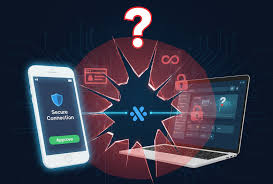
Safe wallet connection practices involve understanding the risks, using trusted services, reviewing permissions, and practicing good digital hygiene to protect your cryptocurrency and digital assets from unauthorized access or loss.
What It Means to Connect Your Wallet
When you connect your wallet, you are basically giving a website or an app permission. This permission lets it see some of your wallet’s information. It can also allow it to perform certain actions for you.
Think of it like a key. Your wallet holds your digital keys. Connecting it means you’re handing a specific, limited key to another party.
This is usually for a specific task. For example, buying a digital item or signing a transaction.
The most common reason to connect is for decentralized applications, or dApps. These run on blockchains. They need your wallet to work.
They need to know who you are. They also need to send and receive digital coins or tokens. This is how they function.
It’s like a handshake between your wallet and the app. This handshake allows for trust and interaction.
However, not all connections are the same. Some apps only need to see your wallet address. Others need to sign transactions.
Signing transactions is a big deal. It means the app can move your assets. This is why understanding what you are allowing is so important.
It’s not just a simple click. It’s a step that needs careful thought.
My Own Scary Moment with Wallet Connections
I remember one time, late one night. I was really excited about a new NFT marketplace. It promised some amazing deals.
I had my crypto wallet ready. I clicked the “Connect Wallet” button. A pop-up appeared.
It asked for broad permissions. It said something like, “Approve all transactions and view all data.” My gut just screamed “No!”
My heart started beating faster. I almost clicked “Approve” because I was tired and eager. But then I stopped.
I reread the request. It felt too much. I backed away from that site.
Later, I learned it was a known scam site. They were trying to drain wallets. That close call taught me a huge lesson.
I learned to always, always check permissions. It’s not just about convenience. It’s about keeping what’s yours safe.
Understanding Wallet Permissions
What you see: A pop-up asking for permission.
What it means: You are granting access to your wallet.
Key things to check:
- Can it view your address?
- Can it see your token balances?
- Can it sign transactions?
- Can it spend your tokens?
Rule of thumb: Only grant what is absolutely needed.
Common Risks When Connecting Your Wallet
There are several risks. One big one is phishing. Scammers make fake websites.
They look like real crypto sites. They ask you to connect your wallet. When you do, they steal your crypto.
Another risk is malicious smart contracts. Some apps have bad code. This code can steal your assets when you connect.
Also, there’s the risk of over-permissioning. You might grant an app too much power. It could then be used to drain your wallet.
Even if the app is not malicious, a hacker could take it over. Then they could use your permissions against you. This is why knowing what you click is vital.
Consider the types of blockchains. Some blockchains are safer than others. But no blockchain is immune to user error.
The way you interact matters most. Your wallet is your bank. Treat it with the utmost care.
Don’t share your keys. Don’t click on suspicious links. These simple rules go a long way.
Risk vs. Reward: Connecting Smartly
Common Risk: Phishing Sites
How it happens: Fake websites trick you into connecting.
Protection: Always verify the website URL. Use official links.
Common Risk: Malicious Smart Contracts
How it happens: Apps with bad code steal your funds.
Protection: Stick to well-known, audited dApps.
Common Risk: Over-Permissioning
How it happens: Giving apps too much access.
Protection: Review permissions carefully before approving.
Choosing the Right Wallet and Platform
Not all wallets are created equal. Some are more secure. Some are easier to use.
For general use, browser extension wallets like MetaMask are popular. They are good for interacting with dApps. Hardware wallets are the most secure.
These are physical devices. They keep your private keys offline. Examples include Ledger and Trezor.
For connecting, always use the official website of the dApp or service. Never click links from emails or social media messages. These are often scams.
If you’re unsure about a platform, do some research. Look for reviews. Check their security audits.
A little research upfront can save a lot of trouble later.
Think about the blockchain you are using. Ethereum has many dApps. However, it can also have higher gas fees.
Other blockchains might offer lower fees. They might also have fewer dApps. Choose the wallet that fits your needs.
Then, choose the platform that fits your security comfort level.
Best Practices for Safe Wallet Connections
First, always verify the website’s URL. Look for “https://” and a padlock icon. This shows the connection is secure.
But this doesn’t mean the site is legitimate. It just means your connection to the site is encrypted. Scammers can get SSL certificates too.
Second, understand the permissions you are granting. Most wallets will show you what the app is asking for. Read this carefully.
Does the app need to send tokens? Does it need to see your entire transaction history? If something seems excessive, deny the connection.
Third, use a dedicated wallet for dApps if possible. Have one wallet for your main savings. Use a separate, smaller wallet for daily interactions.
This limits the damage if a connection goes wrong. It’s like using a different credit card for online shopping.
Fourth, disconnect your wallet when you are not using it. Many wallets have a “disconnect” button. Use it often.
This prevents accidental transactions. It also stops background access.
Fifth, keep your wallet software updated. Updates often include security patches. They fix known vulnerabilities.
So, always install updates promptly.
Quick Scan: Your Wallet Connection Checklist
- Verify URL: Is it the official site?
- Check Permissions: What are you allowing?
- Use Separate Wallets: One for savings, one for play.
- Disconnect After Use: Don’t leave it open.
- Update Software: Always run the latest version.
Understanding Transaction Signatures
When you connect your wallet, the app might ask you to “sign a transaction.” This is a critical step. Signing means you approve an action. This action could be sending crypto.
It could be approving a token swap. Or it could be interacting with a smart contract.
Your wallet uses your private key to sign. This signature proves it’s really you. It’s like your unique digital fingerprint.
Once signed, the transaction is sent to the blockchain. It cannot be undone. This is why you must be absolutely sure about what you are signing.
Scammers often try to trick you into signing malicious transactions. They might show a small, harmless transaction in the pop-up. But the underlying code might be asking to send all your funds.
Always look at the details of the transaction. If you don’t understand it, don’t sign it. It’s better to be safe than sorry.
Sign vs. Approve: What’s the Difference?
Approve: Gives a contract permission to access your tokens. You still need to initiate the transaction.
Sign Transaction: You are directly approving a specific action. This could be sending, swapping, or interacting.
What to watch for: Unexpected token movements or amounts. Always double-check.
Using Hardware Wallets for Maximum Security
Hardware wallets are the gold standard for security. They are physical devices. Your private keys are stored on the device.
They never leave it. When you need to sign a transaction, it happens on the device itself. This makes it very hard for online attacks to steal your keys.
To connect your wallet using a hardware device, you usually need to connect it to your computer. Then, you use a software interface. This interface communicates with the hardware wallet.
You will then need to confirm the transaction on the hardware device’s screen. This two-step process adds a significant layer of safety.
While hardware wallets offer the best security, they are not always convenient for frequent, small transactions. For most people, a combination approach works best. Use a hardware wallet for significant holdings.
Use a software wallet for daily, smaller interactions. This way, you get the best of both worlds.
Reviewing and Revoking Wallet Permissions
What if you connected your wallet in the past? And now you’re worried? Many dApps and blockchain explorers offer tools to review your active connections.
You can often see a list of sites. You can also see what permissions they have.
Most wallets allow you to revoke these permissions. If you no longer use a service, it’s a good idea to disconnect. This is especially true if you don’t fully trust the service anymore.
Revoking permissions removes the access that a site has to your wallet. It’s like changing the locks on your house.
Some popular blockchain explorers offer this. For example, Etherscan has an “Approvals” section. You can see tokens that have been approved for spending.
You can then use a tool like Revoke.cash to revoke these approvals. This is a powerful way to maintain control over your assets. Always do this periodically.
Check who has access to your funds.
Revoking Access: Step-by-Step Idea
- Identify Risky Connections: Think about old apps you don’t use.
- Find Approval Tools: Use Etherscan, BscScan, or dedicated sites like Revoke.cash.
- Connect Your Wallet: To the approval tool.
- Review Approvals: See what has access.
- Revoke Unneeded Access: Click the revoke button for unwanted approvals.
Recognizing Red Flags During Connection
There are several warning signs. Be alert for overly aggressive pop-ups. If a site constantly asks you to connect or sign, be suspicious.
Unsolicited messages telling you to connect your wallet are also a major red flag.
Poor website design can also be a sign. If a site looks unprofessional, it might be a scam. Grammatical errors and spelling mistakes are common in phishing attempts.
Also, if a site promises unrealistic returns or free crypto, steer clear.
Most importantly, trust your instincts. If something feels off, it probably is. Don’t let FOMO (Fear Of Missing Out) push you into making a mistake.
It’s better to miss out on a deal than to lose all your assets.
The Importance of Multi-Factor Authentication (MFA)
While direct wallet connections often rely on your private key, some platforms offer MFA for their own accounts. This is like having an extra lock on your digital door. If a platform allows it, always enable MFA.
This could be a code sent to your phone or an authenticator app.
This is separate from your wallet’s security. It protects your account on that specific website or app. If a scammer gets your password, they still need the second factor to log in.
This is a crucial layer of defense for any online service you use.
Some advanced wallet solutions are exploring built-in MFA-like features. These can add extra steps before a transaction can be finalized. Keep an eye on these developments.
They aim to make digital asset management even safer.
Educating Yourself About New dApps
Before connecting your wallet to any new decentralized application, do your homework. Visit the dApp’s official website. Look for their whitepaper.
Read about their team. Check if they have undergone security audits by reputable firms. Reputable audits are usually listed on the dApp’s site.
Search for reviews and community feedback. Are there many complaints about scams or stolen funds? Are users generally happy with the service?
Sometimes, early-stage dApps are experimental. They might have bugs. But this is different from being intentionally malicious.
Understanding the purpose of the dApp is also important. Does it make sense why it needs your wallet connection? Does the functionality align with the permissions requested?
If you can’t find clear answers, it’s a sign to be cautious.
Protecting Your Seed Phrase and Private Keys
This is the most fundamental rule. Your seed phrase (or recovery phrase) is like the master key to your wallet. Anyone who has it can access all your funds.
Never share your seed phrase with anyone. Never enter it into a website or online form. Store it securely offline.
Write it down on paper. Keep it in a safe place.
Your private keys are also highly sensitive. While most users interact with their wallet via a seed phrase, the private keys are what actually control your assets. Do not export your private keys unless you absolutely know what you are doing.
And if you do, treat them with extreme caution.
Think of your seed phrase and private keys as the keys to your physical safe. You wouldn’t give them to a stranger, would you? Keep them secret.
Keep them safe. This is the ultimate protection for your digital assets.
When to Worry and When It’s Just Normal
It’s normal for a wallet to prompt you to connect to a dApp you’re trying to use. It’s normal for it to ask for permission to see your address or token balances. It’s also normal to be asked to sign a transaction that you initiated, like sending crypto to a friend or buying an NFT.
You should worry if a connection request seems suspicious. This includes unexpected pop-ups. It includes requests for broad permissions you don’t understand.
You should also worry if a site asks for your seed phrase. Or if it asks you to sign a transaction that you didn’t initiate. Any request to “verify” your wallet by sending funds is a scam.
Always be a little skeptical. A healthy dose of caution is your best defense. If you are ever in doubt, err on the side of caution.
It is better to miss a potentially good opportunity than to fall victim to a scam.
How to Safely Disconnect Your Wallet
After you finish using a dApp, remember to disconnect your wallet. This is a simple but often overlooked step. Most wallet interfaces have a clear “Disconnect” button.
Find it and click it. This ensures the dApp no longer has active access to your wallet.
Some dApps also have a “Disconnect” option within their user interface. Use this as well. It’s good practice to do this every time you finish interacting with a site.
This is especially true for sites you don’t visit often.
Why is this so important? Because even if you aren’t actively using the dApp, an active connection can sometimes be exploited. A hacker might find a vulnerability in the dApp itself.
They could then potentially use your existing connection. Disconnecting cuts off this potential pathway.
Frequent Questions About Safe Wallet Connections
Is it safe to connect my MetaMask wallet to any website?
It is generally safe to connect MetaMask to well-known and reputable decentralized applications (dApps). However, you should always proceed with caution. Carefully review the permissions requested by the dApp before approving.
Be wary of unknown or suspicious websites.
What are the biggest risks of connecting my crypto wallet?
The biggest risks include phishing attacks where fake websites steal your information, malicious smart contracts that can drain your funds, and granting excessive permissions to dApps that could be exploited later. It’s crucial to understand what you are approving.
How can I tell if a website asking me to connect my wallet is a scam?
Look for red flags like suspicious URLs (e.g., misspellings, extra characters), poor website design, grammatical errors, unsolicited requests to connect, or promises of unrealistic rewards. Always verify the official website address before connecting.
Should I connect my main wallet or a separate one to new dApps?
It is highly recommended to use a separate, dedicated wallet for new or less-trusted dApps. This limits your exposure. If that wallet is compromised, your main holdings in another wallet remain safe.
Think of it as a sandbox environment.
What does “approve” mean when connecting my wallet?
When you “approve” a token, you are giving a smart contract permission to access and manage that specific token within your wallet. You typically need to approve tokens before you can swap them or use them in a dApp. Always check the approved amount and revoke access when not needed.
How often should I review and revoke my wallet connections?
It’s a good practice to review your wallet connections and token approvals at least once a month. More often is better if you frequently interact with many different dApps. Regularly revoking unused permissions is a key security measure.
Are hardware wallets necessary for safe wallet connections?
Hardware wallets offer the highest level of security because they store your private keys offline. While not strictly necessary for every connection, they are highly recommended for storing significant amounts of cryptocurrency. They provide a robust defense against online threats.
Conclusion: Your Digital Security is in Your Hands
Connecting your wallet is a gateway to the exciting world of decentralized applications. But it’s a gateway that requires vigilance. By understanding the risks, choosing secure tools, and practicing smart connection habits, you can explore this space with confidence.
Your digital assets are valuable. Treat their security with the importance it deserves.