Hardware wallets are generally the safest way to receive airdrops because they keep your private keys offline. However, the process of claiming an airdrop can still carry risks if you interact with malicious smart contracts or fake websites. Always do thorough research and understand the transaction before confirming.
Understanding Hardware Wallets and Airdrops
A hardware wallet is like a digital vault for your cryptocurrency. It’s a small, physical device. Think of it like a USB drive.
This device stores your private keys offline. Your private keys are the secret codes that prove you own your crypto. Because they are offline, they are much harder for hackers to get to.
When you receive an airdrop, new tokens are sent to your wallet address. This address is public. Anyone can see it.
But only the person with the private keys can actually move the crypto out of that wallet. This is where the security of a hardware wallet shines.
Airdrops are promotional giveaways. Projects give away free tokens. They do this to build awareness.
They also do it to grow their community. Often, to get an airdrop, you need to do certain things. This could be holding another coin.
Or it might be joining a Telegram group. Sometimes, you need to connect your wallet to a website to claim the tokens.
The process of connecting your wallet to a site is where risks can appear. This is what we need to understand. How does a hardware wallet protect you here?
And where are the weak spots?
The Experience: That One Time a “Freebie” Almost Cost Me
I remember it clearly. It was late one evening, and I was scrolling through crypto news. A prominent project announced a surprise airdrop.
The article looked official. It showed logos and had a link to claim. My heart did a little skip.
Free tokens! I had a good amount of their main coin in my wallet. I clicked the link.
The website looked slick. It had a big button that said “Connect Wallet.” I usually use a software wallet for small things. But this project was bigger.
I thought, “Why not use the hardware wallet for this one?” I connected my Ledger. Then, I followed the steps. It asked me to sign a transaction.
The pop-up showed some gas fees. It looked normal. I’d seen similar things before.
So, I approved it on my Ledger. Then, the website said “Success!” and to wait for the tokens. I felt a little thrill.
But something felt… off. The transaction details in the Ledger app were kind of vague. I brushed it aside.
Later that night, I was checking my wallet balances. Panic set in. A significant amount of my ETH was GONE.
Not the airdrop tokens, but my actual Ether. My stomach dropped. I frantically replayed the steps on the website.
I looked closer at the transaction I had approved. It wasn’t just gas fees. It was a token approval transaction.
The malicious site had tricked me into approving a token spending function. It allowed their contract to pull my ETH. The airdrop was a fake.
The website was a scam. It was a hard lesson. I learned that even with a hardware wallet, you must be incredibly careful.
That feeling of dread was awful. It taught me to be way more cautious.
How Hardware Wallets Protect Your Crypto
Hardware wallets offer a strong defense. They work by keeping your private keys isolated. This is their main superpower.
Let’s break down why this matters so much, especially for airdrops.
Your private keys are the ultimate secret. If someone has them, they have your crypto. They can send it anywhere.
Hardware wallets store these keys on a special chip. This chip is designed to be very secure. It’s separate from your internet-connected computer or phone.
When you need to make a transaction, like claiming an airdrop, here’s what happens:
- Your hardware wallet doesn’t send your private key to the website.
- Instead, the transaction details are sent to the hardware wallet.
- You review the transaction on the device’s screen.
- If you agree, you confirm it by pressing buttons on the device.
- The hardware wallet signs the transaction using the private key it holds.
- The signed transaction is then sent back to your computer or phone to be broadcast to the network.
This “signing” process happens offline within the secure chip. The private key never leaves the hardware wallet. This makes it extremely difficult for malware on your computer or a malicious website to steal your keys.
For airdrops, this means that even if the website you connect to is a scam, your private keys remain safe. The scammer can’t directly access them to drain your wallet.
Airdrop Safety Checklist
Use a Dedicated Airdrop Wallet: Consider creating a new wallet solely for airdrops. This limits potential losses if something goes wrong.
Verify Website Legitimacy: Always check the official project channels (Twitter, Discord, website) for airdrop links. Avoid clicking links from unsolicited messages.
Understand Transaction Details: Never blindly approve transactions. Review what you’re signing on your hardware wallet screen. Look for unexpected token approvals or large outgoing amounts.
Beware of Private Key Requests: No legitimate airdrop will ever ask for your private key or seed phrase. Never share them.
Check Contract Interactions: If possible, understand what the smart contract you’re interacting with does. Is it just to receive tokens, or does it have permissions to move your funds?
The Hidden Dangers in Airdrop Hunting
While hardware wallets are a great first line of defense, the airdrop world isn’t without its sharks. Scammers are clever. They find ways to exploit users even when they use hardware wallets.
Here are the main dangers to watch out for:
Phishing Websites
These sites look identical to real project websites. They trick you into connecting your wallet. Then, they prompt you to sign transactions that drain your funds.
They might say you need to “verify” your wallet or “pay gas” to receive a larger airdrop. The key is they trick you into signing a bad transaction. Your hardware wallet can’t stop you from signing a transaction you approve.
It just secures the signing process itself.
Malicious Smart Contracts
This is what happened to me. You might connect your wallet to a legitimate-looking site. But that site could be interacting with a malicious smart contract.
This contract might ask for broad permissions. For example, it could ask for “approve” access to ALL your tokens. If you grant this, the scammer can then move any token from your wallet.
This is why reviewing the transaction details on your hardware wallet is crucial. It should clearly show what kind of action is being taken.
Fake Airdrop Announcements
Scammers create fake social media accounts. They post fake airdrop announcements. These often direct you to their phishing websites.
They prey on the excitement of getting free crypto. Always verify announcements through official project channels. Look for the blue checkmark on Twitter and official links on their main websites.
Seed Phrase or Private Key Requests
This is the most obvious scam. No legitimate airdrop, exchange, or wallet service will ever ask for your seed phrase or private key. If anyone asks for this information, it is a scam.
Full stop. Your seed phrase is the master key to all your crypto. Guard it with your life.
Gas Fee Scams
Some scams will say you need to send a small amount of crypto first to unlock a larger airdrop. They might frame it as a “gas fee” or “verification fee.” This is almost always a scam. Legitimate airdrops don’t require you to send crypto to them beforehand.
They send tokens to your wallet.
Real-World Context: Where and Why These Scams Happen
The crypto space is still young. Regulations are not fully in place. This creates fertile ground for bad actors.
Many airdrop scams leverage the excitement and sometimes the technical complexity of blockchain technology.
Environment: These scams often appear on social media platforms like Twitter, Telegram, and Discord. They can also pop up through search engine ads or even in forums. The anonymity offered by some platforms can make it hard to track down scammers.
Habits: Users are often eager to get in on the next big thing. They might rush through processes. They want to be among the first to claim a potentially valuable airdrop.
This eagerness can lead to skipping crucial safety checks. Many users also underestimate the sophistication of modern scams.
Design or Materials: Scammers create visually convincing websites and social media posts. They mimic legitimate project branding perfectly. They use official-looking logos and color schemes.
This makes it difficult for even experienced users to spot fakes at first glance.
User Behavior: The desire for “free money” is a powerful motivator. It can override rational decision-making. People tend to trust information that confirms their desires.
If a site promises free crypto, it’s easy to believe it, especially if it looks official.
What This Means for You: When is it Normal, When to Worry
It’s important to distinguish between a safe airdrop and a risky one. Understanding the normal flow of an airdrop can help you spot red flags.
When an Airdrop is Likely Normal:
- Official Announcements: The airdrop is announced through the project’s official, verified social media channels and website.
- Clear Requirements: The requirements are straightforward. For example, holding a specific token, staking, or using a platform.
- No Seed Phrase/Key Requests: You are never asked for your seed phrase or private keys.
- Simple Claim Process: You might need to connect your wallet to a verified platform to claim. The transaction you sign is typically for receiving tokens or approving a very specific, limited interaction.
- Low or Expected Gas Fees: You might pay standard network gas fees, but you are not asked to send crypto upfront.
When to Worry (Red Flags):
- Unsolicited Messages: You receive a direct message on Telegram, Discord, or email about an airdrop you didn’t know about.
- Suspicious Links: Links come from unofficial sources or look slightly off (e.g., extra characters in the URL, wrong domain extension).
- Requests for Private Keys/Seed Phrases: This is the biggest red flag. Never share this information.
- “Pay to Receive” Schemes: You are asked to send crypto to receive a larger amount.
- Broad Token Approvals: The transaction you are asked to sign gives a smart contract permission to spend all of a certain token type in your wallet.
- Urgency or High Pressure: The announcement creates a sense of urgency, saying you must claim immediately or lose out.
- Vague Transaction Details: The transaction details on your hardware wallet are unclear or don’t make sense.
Your hardware wallet is your best friend in this scenario. It acts as a gatekeeper for your private keys. But it cannot think for you.
You must do the thinking. Always pause and question. Is this real?
What am I signing?
Airdrop Claims: A Step-by-Step Safety Check
Step 1: Verify the Source. Is the airdrop announcement from the project’s official, verified Twitter, website, or Discord? Be wary of DMs or random links.
Step 2: Research the Project. Is this a legitimate project with active development? Do they have a whitepaper and a roadmap?
Step 3: Locate the Official Claim Link. Navigate to the official website yourself. Find the airdrop claim section there. Do NOT use links from social media or messages unless you’ve verified them intensely.
Step 4: Prepare Your Hardware Wallet. Ensure your hardware wallet is up to date and your firmware is current.
Step 5: Connect Carefully. If the site requires wallet connection, ensure it’s the correct, official site. Use the “Connect Wallet” option.
Step 6: Review Every Transaction. When prompted to sign, DO NOT RUSH. Read everything on your hardware wallet screen. Look for:
- Target Address: Is it a smart contract address you recognize or expect?
- Amount: Is it sending tokens to you, or allowing a contract to take your tokens?
- Function: Is it a simple token transfer, or a broad approval (like “approve” to spend your ETH or other tokens)?
Step 7: If Unsure, DON’T SIGN. It is always better to miss out on a potential airdrop than to lose all your assets. Simply disconnect your wallet and walk away from the site.
Quick Fixes & Tips for Safer Airdrops
Dealing with airdrops doesn’t have to be a minefield. Here are some simple tips to make the process safer:
Use a Burner Wallet
This is perhaps the most effective strategy. Create a brand-new wallet using your hardware wallet or a separate software wallet. Only use this wallet for airdrops.
Load it with a very small amount of crypto, just enough to cover potential gas fees for claiming. If the airdrop site is malicious, they can only steal what’s in that specific wallet. Your main holdings remain untouched.
Keep Software Wallets Separate
If you use software wallets (like MetaMask, Trust Wallet) for smaller tasks or interacting with many dApps, ensure they are not directly linked to your hardware wallet’s seed phrase. When connecting a hardware wallet to MetaMask, it creates a new address derivation path, keeping your hardware wallet’s keys offline. Never import your hardware wallet’s seed phrase into MetaMask or any other software wallet.
Understand Token Approvals
When a smart contract asks to “approve” a token, it’s like giving someone permission to spend your money. A malicious contract might ask for approval to spend all your ETH, USDC, or other valuable tokens. Always check the specific token and the amount the contract is allowed to spend.
For airdrops, you typically want to approve only the specific token being received, and often only a small, nominal amount, or for a limited time. Many good DeFi tools can help you revoke these approvals later if needed.
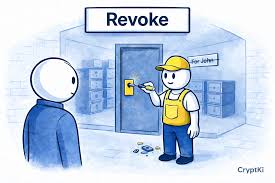
Revoke Unused Approvals
Over time, you might grant approvals to various smart contracts. Some of these might be old or from potentially risky interactions. Services like revoke.cash allow you to see and cancel these token approvals.
This is a good practice after participating in several airdrops.
Do Your Due Diligence (DYOR)
This is a crypto mantra for a reason. Before connecting your wallet to anything, especially for an airdrop:
- Check the official project website.
- Look for their official Twitter and Discord.
- See if the airdrop is mentioned there.
- Read the terms and conditions carefully.
If you can’t find clear, verifiable information, it’s best to stay away.
Be Skeptical of “Too Good to Be True” Offers
The crypto market can be volatile. While airdrops are a real phenomenon, massive giveaways for minimal effort are rare. If an offer seems exceptionally generous or easy, it probably is.
Scammers bank on people’s greed overriding their common sense.
Quick Airdrop Sanity Checks
Who is announcing this? Official project team only.
What do I have to do? Simple tasks, not giving away secrets.
What am I signing? Receiving tokens, not giving away access.
Do I need to send money first? No, definitely not.
Does it feel right? Trust your gut. If in doubt, back out.
Frequently Asked Questions About Hardware Wallets and Airdrops
Can I connect my hardware wallet to any airdrop website?
You can connect your hardware wallet to any website that supports it. However, you should not connect to every airdrop website. Only connect to verified, legitimate websites that you have thoroughly researched.
Your hardware wallet protects your keys, but it cannot protect you from signing malicious transactions if you approve them.
What if the airdrop website asks me to input my seed phrase?
NEVER input your seed phrase anywhere. Your seed phrase is the master key to your crypto. No legitimate airdrop or service will ever ask for it.
This is a definite scam. Disconnect your wallet immediately and do not interact with the site further.
How do I know if a transaction is safe to approve on my hardware wallet?
Carefully read the transaction details on your hardware wallet’s screen. Look for what the transaction is actually doing. For receiving an airdrop, you expect to see tokens being sent to your address.
Be very suspicious if you see it allowing a smart contract to spend your other tokens, or sending your existing tokens to an unknown address. If it’s unclear or looks wrong, do not approve it.
Should I use a separate hardware wallet just for airdrops?
Using a separate hardware wallet for airdrops is a good strategy if you participate in many. It adds an extra layer of security. You can keep this “burner” hardware wallet with minimal funds.
If it gets compromised, your main holdings are safe on another wallet. However, even with a separate wallet, always practice safe claiming procedures.
What are “token approvals” and why are they risky for airdrops?
Token approvals are smart contract functions that grant permission for a contract to move your tokens. For airdrops, a scammer might trick you into approving their contract to spend all of your ETH, USDT, or other valuable tokens. This allows them to drain your wallet later.
Always review these approvals very carefully and revoke them if they seem too broad or unnecessary.
If I connect my hardware wallet to a scam site, is my crypto gone forever?
Not necessarily, but it’s a serious risk. If you approve a malicious transaction, your crypto can be stolen. However, if you simply connected your wallet but did NOT approve any transactions, your funds are generally safe.
The key is what you approve on your hardware wallet. If you accidentally approved something bad, you may need to act quickly to revoke approvals and move remaining funds.
Conclusion: Airdrops and Your Hardware Wallet – Be Smart, Be Safe
Hardware wallets are fantastic tools for securing your crypto. They provide a robust shield against many online threats. When it comes to airdrops, they are your first and best line of defense.
However, they are not a magic bullet.
The real safety comes from your vigilance. Always do your research. Understand what you are signing.
Trust your instincts. By combining the security of your hardware wallet with careful practices, you can enjoy the potential rewards of airdrops without falling victim to scams. Stay safe out there!