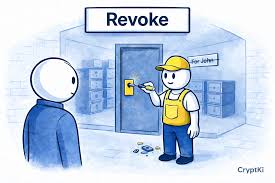
Revoking wallet permissions means disconnecting your cryptocurrency wallet from a decentralized application (dApp) or website. This action stops the dApp from accessing your wallet’s information or initiating transactions. It’s a crucial security step to protect your assets and privacy from potentially malicious or unauthorized access.
Understanding Wallet Permissions
When you use a crypto wallet, like MetaMask, Trust Wallet, or Phantom, it’s your digital key. This key unlocks your ability to interact with the world of decentralized finance (DeFi) and non-fungible tokens (NFTs). Many apps want to use this key.
They ask for permission to see your wallet address. Some even ask to send transactions on your behalf.
Think of it like granting access to your house. You might let a friend in to borrow a cup of sugar. They can come and go while you trust them.
But you wouldn’t want them to have a key forever, especially if you don’t visit them often or if you start to doubt their intentions. Wallet permissions work similarly.
When you connect a dApp to your wallet, you agree to specific terms. These terms allow the dApp to perform certain actions. This could be viewing your balance.
It could also be signing messages or sending crypto. These actions are usually required for the dApp to function. For example, an NFT marketplace needs permission to see your NFTs so you can list them for sale.
However, not all dApps are created equal. Some are trustworthy. Others might be scams or have security flaws.
Even legitimate apps can sometimes be hacked. This is why understanding what permissions you grant and how to manage them is super important. It’s about keeping your digital life safe and private.
Why Revoking Wallet Permissions Matters
You might be wondering, “Why bother revoking permissions if the app seems fine?” There are several really good reasons. Security is the biggest one. But privacy and managing your digital footprint are also key.
Let’s break it down.
First, security. Every connection you make is a potential entry point. If a dApp you connected to is compromised, hackers might try to exploit that connection.
They could try to steal your tokens or NFTs. Even if the app itself is safe, sometimes your wallet can be tricked into signing a malicious transaction. Limiting active connections reduces this risk.
Second, privacy. When you grant permissions, dApps can see certain information about your wallet. This might include your wallet address and the tokens you hold.
While this is often necessary for the app to work, some apps might collect more data than you’re comfortable with. Revoking permissions stops this ongoing data sharing.
Third, managing your digital identity. In web3, your wallet address is often tied to your online persona. You might have used it for various services.
Over time, you might stop using some of these services. Leaving old permissions active is like leaving old doors unlocked. It’s tidier and safer to close the ones you don’t need anymore.
Consider this: you connected your wallet to a new game last year. You played it for a month and then forgot about it. The game’s developers might have had a data breach.
If your wallet still has permissions active, those hackers could potentially target you. Revoking that old permission makes you less of a target.
It’s also about being proactive. The crypto space moves fast. New threats emerge.
Regular checks and clean-ups of your wallet’s connections are like regular maintenance for your car. They help prevent bigger problems down the road.
Finally, some permissions are broader than you might think. Sometimes, granting permission to one dApp might unknowingly give access to another, related service. Being mindful of what you connect to and what you allow helps prevent these unintended exposures.
In short, revoking permissions is a simple yet powerful way to enhance your security, protect your privacy, and maintain control over your digital assets. It’s a fundamental practice for anyone serious about using cryptocurrencies and web3 technologies safely.
My Own Close Call with Unrevoked Permissions
I remember one time, about two years ago, I was deep into exploring the DeFi space. I was trying out so many new protocols and platforms. Each one asked for my wallet connection.
I was so eager to see what everything did that I just clicked “Connect” and “Approve” without much thought.
One of these was a small yield farming project. It promised crazy high returns. I put a tiny amount of crypto into it, mostly just to test the waters.
I played around with it for a few weeks, saw the yield, and then my attention got pulled to something else shiny and new. I completely forgot about that little project.
Fast forward about six months. I was doing a routine clean-up of my MetaMask connections. I stumbled upon this obscure project.
I didn’t even recognize the name at first. Curious, I checked its website. It looked… different.
A bit more clunky. The community forums I used to follow were quiet. It felt like the project had lost steam, or worse, was abandoned.
Then, a few days later, I saw a warning on a crypto news site. That exact project, or at least its developers, had been accused of a rug pull. They had allegedly drained funds from users who still had active permissions.
My blood ran cold.
I immediately went back to my MetaMask. I found that project and hit the “Revoke” button. It was such a relief.
The connection disappeared. I had only put in a small amount, so I wasn’t financially devastated. But the thought of what could have happened if I hadn’t been doing that clean-up… it was scary.
It taught me a hard lesson. It’s not just about the apps you actively use. It’s about all the past connections too.
That experience really hammered home for me how important it is to be diligent. You can’t just connect and forget. You have to actively manage those permissions.
It’s a critical step in staying safe in this evolving digital world. It’s a habit I’ve kept ever since.
How to Check and Revoke Permissions (General Steps)
The exact steps to revoke wallet permissions can vary slightly depending on the specific wallet you are using. However, the general idea is the same across most popular wallets. You’ll usually find this option within your wallet’s settings or connected apps section.
Here’s a breakdown of what you’re generally looking for. We’ll cover some popular wallets below, but this gives you the core idea.
1. Open Your Wallet: Start by opening your crypto wallet application on your phone or desktop browser extension.
2. Find Settings: Look for a “Settings” or “Configuration” menu. This is often represented by a gear icon.
It’s usually located in a prominent place, like a sidebar or a main menu.
3. Locate Connected Apps / Permissions: Within settings, search for an option like “Connected Sites,” “Connected Apps,” “Permissions,” or “Authorized Contracts.” This section lists all the dApps or websites that currently have access to your wallet.
4. Review the List: Carefully go through the list. You’ll typically see the name of the dApp and often the date you last connected.
If you don’t recognize an app or haven’t used it in a long time, it’s a good candidate for revocation.
5. Select and Revoke: Click on the app you want to disconnect. There should be a clear “Revoke,” “Disconnect,” or “Remove Access” button.
Clicking this will prompt you to confirm your action.
6. Confirm Transaction (if applicable): Some wallets, especially older or more security-focused ones, might require you to sign a small transaction to revoke permissions. This transaction doesn’t cost much, often just a tiny amount of gas fees.
It’s a necessary step to record the revocation on the blockchain. Newer wallets often handle this without an on-chain transaction.
7. Repeat for All Unneeded Connections: Go through the entire list and revoke access for any app you no longer use or trust. It’s wise to do this periodically, perhaps once a month or every few months.
Remember to be cautious. Ensure you are on the official website or app of your wallet before making any changes. Phishing attempts can create fake wallet interfaces to steal your information.
Quick Scan: Essential Wallet Security Tips
Be selective: Only connect your wallet to dApps you trust and actively use.
Review permissions: Understand what access a dApp is requesting before approving.
Regular audits: Schedule time to check and revoke old permissions.
Use hardware wallets: For significant funds, consider a hardware wallet for maximum security.
Beware of phishing: Never click suspicious links or enter your seed phrase on untrusted sites.
Specific Steps for Popular Wallets
Different wallets have slightly different interfaces. Here’s how you can typically find the permission settings in some of the most common ones:
MetaMask
MetaMask is one of the most widely used browser extension and mobile wallets. Its interface is fairly straightforward.
Browser Extension:
- Open MetaMask.
- Click on your account avatar in the top right corner.
- Select “Connected Sites.”
- You will see a list of sites. Click on a site to see more details.
- Click the trash can icon next to the site name to revoke access.
Mobile App:
- Open the MetaMask mobile app.
- Tap the menu icon (three horizontal lines) in the top left.
- Select “Connected Apps.”
- You will see a list of connected dApps.
- Tap on a dApp to view its details.
- Tap “Disconnect” to revoke access.
Trust Wallet
Trust Wallet is a popular mobile-first wallet. It has a built-in browser for dApps.
- Open the Trust Wallet app.
- Tap on the “Settings” icon (gear shape) in the bottom right.
- Select “Connections.”
- This will show you a list of connected dApps.
- Tap on any dApp to view its connection details.
- Tap “Disconnect” or the trash can icon to remove access.
Phantom Wallet (Solana)
Phantom is a leading wallet for the Solana ecosystem.
- Open the Phantom extension or mobile app.
- Click or tap on your profile picture/account icon.
- Select “Authorized Apps.”
- You’ll see a list of applications with access to your wallet.
- For each app, there will be a “Revoke” or “Disconnect” button. Click it.
- You may need to confirm this action.
Coinbase Wallet
Coinbase Wallet offers a browser within its app.
- Open the Coinbase Wallet app.
- Tap the “Browser” icon (looks like a compass) at the bottom.
- Tap the “Connect” icon (looks like two overlapping squares) in the top right.
- This shows your “Connected Apps.”
- Tap on any app.
- Tap “Disconnect” to revoke access.
For other wallets, the principle remains the same: look for connection settings, authorized apps, or a list of connected sites. If you’re ever unsure, the wallet’s official support documentation or FAQ is usually the best place to find specific instructions.
Contrast Matrix: Normal vs. Concerning Connections
| Aspect | Normal Connection | Concerning Connection |
|---|---|---|
| Purpose | Connection is for a dApp you actively use and trust for a specific function (e.g., trading, gaming, staking). | Connection is for an app you barely remember using, a site with a poor reputation, or one that requests excessive permissions. |
| Permissions Granted | Permissions align with the dApp’s functionality (e.g., viewing NFTs for a marketplace, sending tokens for a DeFi swap). | Permissions are overly broad, allowing actions the dApp doesn’t need to perform its core function. |
| Last Used | Connection was made recently, or you use the dApp regularly. | Connection is very old, and you haven’t interacted with the dApp in months or years. |
| Wallet Interaction | You occasionally sign transactions to interact with the dApp. | The dApp has permission to initiate transactions without your explicit approval for every single one (this is rare and highly suspicious). |
Beyond Basic Revocation: Advanced Tools and Considerations
While most wallets offer a built-in way to disconnect from dApps, sometimes you might need more. This is especially true if you’re dealing with smart contracts directly or want a more comprehensive view of your wallet’s interactions.
1. Blockchain Explorers: Services like Etherscan (for Ethereum), Solscan (for Solana), or BscScan (for Binance Smart Chain) allow you to see all the transactions associated with your wallet address. You can often see which contracts your wallet has interacted with.
Some explorers also have a feature to view or manage token approvals.
2. Third-Party dApp Management Tools: There are specialized websites designed to help you manage your wallet connections and token approvals across various blockchains. These tools can be very powerful.
They often provide a centralized dashboard to see all your active connections and permissions. Some popular ones include:
- DeBank: Offers a comprehensive dashboard for tracking your DeFi portfolio and managing token approvals across multiple chains.
- TokenSight: A tool focused on managing token approvals and identifying potentially risky permissions.
- MyEtherWallet (MEW): While a wallet itself, MEW also offers tools to check and revoke access to certain contracts.
These tools can be extremely useful because they often aggregate information from different blockchains. This means you can see all your web3 connections in one place, even if they are on different networks like Ethereum, Polygon, or Avalanche.
3. Understanding Token Approvals: It’s important to distinguish between connecting your wallet and approving a token. When you connect to a dApp, you grant it permission to see your address and potentially initiate transactions.
When you approve a token, you are giving a smart contract the permission to move a specific token (like USDT or DAI) from your wallet to another address, often the dApp’s contract, for use within that application.
Revoking token approvals is just as important as revoking dApp connections. Many of these third-party tools specialize in managing these token approvals. They can help you see exactly how much of a token you’ve approved for a specific contract and allow you to revoke that approval.
4. Smart Contract Risks: Sometimes, you might interact with a smart contract directly, perhaps to stake tokens or use a DeFi protocol. These interactions can also grant permissions.
Revoking these is vital. If a smart contract is exploited, any approvals you’ve given to it could be used against you.
5. Gas Fees for Revocation: Be aware that on some blockchains, like Ethereum, revoking permissions or token approvals might require paying a gas fee. This is because you are interacting with the blockchain to change the state of your approvals.
The cost of these fees can vary depending on network congestion.
Using these advanced tools and understanding concepts like token approvals gives you a much deeper level of control. It’s about moving from just passively using web3 to actively managing your presence and security within it.
Stacked Micro-Sections: Understanding Smart Contract Interactions
What is a Smart Contract?
It’s code on the blockchain that runs automatically when certain conditions are met. Think of it as a digital vending machine for agreements.
What are Token Approvals?
When a dApp needs to move your tokens, you “approve” its smart contract. This gives the contract permission to transfer your tokens. It’s like giving a cashier permission to take money from your wallet for a specific purchase.
Why Revoke Approvals?
If the dApp or smart contract is compromised, or if you no longer use it, you want to take back that permission. This stops unauthorized transfers.
How to Revoke Approvals:
Usually done through dedicated tools like DeBank or TokenSight, or sometimes within your wallet’s advanced settings. It often involves a blockchain transaction.
Real-World Scenarios: When to Be Extra Vigilant
Certain situations call for heightened awareness regarding wallet permissions. These are moments when the risk might be higher, or the implications of an unrevoked permission could be more severe. Being mindful of these scenarios can help you stay one step ahead.
1. New and Unproven dApps: When you try out a brand-new decentralized application, especially one that hasn’t been around for long or doesn’t have a large, established community, proceed with caution. These dApps might still have bugs or could be outright scams.
Only grant the bare minimum permissions required for it to function and plan to revoke them once you’re done testing.
2. High-Value Transactions or Holdings: If you’re about to conduct a significant transaction or if you hold a substantial amount of cryptocurrency in your wallet, double-check all your active permissions. A compromised connection for a wallet holding millions could lead to catastrophic losses.
It’s wise to disconnect from everything non-essential before large trades or deposits.
3. Interacting with Multiple Blockchains: The more blockchains you use your wallet on, the more potential connection points there are. An app might have permissions active on Ethereum, but also on Polygon or Avalanche if it’s cross-chain.
Regularly checking your connections across all the networks your wallet supports is crucial.
4. Old or Abandoned Projects: If you were involved in a crypto project that has since gone quiet, its website might be down, or its developers might have disappeared. These are prime candidates for having their permissions revoked immediately.
The smart contracts might still be active, and the developers could potentially exploit old approvals.
5. Unexpected Wallet Behavior: If your wallet starts acting strangely, such as showing pop-ups you don’t expect, or if you receive unusual transaction requests, it’s a major red flag. The first step should be to immediately disconnect your wallet from any suspicious dApps or sites you recently interacted with.
This can sometimes halt ongoing malicious activity.
6. Sharing Wallets (Not Recommended): While generally discouraged for security reasons, some people might share a wallet for specific purposes (e.g., a family managing a joint pool of funds). In such cases, meticulous tracking and regular revocation of permissions are absolutely paramount, as multiple people have access to the connection process.
By keeping these real-world scenarios in mind, you can adopt a more proactive and security-conscious approach to managing your wallet’s permissions. It’s about anticipating potential risks and taking steps to mitigate them before they become problems.
When It’s Normal to Have Permissions Active
It’s not always about disconnecting. Sometimes, having active permissions is a necessary and normal part of using decentralized applications. The key is to ensure these permissions are for services you actively use and trust.
- Active Trading Platforms: If you regularly trade on a decentralized exchange (DEX) like Uniswap or PancakeSwap, your wallet will need to be connected and likely have token approvals active so you can swap tokens. You expect to interact with these regularly.
- Staking and Yield Farming: Protocols where you stake your tokens to earn rewards require ongoing permissions. The smart contract needs to interact with your tokens to manage staking and distribute earnings.
- NFT Marketplaces: When you’re actively buying, selling, or listing NFTs on platforms like OpenSea or Magic Eden, your wallet needs to be connected. It needs permission to view your NFTs and to approve token transfers for sales.
- Blockchain Games: If you’re playing a web3 game and using in-game assets, your wallet will remain connected to manage your in-game inventory and progress.
- DeFi Lending/Borrowing: Platforms for lending or borrowing cryptocurrencies require your wallet to be connected and often have token approvals so you can deposit collateral or receive loans.
- DAO Voting: If you participate in decentralized autonomous organizations (DAOs), your wallet needs to be connected to vote on proposals.
The important factor here is active engagement. If you are frequently using a service, keeping the connection active and necessary permissions granted makes sense. You’ve likely reviewed the dApp, understand its risks, and have assessed its trustworthiness.
The goal isn’t to revoke every single permission. It’s to ensure that every active permission is there for a reason and that you trust the entity it’s granted to. It’s about intentionality and control, not about paranoia.
When to Worry: Red Flags for Wallet Permissions
While many active connections are normal, there are definite red flags that should make you pause and investigate. Ignoring these signs could put your assets at risk.
- Permission to “Spend Unlimited Amount”: When a dApp asks for approval to spend an unlimited amount of a token, this is a huge red flag. While some DeFi protocols might require this for certain advanced functions, for most dApps, you should aim to set a specific spending limit or revoke unlimited approvals if they are not absolutely necessary and you don’t fully trust the dApp.
- No Clear Disconnect Option: If you cannot easily find a way to disconnect your wallet from a dApp or revoke its permissions through the dApp’s interface or your wallet, be very suspicious. Legitimate dApps always provide a clear way to terminate the connection.
- Unexpected Transaction Requests: If your wallet suddenly prompts you to sign a transaction that you didn’t initiate, especially from a dApp you’re connected to, it’s a critical warning sign. This could indicate the dApp is trying to exploit its permissions.
- Poorly Designed or Shady Websites: If the dApp’s website looks unprofessional, has broken links, or seems generally untrustworthy, the permissions you grant it are likely to be risky.
- Requests for Sensitive Information Beyond Wallet Connection: A legitimate dApp might ask you to connect your wallet, but it should never ask for your seed phrase, private keys, or other sensitive login details for other services.
- Excessive Gas Fees for Revocation: While some gas fees are normal on certain blockchains, if you encounter astronomically high fees simply to revoke a permission, investigate further. This could be a sign of a wallet drainer trying to trick you into paying high fees for nothing or worse.
- DApp suddenly asking for new, broader permissions: If an app you’ve used for a while suddenly starts asking for permissions it never needed before, be very careful. It might be trying to exploit a new vulnerability or change its purpose.
If you see any of these red flags, your immediate action should be to revoke all permissions related to that dApp and any other dApps you are unsure about. It’s better to be safe than sorry.
Quick Tips for Setting Spending Limits
Always prefer specific limits: Instead of approving unlimited spending, set a limit that matches your expected usage for that session or for a short period.
Use allowance checkers: Tools like TokenSight or features within DeBank can help you find tokens with unlimited approvals and revoke them.
Set a low initial limit: If you’re unsure, set a very small limit. You can always increase it later if needed and if you confirm the dApp’s safety.
Be wary of “infinite” approvals: Unless you fully understand why and trust the protocol completely, avoid giving contracts infinite access to your tokens.
Frequently Asked Questions (FAQs)
How often should I revoke wallet permissions?
It’s a good practice to review your connected dApps and revoke permissions at least once a month. If you experiment with many new dApps, consider doing it more often, perhaps after each significant session or week.
What happens if I revoke permissions for a dApp I still use?
If you revoke permissions for a dApp you still actively use, it will stop working correctly. You will likely need to reconnect your wallet to the dApp and grant the necessary permissions again. This is why it’s important to only revoke for dApps you no longer need or trust.
Can revoking permissions cost me money?
On some blockchains, like Ethereum, revoking permissions might require a small gas fee to process the transaction. The cost depends on network congestion. However, this is usually a small price to pay for enhanced security.
Wallets for newer chains or Layer 2 solutions might have zero or very low fees for this action.
Is it safe to use third-party tools to manage my permissions?
Yes, reputable third-party tools like DeBank or TokenSight are generally safe and highly recommended for managing your wallet’s permissions and token approvals. Always ensure you are using the official website for these tools and have connected your wallet through secure means.
What’s the difference between connecting a wallet and approving a token?
Connecting your wallet grants a dApp the ability to see your address and interact with certain blockchain functions. Approving a token gives a specific smart contract permission to move a particular token from your wallet. You might approve a token for a DEX to swap it, for example.
Revoking both is important.
Should I revoke permissions if I’m using a hardware wallet?
Yes, you absolutely should. Even with a hardware wallet, your wallet address is still connected to dApps. Revoking permissions helps ensure that even if a dApp is compromised, it cannot initiate unauthorized transactions that would still require your approval on the hardware wallet.
It’s an extra layer of defense.
What if a dApp asks for approval to spend an unlimited amount of my tokens?
This is a significant security risk. Unless you fully understand why and trust the specific dApp completely, avoid giving unlimited approvals. Try to set a specific spending limit that reflects your expected usage, or revoke any existing unlimited approvals through a token management tool.
Conclusion
Managing your wallet permissions is a fundamental aspect of staying safe in the web3 world. It’s not a one-time task but an ongoing practice. By understanding what permissions mean, why they matter, and how to revoke them, you take a big step towards protecting your digital assets and your privacy.
Regularly reviewing your connections, being mindful of new dApps, and using the tools available will empower you. You’ll navigate the exciting possibilities of crypto and web3 with greater confidence and security. Your digital keys are precious – keep them safe and sound.