Author: Admin

  • Safe Wallet Connection Practices

    Safe Wallet Connection Practices

    Safe wallet connection practices involve understanding the risks, using trusted services, reviewing permissions, and practicing good digital hygiene to protect your cryptocurrency and digital assets from unauthorized access or loss.

    What It Means to Connect Your Wallet

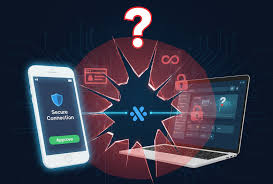
    When you connect your wallet, you are basically giving a website or an app permission. This permission lets it see some of your wallet’s information. It can also allow it to perform certain actions for you.

    Think of it like a key. Your wallet holds your digital keys. Connecting it means you’re handing a specific, limited key to another party.

    This is usually for a specific task. For example, buying a digital item or signing a transaction.

    The most common reason to connect is for decentralized applications, or dApps. These run on blockchains. They need your wallet to work.

    They need to know who you are. They also need to send and receive digital coins or tokens. This is how they function.

    It’s like a handshake between your wallet and the app. This handshake allows for trust and interaction.

    However, not all connections are the same. Some apps only need to see your wallet address. Others need to sign transactions.

    Signing transactions is a big deal. It means the app can move your assets. This is why understanding what you are allowing is so important.

    It’s not just a simple click. It’s a step that needs careful thought.

    My Own Scary Moment with Wallet Connections

    I remember one time, late one night. I was really excited about a new NFT marketplace. It promised some amazing deals.

    I had my crypto wallet ready. I clicked the “Connect Wallet” button. A pop-up appeared.

    It asked for broad permissions. It said something like, “Approve all transactions and view all data.” My gut just screamed “No!”

    My heart started beating faster. I almost clicked “Approve” because I was tired and eager. But then I stopped.

    I reread the request. It felt too much. I backed away from that site.

    Later, I learned it was a known scam site. They were trying to drain wallets. That close call taught me a huge lesson.

    I learned to always, always check permissions. It’s not just about convenience. It’s about keeping what’s yours safe.

    Understanding Wallet Permissions

    What you see: A pop-up asking for permission.

    What it means: You are granting access to your wallet.

    Key things to check:

    • Can it view your address?
    • Can it see your token balances?
    • Can it sign transactions?
    • Can it spend your tokens?

    Rule of thumb: Only grant what is absolutely needed.

    Common Risks When Connecting Your Wallet

    There are several risks. One big one is phishing. Scammers make fake websites.

    They look like real crypto sites. They ask you to connect your wallet. When you do, they steal your crypto.

    Another risk is malicious smart contracts. Some apps have bad code. This code can steal your assets when you connect.

    Also, there’s the risk of over-permissioning. You might grant an app too much power. It could then be used to drain your wallet.

    Even if the app is not malicious, a hacker could take it over. Then they could use your permissions against you. This is why knowing what you click is vital.

    Consider the types of blockchains. Some blockchains are safer than others. But no blockchain is immune to user error.

    The way you interact matters most. Your wallet is your bank. Treat it with the utmost care.

    Don’t share your keys. Don’t click on suspicious links. These simple rules go a long way.

    Risk vs. Reward: Connecting Smartly

    Common Risk: Phishing Sites

    How it happens: Fake websites trick you into connecting.

    Protection: Always verify the website URL. Use official links.

    Common Risk: Malicious Smart Contracts

    How it happens: Apps with bad code steal your funds.

    Protection: Stick to well-known, audited dApps.

    Common Risk: Over-Permissioning

    How it happens: Giving apps too much access.

    Protection: Review permissions carefully before approving.

    Choosing the Right Wallet and Platform

    Not all wallets are created equal. Some are more secure. Some are easier to use.

    For general use, browser extension wallets like MetaMask are popular. They are good for interacting with dApps. Hardware wallets are the most secure.

    These are physical devices. They keep your private keys offline. Examples include Ledger and Trezor.

    For connecting, always use the official website of the dApp or service. Never click links from emails or social media messages. These are often scams.

    If you’re unsure about a platform, do some research. Look for reviews. Check their security audits.

    A little research upfront can save a lot of trouble later.

    Think about the blockchain you are using. Ethereum has many dApps. However, it can also have higher gas fees.

    Other blockchains might offer lower fees. They might also have fewer dApps. Choose the wallet that fits your needs.

    Then, choose the platform that fits your security comfort level.

    Best Practices for Safe Wallet Connections

    First, always verify the website’s URL. Look for “https://” and a padlock icon. This shows the connection is secure.

    But this doesn’t mean the site is legitimate. It just means your connection to the site is encrypted. Scammers can get SSL certificates too.

    Second, understand the permissions you are granting. Most wallets will show you what the app is asking for. Read this carefully.

    Does the app need to send tokens? Does it need to see your entire transaction history? If something seems excessive, deny the connection.

    Third, use a dedicated wallet for dApps if possible. Have one wallet for your main savings. Use a separate, smaller wallet for daily interactions.

    This limits the damage if a connection goes wrong. It’s like using a different credit card for online shopping.

    Fourth, disconnect your wallet when you are not using it. Many wallets have a “disconnect” button. Use it often.

    This prevents accidental transactions. It also stops background access.

    Fifth, keep your wallet software updated. Updates often include security patches. They fix known vulnerabilities.

    So, always install updates promptly.

    Quick Scan: Your Wallet Connection Checklist

    • Verify URL: Is it the official site?
    • Check Permissions: What are you allowing?
    • Use Separate Wallets: One for savings, one for play.
    • Disconnect After Use: Don’t leave it open.
    • Update Software: Always run the latest version.

    Understanding Transaction Signatures

    When you connect your wallet, the app might ask you to “sign a transaction.” This is a critical step. Signing means you approve an action. This action could be sending crypto.

    It could be approving a token swap. Or it could be interacting with a smart contract.

    Your wallet uses your private key to sign. This signature proves it’s really you. It’s like your unique digital fingerprint.

    Once signed, the transaction is sent to the blockchain. It cannot be undone. This is why you must be absolutely sure about what you are signing.

    Scammers often try to trick you into signing malicious transactions. They might show a small, harmless transaction in the pop-up. But the underlying code might be asking to send all your funds.

    Always look at the details of the transaction. If you don’t understand it, don’t sign it. It’s better to be safe than sorry.

    Sign vs. Approve: What’s the Difference?

    Approve: Gives a contract permission to access your tokens. You still need to initiate the transaction.

    Sign Transaction: You are directly approving a specific action. This could be sending, swapping, or interacting.

    What to watch for: Unexpected token movements or amounts. Always double-check.

    Using Hardware Wallets for Maximum Security

    Hardware wallets are the gold standard for security. They are physical devices. Your private keys are stored on the device.

    They never leave it. When you need to sign a transaction, it happens on the device itself. This makes it very hard for online attacks to steal your keys.

    To connect your wallet using a hardware device, you usually need to connect it to your computer. Then, you use a software interface. This interface communicates with the hardware wallet.

    You will then need to confirm the transaction on the hardware device’s screen. This two-step process adds a significant layer of safety.

    While hardware wallets offer the best security, they are not always convenient for frequent, small transactions. For most people, a combination approach works best. Use a hardware wallet for significant holdings.

    Use a software wallet for daily, smaller interactions. This way, you get the best of both worlds.

    Reviewing and Revoking Wallet Permissions

    What if you connected your wallet in the past? And now you’re worried? Many dApps and blockchain explorers offer tools to review your active connections.

    You can often see a list of sites. You can also see what permissions they have.

    Most wallets allow you to revoke these permissions. If you no longer use a service, it’s a good idea to disconnect. This is especially true if you don’t fully trust the service anymore.

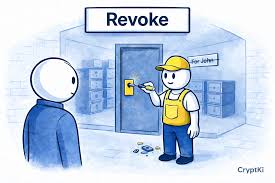
    Revoking permissions removes the access that a site has to your wallet. It’s like changing the locks on your house.

    Some popular blockchain explorers offer this. For example, Etherscan has an “Approvals” section. You can see tokens that have been approved for spending.

    You can then use a tool like Revoke.cash to revoke these approvals. This is a powerful way to maintain control over your assets. Always do this periodically.

    Check who has access to your funds.

    Revoking Access: Step-by-Step Idea

    • Identify Risky Connections: Think about old apps you don’t use.
    • Find Approval Tools: Use Etherscan, BscScan, or dedicated sites like Revoke.cash.
    • Connect Your Wallet: To the approval tool.
    • Review Approvals: See what has access.
    • Revoke Unneeded Access: Click the revoke button for unwanted approvals.

    Recognizing Red Flags During Connection

    There are several warning signs. Be alert for overly aggressive pop-ups. If a site constantly asks you to connect or sign, be suspicious.

    Unsolicited messages telling you to connect your wallet are also a major red flag.

    Poor website design can also be a sign. If a site looks unprofessional, it might be a scam. Grammatical errors and spelling mistakes are common in phishing attempts.

    Also, if a site promises unrealistic returns or free crypto, steer clear.

    Most importantly, trust your instincts. If something feels off, it probably is. Don’t let FOMO (Fear Of Missing Out) push you into making a mistake.

    It’s better to miss out on a deal than to lose all your assets.

    The Importance of Multi-Factor Authentication (MFA)

    While direct wallet connections often rely on your private key, some platforms offer MFA for their own accounts. This is like having an extra lock on your digital door. If a platform allows it, always enable MFA.

    This could be a code sent to your phone or an authenticator app.

    This is separate from your wallet’s security. It protects your account on that specific website or app. If a scammer gets your password, they still need the second factor to log in.

    This is a crucial layer of defense for any online service you use.

    Some advanced wallet solutions are exploring built-in MFA-like features. These can add extra steps before a transaction can be finalized. Keep an eye on these developments.

    They aim to make digital asset management even safer.

    Educating Yourself About New dApps

    Before connecting your wallet to any new decentralized application, do your homework. Visit the dApp’s official website. Look for their whitepaper.

    Read about their team. Check if they have undergone security audits by reputable firms. Reputable audits are usually listed on the dApp’s site.

    Search for reviews and community feedback. Are there many complaints about scams or stolen funds? Are users generally happy with the service?

    Sometimes, early-stage dApps are experimental. They might have bugs. But this is different from being intentionally malicious.

    Understanding the purpose of the dApp is also important. Does it make sense why it needs your wallet connection? Does the functionality align with the permissions requested?

    If you can’t find clear answers, it’s a sign to be cautious.

    Protecting Your Seed Phrase and Private Keys

    This is the most fundamental rule. Your seed phrase (or recovery phrase) is like the master key to your wallet. Anyone who has it can access all your funds.

    Never share your seed phrase with anyone. Never enter it into a website or online form. Store it securely offline.

    Write it down on paper. Keep it in a safe place.

    Your private keys are also highly sensitive. While most users interact with their wallet via a seed phrase, the private keys are what actually control your assets. Do not export your private keys unless you absolutely know what you are doing.

    And if you do, treat them with extreme caution.

    Think of your seed phrase and private keys as the keys to your physical safe. You wouldn’t give them to a stranger, would you? Keep them secret.

    Keep them safe. This is the ultimate protection for your digital assets.

    When to Worry and When It’s Just Normal

    It’s normal for a wallet to prompt you to connect to a dApp you’re trying to use. It’s normal for it to ask for permission to see your address or token balances. It’s also normal to be asked to sign a transaction that you initiated, like sending crypto to a friend or buying an NFT.

    You should worry if a connection request seems suspicious. This includes unexpected pop-ups. It includes requests for broad permissions you don’t understand.

    You should also worry if a site asks for your seed phrase. Or if it asks you to sign a transaction that you didn’t initiate. Any request to “verify” your wallet by sending funds is a scam.

    Always be a little skeptical. A healthy dose of caution is your best defense. If you are ever in doubt, err on the side of caution.

    It is better to miss a potentially good opportunity than to fall victim to a scam.

    How to Safely Disconnect Your Wallet

    After you finish using a dApp, remember to disconnect your wallet. This is a simple but often overlooked step. Most wallet interfaces have a clear “Disconnect” button.

    Find it and click it. This ensures the dApp no longer has active access to your wallet.

    Some dApps also have a “Disconnect” option within their user interface. Use this as well. It’s good practice to do this every time you finish interacting with a site.

    This is especially true for sites you don’t visit often.

    Why is this so important? Because even if you aren’t actively using the dApp, an active connection can sometimes be exploited. A hacker might find a vulnerability in the dApp itself.

    They could then potentially use your existing connection. Disconnecting cuts off this potential pathway.

    Frequent Questions About Safe Wallet Connections

    Is it safe to connect my MetaMask wallet to any website?

    It is generally safe to connect MetaMask to well-known and reputable decentralized applications (dApps). However, you should always proceed with caution. Carefully review the permissions requested by the dApp before approving.

    Be wary of unknown or suspicious websites.

    What are the biggest risks of connecting my crypto wallet?

    The biggest risks include phishing attacks where fake websites steal your information, malicious smart contracts that can drain your funds, and granting excessive permissions to dApps that could be exploited later. It’s crucial to understand what you are approving.

    How can I tell if a website asking me to connect my wallet is a scam?

    Look for red flags like suspicious URLs (e.g., misspellings, extra characters), poor website design, grammatical errors, unsolicited requests to connect, or promises of unrealistic rewards. Always verify the official website address before connecting.

    Should I connect my main wallet or a separate one to new dApps?

    It is highly recommended to use a separate, dedicated wallet for new or less-trusted dApps. This limits your exposure. If that wallet is compromised, your main holdings in another wallet remain safe.

    Think of it as a sandbox environment.

    What does “approve” mean when connecting my wallet?

    When you “approve” a token, you are giving a smart contract permission to access and manage that specific token within your wallet. You typically need to approve tokens before you can swap them or use them in a dApp. Always check the approved amount and revoke access when not needed.

    How often should I review and revoke my wallet connections?

    It’s a good practice to review your wallet connections and token approvals at least once a month. More often is better if you frequently interact with many different dApps. Regularly revoking unused permissions is a key security measure.

    Are hardware wallets necessary for safe wallet connections?

    Hardware wallets offer the highest level of security because they store your private keys offline. While not strictly necessary for every connection, they are highly recommended for storing significant amounts of cryptocurrency. They provide a robust defense against online threats.

    Conclusion: Your Digital Security is in Your Hands

    Connecting your wallet is a gateway to the exciting world of decentralized applications. But it’s a gateway that requires vigilance. By understanding the risks, choosing secure tools, and practicing smart connection habits, you can explore this space with confidence.

    Your digital assets are valuable. Treat their security with the importance it deserves.

  • Protecting Seed Phrases

    Protecting Seed Phrases

    It’s easy to feel overwhelmed when you first start with crypto. You’ve got your wallet, your first coins, and then comes that list of words. They look simple enough.

    But they hold the keys to everything. Protecting these seed phrases is probably the single most important thing you’ll do for your digital money. Let’s break down why it’s so vital and how to do it right.

    Protecting your seed phrase (or recovery phrase) is crucial because it’s the master key to your cryptocurrency wallet. Anyone who has your seed phrase can access and steal all your funds. Keeping it secure prevents unauthorized access and loss of your assets.

    What Exactly Is a Seed Phrase?

    Think of your seed phrase as the master key to your digital vault. It’s usually a list of 12 or 24 random words. These words are generated when you create a new cryptocurrency wallet.

    They represent the private keys to your wallet. If you ever lose access to your wallet – maybe your phone breaks or your computer crashes – this phrase lets you recover all your coins.

    This is what makes it so powerful. And so risky. Anyone who gets their hands on these words can essentially steal everything you own in that wallet.

    It’s not like a password you can reset. It’s a direct line to your funds.

    The words themselves are usually chosen from a standard list. This list is called the BIP-39 wordlist. It’s a special list of 2048 words.

    This standard makes sure that wallets from different companies can understand the same recovery phrases. So, if you use one brand of hardware wallet, you can often recover your funds on another brand if you have your seed phrase.

    Why Is Seed Phrase Security So Important?

    The bottom line is that your seed phrase IS your cryptocurrency. It’s not like a bank account where there are intermediaries and fraud departments. In the world of crypto, you are your own bank.

    And with great power comes great responsibility. If someone steals your seed phrase, there’s no one to call to get your money back.

    This is why you’ll hear people say, “Not your keys, not your coins.” Your seed phrase generates those keys. Protecting it means protecting your assets. It’s the ultimate security measure for your crypto.

    Lose it, and your crypto is likely gone forever. Someone else gets it, and your crypto is gone forever.

    In the early days of crypto, many people learned this the hard way. They might have written their seed phrase on a sticky note and put it on their monitor. Or saved it as a text file on their computer.

    These are easy targets for hackers. With the rise of more sophisticated phishing scams, people are even more at risk. They might be tricked into revealing their phrase.

    This level of security is unique. Most digital services have ways to recover your account. You can reset your password.

    You can verify your identity through email or phone. But with a seed phrase, it’s direct. There’s no middleman.

    This is a core part of what makes crypto decentralized. It also means the burden of security falls entirely on you.

    My Own Brush with Panic

    I remember setting up my first hardware wallet. It felt like a huge step. After buying it, I carefully followed the instructions.

    The wallet asked me to write down 24 words. I had a nice pen and a blank piece of paper. I wrote them down, double-checking each word.

    Then came the moment of truth: where to store this paper?

    My mind raced. Should I put it in my safe? What if there’s a fire?

    Should I split it up? That felt too complicated. I ended up putting it inside a sealed plastic bag.

    Then, I tucked it away in an old book on my bookshelf. It felt safe. But every now and then, I’d get a little pang of worry.

    Was that the best spot? What if someone found the book?

    That feeling of “what if” is common. It’s a sign that you understand the gravity of the situation. It’s good to be cautious.

    The goal isn’t to live in constant fear. It’s to implement smart, practical steps to minimize risk. This anxiety often pushes people to find better, more secure solutions.

    And that’s a good thing for protecting your digital wealth.

    How to Generate and Write Down Your Seed Phrase Safely

    The first time you encounter your seed phrase is usually when you set up a new wallet. This is a critical moment. Many wallets will guide you through this process.

    They will display the words one by one, or in a list. It’s vital to do this without any distractions. Find a quiet place where you won’t be interrupted.

    Use a Reputable Wallet: Always choose well-known, audited wallets. This includes software wallets like Exodus or Trust Wallet, and hardware wallets like Ledger or Trezor. These companies have a strong track record in security.

    Write It Down Carefully: Never type your seed phrase into a computer or phone. Always write it down by hand. Use a pen, not a pencil.

    Pencils can fade over time. Paper can degrade. Use a good quality paper.

    Make sure you can read your own handwriting clearly.

    Double-Check Every Word: This is non-negotiable. Read each word aloud as you write it. Then, compare it against the screen.

    Make sure the spelling is exact. Even one misspelled word can make your phrase useless for recovery. If the wallet asks you to verify the phrase, do it with extreme care.

    Number Your Words: Some people number each word (1. word, 2. word, etc.).

    Others don’t. It’s a personal choice. Some think it adds an extra layer of security.

    Others worry it might be a clue if someone finds the paper. The most important thing is that you can reconstruct the correct order if needed.

    Avoid Digital Copies: Seriously, do not take a photo of it. Do not type it into a note app. Do not email it to yourself.

    Do not save it in cloud storage. These are all incredibly risky. Digital devices are vulnerable to hacking.

    Any digital copy is a potential weak point.

    Seed Phrase Do’s and Don’ts Checklist

    • DO: Write it down immediately with pen and paper.
    • DO: Verify each word for spelling and order.
    • DO: Store it in a very secure, private location.
    • DO: Consider dividing it if storing in multiple places.
    • DO: Treat it like the most valuable thing you own.
    • DON’T: Type it into any digital device.
    • DON’T: Take pictures of it.
    • DON’T: Share it with anyone, ever.
    • DON’T: Store it online or in cloud services.
    • DON’T: Leave it out in plain sight.

    Secure Storage: Where to Keep Your Seed Phrase

    This is where the real challenge lies. You need to store your seed phrase somewhere safe, but also somewhere you can access if you ever need it. It’s a delicate balance.

    The best approach often involves multiple layers of security and redundancy.

    Physical Security is Key: Since your seed phrase is a physical piece of paper (or metal, more on that later), you need physical security. Think about places that are:

    • Fireproof: A fireproof safe or a fireproof document bag is a good idea.
    • Waterproof: Protects against leaks, spills, or floods.
    • Hidden: Out of sight from casual visitors or opportunistic thieves.
    • Accessible (to you): You need to be able to get to it when you need it, without causing yourself stress.

    Consider a Safe: A home safe is a common choice. Ensure it’s rated for fire and water protection. Store it in a place where a burglar wouldn’t easily find it.

    Think inside a closet, or perhaps a hidden compartment if you’re feeling adventurous.

    Metal Seed Storage: For ultimate durability, many people turn to metal seed storage. This involves stamping or engraving your seed phrase onto a piece of metal. This is highly resistant to fire, water, and corrosion.

    Companies offer kits for this. You can buy stainless steel plates or titanium blocks. Then you use a punch tool to engrave each word.

    Metal Seed Storage: A Closer Look

    What it is: Engraving your seed phrase onto durable metal, like stainless steel or titanium. This makes it resistant to extreme conditions.

    Pros: Unmatched durability against fire, water, and physical damage. Lasts practically forever.

    Cons: Can be more expensive than just paper. Requires a bit of effort to stamp the words correctly. Still needs a secure physical location.

    Recommendation: Often considered the gold standard for long-term, secure storage if you have significant assets.

    Splitting Your Phrase (The “Shamir’s Secret Sharing” Concept): Some advanced users split their seed phrase. They might store parts of it in different locations. For example, you could write down the first 12 words and store them at your home.

    Then, write down the last 12 words and store them at a trusted friend’s or family member’s house, or in a different safe deposit box. This way, no single location holds the complete key. However, this adds complexity.

    You must ensure you can retrieve all parts when needed.

    Safe Deposit Boxes: While seemingly secure, safe deposit boxes have their own risks. They are not always fireproof. Access is limited to bank hours.

    If the bank is robbed or goes bankrupt, access can be challenging. Also, if you pass away, your heirs might face legal hurdles to access the box.

    Never Store It in Plain Sight: This sounds obvious, but you’d be surprised. Avoid leaving it on your desk, in your wallet, or in your car. Any place where a casual glance could reveal it is too risky.

    Common Mistakes and How to Avoid Them

    Many people stumble when it comes to seed phrase security. Learning from others’ mistakes can save you a lot of heartache. Here are some common pitfalls:

    Mistake 1: Treating it like a regular password. A seed phrase is not a password. You don’t change it. You don’t share it to prove your identity.

    It’s the entire recovery mechanism. Thinking of it as just another password leads to lax security.

    Mistake 2: Storing it digitally. We touched on this, but it bears repeating. Photos, text files, password managers (unless specifically designed for offline seed storage), cloud backups – all are bad ideas. Digital is inherently less secure for something this critical.

    Mistake 3: Making it too accessible. If it’s too easy for you to grab, it’s probably too easy for someone else to grab too. Think about how often you might need it. Hopefully, never.

    So, secure storage that requires a little effort is actually a good thing.

    Mistake 4: Not having a backup. What if your primary storage method is compromised? Fire, flood, or even misplacement can happen. Having a secondary, secure backup is smart.

    But remember, a backup also needs to be secured just as thoroughly.

    Mistake 5: Telling anyone. This is the most fundamental rule. Never, ever share your seed phrase with anyone. Not your best friend, not your partner, not your tech-savvy cousin, and definitely not any website or app that asks for it.

    Legitimate crypto services will never ask for your seed phrase.

    My Wallet Lost Its Mind! (A Story of Near Disaster)

    This actually happened to a friend of mine. He had about $5,000 worth of Bitcoin in a software wallet on his laptop. One day, his laptop just died.

    Completely bricked. He panicked. He’d written down his seed phrase, but he’d gotten sloppy over time.

    He thought he’d put it in his desk drawer.

    He tore his office apart. Papers everywhere. Nothing.

    He started to feel sick. That $5,000 was money he’d saved for a vacation. He remembered he’d also told his wife about the wallet, but not the specific words.

    He asked her if she’d seen anything. She vaguely recalled seeing him write something down on a scrap of paper weeks ago.

    After another hour of searching, he found it. Tucked inside an old, dusty junk mail flyer that had been stuffed in a cabinet. The paper was a bit crinkled.

    He had to squint to read a couple of the words. But he got it. He downloaded a new wallet, entered the phrase, and his Bitcoin was there.

    It was a huge relief. But the sheer terror of almost losing it taught him a valuable lesson: meticulous record-keeping and secure, dedicated storage are paramount.

    Advanced Security Practices

    Once you’ve got the basics covered, you might consider some more advanced strategies. These can add extra layers of protection, especially for larger amounts of crypto.

    Hardware Wallets: This is probably the single best piece of advice for serious crypto holders. Hardware wallets keep your private keys offline. Your seed phrase is used to set up the hardware wallet.

    But the private keys themselves never leave the device. When you make a transaction, it’s signed on the device itself. This means your seed phrase is only exposed during setup.

    If your computer is infected with malware, your crypto is still safe as long as you’re using a hardware wallet correctly.

    Multi-Signature Wallets: These wallets require multiple private keys to authorize a transaction. Think of it like needing more than one person to open a safe. You could set up a 2-of-3 or 3-of-5 signature system.

    This means you need 2 out of 3 keys, or 3 out of 5 keys, to move funds. This is great for couples or businesses. It adds a significant layer of security against single points of failure or coercion.

    The “Brain Wallet” Myth: Some people try to memorize their seed phrase. This is called a “brain wallet.” While it seems like the ultimate secure storage, it’s incredibly risky. Human memory is fallible.

    You could forget it. Or you could be coerced into revealing it under duress. Most experts strongly advise against relying solely on memory.

    Physical Security Audits: Regularly check on your stored seed phrase. Is the paper degrading? Is the metal engraving still clear?

    Is the safe still secure? Treat it like a physical asset that needs maintenance.

    What This Means For You

    The core message here is simple: your seed phrase is your ultimate responsibility. It’s the gateway to your financial freedom in crypto. But it’s also a gateway for potential thieves if mishandled.

    When it’s normal: It’s normal to feel a bit anxious about it. This anxiety is a good sign. It means you’re taking security seriously.

    It’s also normal to spend time thinking about the best storage solutions. Investing in a hardware wallet and a durable metal storage solution is a sign of responsible crypto ownership.

    When to worry: You should worry if you’ve ever:

    • Taken a picture of your seed phrase.
    • Written it down on something easily discoverable.
    • Shared it with anyone, even a trusted person.
    • Saved it in any digital format accessible from the internet.
    • Lost track of where you stored it.

    These are all red flags. If you’ve done any of these, it’s time to take immediate action. This usually means moving your funds to a newly generated wallet and securing the new seed phrase properly.

    Simple Checks:

    • Have you written it down? If not, do so immediately.
    • Where is it stored? Is it physically secure and hidden?
    • Is it durable? Will it survive a fire or flood?
    • Have you ever shown it to anyone? If yes, consider your funds compromised.

    Quick Tips for Ongoing Security

    Security isn’t a one-time task. It’s an ongoing process. Here are some quick tips to keep your seed phrase and your crypto safe:

    Regularly Review Your Storage: Set a reminder, maybe once a year, to check on your physical seed phrase storage. Ensure it’s still secure and intact.

    Stay Informed: The crypto space evolves rapidly. New security threats emerge. Keep up-to-date with best practices and common scams.

    Use a Hardware Wallet for Significant Holdings: If you hold more than a few hundred dollars in crypto, a hardware wallet is a must. It drastically reduces your exposure to online threats.

    Be Wary of “Support”: If a support person from a crypto exchange or wallet company asks for your seed phrase, it is a scam. Legitimate support will guide you through processes, but they will never ask for your private keys or seed phrase.

    Test Your Recovery (Carefully): Once your seed phrase is securely stored, you could consider setting up a new, small wallet and testing the recovery process with a tiny amount of crypto. This can give you confidence that your phrase works and you understand the steps involved. Only do this with a very small amount that you are willing to lose.

    Frequently Asked Questions

    Is my seed phrase the same as my private key?

    Not exactly, but they are directly related. Your seed phrase is a human-readable representation that can generate your private keys. Think of the seed phrase as the master blueprint, and the private keys are the actual keys derived from that blueprint.

    Can I use a password manager to store my seed phrase?

    It is generally advised NOT to store your seed phrase in a standard password manager, especially one that syncs across devices or is cloud-based. These are still digital and vulnerable. Some specialized offline password managers might be an option, but manual, physical storage is typically preferred for maximum security.

    What if I lost my seed phrase? Can I recover my crypto?

    If you have lost your seed phrase and do not have a backup, and you are using a non-custodial wallet (where you control the keys), then there is NO way to recover your cryptocurrency. The funds are effectively lost. This is why secure storage and backups are so critically important from the very beginning.

    Should I tell my family about my seed phrase?

    This is a personal decision with pros and cons. Some people choose to inform a trusted family member about the location of their seed phrase in case of their death or incapacitation, ensuring their assets can be accessed. However, this introduces a risk if that family member is not as careful with security.

    If you do tell someone, ensure they understand the extreme importance of keeping it secret and secure.

    What does “non-custodial wallet” mean in relation to seed phrases?

    A non-custodial wallet means YOU hold and control your private keys (generated by your seed phrase). The wallet provider does not have access to them. This gives you full control but also full responsibility for security.

    Custodial wallets, like those on many exchanges, mean the company holds the keys for you. You don’t usually deal with a seed phrase directly in that case, but you also don’t have ultimate control.

    How often should I consider regenerating my seed phrase?

    You generally do not “regenerate” a seed phrase for an existing wallet. The seed phrase is tied to the wallet’s private keys. If you want a new seed phrase, you would typically need to create a completely new wallet, move your funds to that new wallet, and then securely store the new seed phrase.

    This is a more advanced maneuver and usually done when there’s a suspicion of compromise or for specific security strategies.

    Conclusion

    Protecting your seed phrase is the most fundamental step in securing your digital assets. It requires careful planning, diligent execution, and ongoing vigilance. By understanding what it is, why it matters, and how to store it securely, you can navigate the world of cryptocurrency with greater confidence.

    Take your time, be methodical, and treat that list of words with the respect they deserve. Your financial future in crypto depends on it.

  • Wallet Compartmentalization Strategy

    Wallet Compartmentalization Strategy

    A smart wallet compartmentalization strategy helps you quickly find what you need. It means less stress and more control over your everyday essentials. You’ll know where everything is, from your ID to your loyalty cards, making your day smoother.

    Understanding Wallet Compartmentalization

    Wallet compartmentalization is simply about giving everything in your wallet its own space. Think of it like organizing your dresser drawers. You don’t just toss all your clothes in one big pile.

    You have sections for socks, shirts, and pants. Your wallet can work the same way.

    Why does this matter? When you can’t find something quickly, it wastes your time. It can also feel embarrassing when you’re holding up a line.

    A good system makes transactions faster. It also helps protect your cards. Less shuffling means less wear and tear.

    You also have a clearer picture of what you carry.

    This helps you avoid carrying too much. Some people fill their wallets with things they don’t need. This can make them bulky and uncomfortable.

    A clear system helps you see what’s important and what’s not. It’s about efficiency and peace of mind.

    My Own Wallet Woes

    I remember one particularly chaotic Tuesday. I was meeting a client across town. I pulled into a parking garage and needed my garage pass.

    Easy enough, right? Wrong. My wallet was stuffed so full, it took me nearly five minutes to find the pass.

    I had old receipts, expired gift cards, and about ten loyalty cards I hadn’t used in years. The attendant looked impatient. I felt flustered and a little silly.

    That day, I decided something had to change. I needed a better wallet compartmentalization strategy.

    I sat down that evening with my wallet. It felt like an archaeological dig. I found a coffee shop punch card from two years ago.

    There was a business card from someone I met once. And so many crumpled receipts! It was a mess.

    I realized I was carrying around so much clutter. It wasn’t just about finding things. It was about the weight and bulk, too.

    My back pocket felt like a brick. It was time to declutter and organize.

    The process wasn’t instant. It took a few tries to find what felt right. But the payoff was huge.

    Now, when I need a card, I know exactly where to look. It’s a small thing, but it makes a big difference in my daily routine. It freed up mental space, too.

    I wasn’t constantly worrying about losing something important in the jumble.

    Wallet Essentials Checklist

    Before you start organizing, know what you need to carry.

    • Driver’s License or ID
    • Primary Credit/Debit Card
    • Health Insurance Card
    • Work ID (if applicable)
    • One emergency contact card

    These are your must-haves. Everything else is a maybe.

    Choosing Your Wallet Type Wisely

    The type of wallet you use plays a big role. Some wallets are designed with built-in compartments. Others are very simple.

    Your lifestyle and needs should guide this choice.

    Bifold Wallets: These are classic. They fold in half. They usually have slots for cards and a cash pocket.

    They can get bulky if overstuffed. They are a good middle ground for many people.

    Trifold Wallets: These fold in thirds. They offer more card slots. But they can become very thick quickly.

    They might not fit comfortably in all pockets.

    Cardholders: These are slim and minimalist. They hold just a few cards. Some have a small section for folded cash.

    They are great if you use mostly digital payments or don’t carry much cash.

    Minimalist Wallets: These are often made of metal, leather, or elastic. They are designed for only the absolute essentials. They are very slim and modern.

    Tech Wallets: Some wallets have built-in features like RFID blocking or trackers. RFID blocking protects your cards from electronic theft. Trackers help you find a lost wallet.

    Consider how many cards you have. Do you carry a lot of cash? What fits best in your everyday attire?

    A tight-fitting suit pocket needs a slim wallet. Casual jeans can handle a bit more bulk.

    Wallet Style vs. Needs

    For the Minimalist: Cardholder, Slim Wallet

    For the Average User: Bifold Wallet

    For the Organizer: Bifold with good card slots, Trifold (if careful)

    For the Tech-Savvy: Tech Wallet with RFID, Tracker

    The Art of Decluttering Your Wallet

    Before you can organize, you must declutter. This is the most important step for a good wallet compartmentalization strategy. Go through everything.

    Ask yourself: “Do I need this?”

    Receipts: Most receipts are not needed long-term. If it’s for a return, keep it. Otherwise, toss it.

    Some people like to keep receipts for budgeting. If so, designate a specific place for them. Maybe a small pouch or a budgeting app.

    Old Business Cards: Unless you plan to contact them soon, let them go. Your phone’s contacts are a better place for this information.

    Expired Gift Cards/Coupons: If they’re no longer valid, they’re just taking up space.

    Excess Loyalty Cards: Do you really use that card from the shoe store you visited once? Digital apps often track loyalty points now. Use them if you can.

    Old IDs/Memberships: If a membership has ended, remove the card.

    Be ruthless. The less you carry, the lighter and more manageable your wallet will be.

    Think about how often you use each item. If you haven’t touched it in six months, it’s probably not essential. It’s easy to hold onto things “just in case.” But “just in case” items often become permanent clutter.

    Quick Decluttering Tips

    Do it monthly. Set a reminder to review your wallet contents each month.

    Have a “maybe” box. If you can’t decide, put it in a box for a month. If you don’t need it, toss it.

    Go digital. Use apps for loyalty cards, gift cards, and even some insurance cards.

    Structuring Your Wallet: The Compartment Plan

    Now, let’s talk about where things go. A good wallet compartmentalization strategy assigns a home to each type of item.

    Cash Compartment

    Most wallets have a slot for bills. Keep this section for what you use most often. Some people like to organize cash by denomination.

    Others just fold bills neatly.

    If you carry a lot of cash, consider a wallet with a larger billfold section. Or, try folding bills in half instead of in thirds. This keeps them flatter.

    It’s a simple trick that helps a lot.

    Experience Tip: I found that keeping my most used bills ($20s and $10s) at the front of the cash section made them easiest to grab. Larger bills ($50s, $100s) go in the back.

    Card Slots: The Main Event

    This is where most of the magic happens. Assign specific slots for specific cards. This is key to quick retrieval.

    Primary ID Slot: Your driver’s license or main ID should be easily accessible. This is often the first slot you open.

    Payment Card Slots: Dedicate a few slots for your main credit and debit cards. Put the one you use most frequently in the most accessible slot.

    Important Cards: Health insurance, work ID, or other crucial cards get their own spots. Don’t bury them.

    Less Used Cards: If you have cards you use only occasionally (like a specific store credit card), these can go in less accessible slots. Or, consider a separate card case if you have many.

    Experience Tip: I use the front-facing slots for my most used cards. The ones behind them are for backup or less frequent use. This way, I only have to pull out one card at a time.

    Card Slot Organization Ideas

    By Frequency: Most used cards in front, least used in back.

    By Type: Payment cards together, IDs together, etc.

    By Importance: Critical cards in accessible slots, others further back.

    Hidden Pockets and ID Windows

    Many wallets have hidden pockets or clear ID windows. Use these strategically.

    ID Window: This is perfect for your driver’s license or other photo ID. It lets you show it without taking it out. Make sure the plastic is clear and not scratched.

    Hidden Pockets: These are great for things you don’t need to access often but want to keep secure. Think emergency contact information, a small photo, or a spare key if your wallet is secure.

    Experience Tip: I keep a small, laminated card with my emergency contact info and my blood type in a hidden pocket. It’s not something I think about daily, but it’s there if needed.

    Smart Strategies for Specific Items

    Some items need a bit more thought in your wallet compartmentalization strategy.

    Loyalty Cards and Gift Cards

    As mentioned, digital is often best. If you must carry physical cards:

    • Use a dedicated app: Many apps let you scan your loyalty cards.
    • Keep only active cards: Remove expired ones.
    • Consolidate: If you have many store cards, keep only your top 3-5.
    • Use a separate card case: If you have more than 5-7 physical loyalty/gift cards, a small card case might be better than stuffing your wallet.

    Experience Tip: I used to have a dozen loyalty cards. Now, I use an app for most. I only keep the physical cards for a couple of local shops I visit weekly.

    They go into a less-used slot in my wallet.

    Business Cards

    Your wallet is not a long-term business card holder. Once you get a card:

    • Enter the contact info into your phone immediately.
    • If the card is truly important for a specific project, keep it for a short time. Then, file it elsewhere or digitize it.
    • A small, dedicated business card holder is better if you collect many.

    Experience Tip: I made it a habit. Every evening, I go through any new business cards. I save the contact.

    Then, the card goes into my recycling bin. It’s a quick process and keeps my wallet clear.

    Receipts for Returns or Expenses

    These are exceptions to the “toss it” rule. They need a temporary home.

    • Use a designated receipt envelope or pouch.
    • Keep them separate from cash and cards.
    • Process them regularly (daily or weekly).

    Experience Tip: I keep a small, slim envelope in my work bag. I put receipts for returns in there. I check it every Friday.

    If a return window is closing, I make sure to go. Otherwise, it gets tossed.

    Item Placement Matrix

    Item Type Best Location in Wallet Frequency of Use
    Driver’s License Front ID Slot/Window High
    Primary Credit Card Front Card Slot High
    Cash Billfold Section Medium-High
    Health Insurance Card Secondary Card Slot Medium
    Loyalty Cards (Physical) Less Used Slot / Separate Case Low-Medium
    Receipts (Temporary) Dedicated Pouch/Envelope (outside wallet) Temporary
    Business Cards (New) Temporary holder (outside wallet) Temporary

    Common Wallet Organization Pitfalls

    Even with the best intentions, some habits can derail your wallet compartmentalization strategy. Let’s look at what to avoid.

    The “Just in Case” Syndrome

    This is the biggest enemy of organization. Holding onto things “just in case you need them someday.” Most of these items rarely see the light of day. If you haven’t used it in a year, it’s probably safe to let go.

    Overstuffing

    Trying to fit too much into a wallet designed for less is a recipe for disaster. It makes your wallet bulky, uncomfortable, and hard to manage. It also damages the wallet and its contents.

    Lack of Regular Review

    Organization is not a one-time event. Your needs change. New cards arrive.

    Old ones expire. A quick monthly review is essential to keep your wallet in check.

    Mixing Categories

    Putting cash in a card slot or receipts with your ID mixes things up. Everything should have its place. This makes finding items much faster.

    Experience Tip: I used to fall into the “overstuffing” trap. My wallet was thick and uncomfortable. I couldn’t find anything.

    Switching to a slimmer wallet and being strict about what I carried made a huge difference.

    Pitfall vs. Solution

    Pitfall: “Just in Case” items

    Solution: Monthly review, digital alternatives

    Pitfall: Overstuffing

    Solution: Slimmer wallet, regular decluttering

    Pitfall: No regular review

    Solution: Schedule monthly wallet check-up

    Pitfall: Mixing categories

    Solution: Dedicated slots for each item type

    Real-World Scenarios and Solutions

    Let’s see how a good wallet compartmentalization strategy helps in real life.

    Scenario 1: Airport Security

    You’re in line at airport security. You need your ID and boarding pass. With an organized wallet, your ID is in the front window.

    Your boarding pass is in a dedicated slot, easily accessible. You can present them quickly without fumbling. This makes the process smooth for you and everyone else.

    Scenario 2: Quick Purchase at the Grocery Store

    You’re at the checkout. The cashier asks if you have a store loyalty card. You smoothly pull out your phone with the digital card app.

    Then, you easily grab your payment card from its designated slot. No digging through a mess of papers. It’s fast and efficient.

    Scenario 3: Lost or Stolen Wallet

    If your wallet is lost or stolen, a well-organized system helps you act fast. You can quickly identify exactly which cards are missing. You can then contact your banks and card issuers to report them lost or stolen.

    This minimizes potential fraud. Having a list of your cards (stored separately, of course!) is invaluable.

    Experience Tip: I once had my wallet stolen. Because I had a recent photo of my organized wallet on my phone and knew where each card was supposed to be, I could immediately list the missing items. This saved me so much time and stress.

    Scenario Analysis

    Airport Security: ID & Boarding Pass easily accessible.

    Grocery Checkout: Loyalty App & Payment Card ready.

    Emergency: Quick inventory of missing cards.

    Maintaining Your Organized Wallet

    Keeping your wallet organized is about consistent habits. Here’s how to maintain it.

    The “One In, One Out” Rule

    When you get a new card or item that needs to go into your wallet, try to remove something else. This helps prevent overstuffing. For example, if you get a new loyalty card, remove an old one you don’t use.

    Regular “Purges”

    Schedule time, maybe once a month, to go through your wallet. Remove expired items, old receipts, or anything that doesn’t belong. This prevents clutter buildup.

    Use Digital Alternatives

    Embrace technology. Use apps for loyalty programs, digital wallets for payments, and cloud storage for important documents. The less physical clutter in your wallet, the better.

    Experience Tip: I set a recurring reminder on my phone for the first Sunday of every month. It’s my “Wallet Audit Day.” It takes about five minutes, but it keeps things in check.

    When to Consider a New Wallet

    Sometimes, your current wallet is the problem. If your wallet is:

    • Torn or falling apart
    • Too small for your essentials
    • Too bulky even when decluttered
    • Missing compartments you desperately need

    Then it’s time for an upgrade. A new wallet can be a great motivator to start fresh with your wallet compartmentalization strategy.

    Look for wallets made from durable materials. Consider the layout and how many card slots you need. Think about security features like RFID blocking if that’s important to you.

    The right wallet makes organization much easier.

    Signs You Need a New Wallet

    Wear and Tear: Frayed edges, broken seams.

    Overstuffing Issues: Wallet won’t close properly, looks deformed.

    Lack of Space: Not enough slots for your necessary cards.

    Outdated Features: No RFID protection, poor cash handling.

    Frequently Asked Questions

    What is the best way to organize loyalty cards in my wallet?

    The best way is often to go digital. Use smartphone apps that can store loyalty card barcodes. If you must carry physical cards, keep them in a less frequently used slot or a separate small card case. Only keep cards for places you visit often.

    How many cards should I keep in my wallet?

    There’s no single answer, but aim for essentials. Typically, this includes your ID, primary payment cards, health insurance, and perhaps one or two other critical cards. Carrying too many cards can make your wallet bulky and hard to manage.

    What should I do with old receipts in my wallet?

    For most receipts, it’s best to remove them unless they are needed for returns or expense tracking. If you need to keep them temporarily, use a separate pouch or envelope outside your wallet and process them regularly.

    Is it okay to keep cash in my wallet?

    Yes, it’s generally fine to keep cash in your wallet. Organize it neatly in the billfold section. Be mindful of how much cash you carry to avoid making your wallet too bulky or a target.

    How can I protect my cards from RFID skimming?

    Many modern wallets come with built-in RFID-blocking technology. You can also purchase RFID-blocking sleeves for individual cards, or an RFID-blocking wallet. This technology creates a barrier against unauthorized scanning of your cards.

    What is a good wallet compartmentalization strategy for someone who carries many business cards?

    Your wallet is not ideal for long-term business card storage. The best strategy is to digitize contacts immediately. If you must carry some temporarily, use a small, separate business card holder or a designated pocket for a week, then process them.

    Putting It All Together

    Mastering your wallet compartmentalization strategy is about creating order from chaos. It’s a simple skill that offers big rewards. You’ll save time, reduce stress, and feel more in control.

    Start by decluttering ruthlessly. Then, assign a specific home for every essential item.

    Remember, the goal is functionality. Find a system that makes your daily life easier. Be patient with yourself.

    It might take a few tries to find what works best for you. But the effort is well worth it for a more organized and less frustrating wallet.

  • Hardware Wallets For Airdrops

    Hardware Wallets For Airdrops

    Hardware wallets are generally the safest way to receive airdrops because they keep your private keys offline. However, the process of claiming an airdrop can still carry risks if you interact with malicious smart contracts or fake websites. Always do thorough research and understand the transaction before confirming.

    Understanding Hardware Wallets and Airdrops

    A hardware wallet is like a digital vault for your cryptocurrency. It’s a small, physical device. Think of it like a USB drive.

    This device stores your private keys offline. Your private keys are the secret codes that prove you own your crypto. Because they are offline, they are much harder for hackers to get to.

    When you receive an airdrop, new tokens are sent to your wallet address. This address is public. Anyone can see it.

    But only the person with the private keys can actually move the crypto out of that wallet. This is where the security of a hardware wallet shines.

    Airdrops are promotional giveaways. Projects give away free tokens. They do this to build awareness.

    They also do it to grow their community. Often, to get an airdrop, you need to do certain things. This could be holding another coin.

    Or it might be joining a Telegram group. Sometimes, you need to connect your wallet to a website to claim the tokens.

    The process of connecting your wallet to a site is where risks can appear. This is what we need to understand. How does a hardware wallet protect you here?

    And where are the weak spots?

    The Experience: That One Time a “Freebie” Almost Cost Me

    I remember it clearly. It was late one evening, and I was scrolling through crypto news. A prominent project announced a surprise airdrop.

    The article looked official. It showed logos and had a link to claim. My heart did a little skip.

    Free tokens! I had a good amount of their main coin in my wallet. I clicked the link.

    The website looked slick. It had a big button that said “Connect Wallet.” I usually use a software wallet for small things. But this project was bigger.

    I thought, “Why not use the hardware wallet for this one?” I connected my Ledger. Then, I followed the steps. It asked me to sign a transaction.

    The pop-up showed some gas fees. It looked normal. I’d seen similar things before.

    So, I approved it on my Ledger. Then, the website said “Success!” and to wait for the tokens. I felt a little thrill.

    But something felt… off. The transaction details in the Ledger app were kind of vague. I brushed it aside.

    Later that night, I was checking my wallet balances. Panic set in. A significant amount of my ETH was GONE.

    Not the airdrop tokens, but my actual Ether. My stomach dropped. I frantically replayed the steps on the website.

    I looked closer at the transaction I had approved. It wasn’t just gas fees. It was a token approval transaction.

    The malicious site had tricked me into approving a token spending function. It allowed their contract to pull my ETH. The airdrop was a fake.

    The website was a scam. It was a hard lesson. I learned that even with a hardware wallet, you must be incredibly careful.

    That feeling of dread was awful. It taught me to be way more cautious.

    How Hardware Wallets Protect Your Crypto

    Hardware wallets offer a strong defense. They work by keeping your private keys isolated. This is their main superpower.

    Let’s break down why this matters so much, especially for airdrops.

    Your private keys are the ultimate secret. If someone has them, they have your crypto. They can send it anywhere.

    Hardware wallets store these keys on a special chip. This chip is designed to be very secure. It’s separate from your internet-connected computer or phone.

    When you need to make a transaction, like claiming an airdrop, here’s what happens:

    • Your hardware wallet doesn’t send your private key to the website.
    • Instead, the transaction details are sent to the hardware wallet.
    • You review the transaction on the device’s screen.
    • If you agree, you confirm it by pressing buttons on the device.
    • The hardware wallet signs the transaction using the private key it holds.
    • The signed transaction is then sent back to your computer or phone to be broadcast to the network.

    This “signing” process happens offline within the secure chip. The private key never leaves the hardware wallet. This makes it extremely difficult for malware on your computer or a malicious website to steal your keys.

    For airdrops, this means that even if the website you connect to is a scam, your private keys remain safe. The scammer can’t directly access them to drain your wallet.

    Airdrop Safety Checklist

    Use a Dedicated Airdrop Wallet: Consider creating a new wallet solely for airdrops. This limits potential losses if something goes wrong.

    Verify Website Legitimacy: Always check the official project channels (Twitter, Discord, website) for airdrop links. Avoid clicking links from unsolicited messages.

    Understand Transaction Details: Never blindly approve transactions. Review what you’re signing on your hardware wallet screen. Look for unexpected token approvals or large outgoing amounts.

    Beware of Private Key Requests: No legitimate airdrop will ever ask for your private key or seed phrase. Never share them.

    Check Contract Interactions: If possible, understand what the smart contract you’re interacting with does. Is it just to receive tokens, or does it have permissions to move your funds?

    The Hidden Dangers in Airdrop Hunting

    While hardware wallets are a great first line of defense, the airdrop world isn’t without its sharks. Scammers are clever. They find ways to exploit users even when they use hardware wallets.

    Here are the main dangers to watch out for:

    Phishing Websites

    These sites look identical to real project websites. They trick you into connecting your wallet. Then, they prompt you to sign transactions that drain your funds.

    They might say you need to “verify” your wallet or “pay gas” to receive a larger airdrop. The key is they trick you into signing a bad transaction. Your hardware wallet can’t stop you from signing a transaction you approve.

    It just secures the signing process itself.

    Malicious Smart Contracts

    This is what happened to me. You might connect your wallet to a legitimate-looking site. But that site could be interacting with a malicious smart contract.

    This contract might ask for broad permissions. For example, it could ask for “approve” access to ALL your tokens. If you grant this, the scammer can then move any token from your wallet.

    This is why reviewing the transaction details on your hardware wallet is crucial. It should clearly show what kind of action is being taken.

    Fake Airdrop Announcements

    Scammers create fake social media accounts. They post fake airdrop announcements. These often direct you to their phishing websites.

    They prey on the excitement of getting free crypto. Always verify announcements through official project channels. Look for the blue checkmark on Twitter and official links on their main websites.

    Seed Phrase or Private Key Requests

    This is the most obvious scam. No legitimate airdrop, exchange, or wallet service will ever ask for your seed phrase or private key. If anyone asks for this information, it is a scam.

    Full stop. Your seed phrase is the master key to all your crypto. Guard it with your life.

    Gas Fee Scams

    Some scams will say you need to send a small amount of crypto first to unlock a larger airdrop. They might frame it as a “gas fee” or “verification fee.” This is almost always a scam. Legitimate airdrops don’t require you to send crypto to them beforehand.

    They send tokens to your wallet.

    Real-World Context: Where and Why These Scams Happen

    The crypto space is still young. Regulations are not fully in place. This creates fertile ground for bad actors.

    Many airdrop scams leverage the excitement and sometimes the technical complexity of blockchain technology.

    Environment: These scams often appear on social media platforms like Twitter, Telegram, and Discord. They can also pop up through search engine ads or even in forums. The anonymity offered by some platforms can make it hard to track down scammers.

    Habits: Users are often eager to get in on the next big thing. They might rush through processes. They want to be among the first to claim a potentially valuable airdrop.

    This eagerness can lead to skipping crucial safety checks. Many users also underestimate the sophistication of modern scams.

    Design or Materials: Scammers create visually convincing websites and social media posts. They mimic legitimate project branding perfectly. They use official-looking logos and color schemes.

    This makes it difficult for even experienced users to spot fakes at first glance.

    User Behavior: The desire for “free money” is a powerful motivator. It can override rational decision-making. People tend to trust information that confirms their desires.

    If a site promises free crypto, it’s easy to believe it, especially if it looks official.

    What This Means for You: When is it Normal, When to Worry

    It’s important to distinguish between a safe airdrop and a risky one. Understanding the normal flow of an airdrop can help you spot red flags.

    When an Airdrop is Likely Normal:

    • Official Announcements: The airdrop is announced through the project’s official, verified social media channels and website.
    • Clear Requirements: The requirements are straightforward. For example, holding a specific token, staking, or using a platform.
    • No Seed Phrase/Key Requests: You are never asked for your seed phrase or private keys.
    • Simple Claim Process: You might need to connect your wallet to a verified platform to claim. The transaction you sign is typically for receiving tokens or approving a very specific, limited interaction.
    • Low or Expected Gas Fees: You might pay standard network gas fees, but you are not asked to send crypto upfront.

    When to Worry (Red Flags):

    • Unsolicited Messages: You receive a direct message on Telegram, Discord, or email about an airdrop you didn’t know about.
    • Suspicious Links: Links come from unofficial sources or look slightly off (e.g., extra characters in the URL, wrong domain extension).
    • Requests for Private Keys/Seed Phrases: This is the biggest red flag. Never share this information.
    • “Pay to Receive” Schemes: You are asked to send crypto to receive a larger amount.
    • Broad Token Approvals: The transaction you are asked to sign gives a smart contract permission to spend all of a certain token type in your wallet.
    • Urgency or High Pressure: The announcement creates a sense of urgency, saying you must claim immediately or lose out.
    • Vague Transaction Details: The transaction details on your hardware wallet are unclear or don’t make sense.

    Your hardware wallet is your best friend in this scenario. It acts as a gatekeeper for your private keys. But it cannot think for you.

    You must do the thinking. Always pause and question. Is this real?

    What am I signing?

    Airdrop Claims: A Step-by-Step Safety Check

    Step 1: Verify the Source. Is the airdrop announcement from the project’s official, verified Twitter, website, or Discord? Be wary of DMs or random links.

    Step 2: Research the Project. Is this a legitimate project with active development? Do they have a whitepaper and a roadmap?

    Step 3: Locate the Official Claim Link. Navigate to the official website yourself. Find the airdrop claim section there. Do NOT use links from social media or messages unless you’ve verified them intensely.

    Step 4: Prepare Your Hardware Wallet. Ensure your hardware wallet is up to date and your firmware is current.

    Step 5: Connect Carefully. If the site requires wallet connection, ensure it’s the correct, official site. Use the “Connect Wallet” option.

    Step 6: Review Every Transaction. When prompted to sign, DO NOT RUSH. Read everything on your hardware wallet screen. Look for:

    • Target Address: Is it a smart contract address you recognize or expect?
    • Amount: Is it sending tokens to you, or allowing a contract to take your tokens?
    • Function: Is it a simple token transfer, or a broad approval (like “approve” to spend your ETH or other tokens)?

    Step 7: If Unsure, DON’T SIGN. It is always better to miss out on a potential airdrop than to lose all your assets. Simply disconnect your wallet and walk away from the site.

    Quick Fixes & Tips for Safer Airdrops

    Dealing with airdrops doesn’t have to be a minefield. Here are some simple tips to make the process safer:

    Use a Burner Wallet

    This is perhaps the most effective strategy. Create a brand-new wallet using your hardware wallet or a separate software wallet. Only use this wallet for airdrops.

    Load it with a very small amount of crypto, just enough to cover potential gas fees for claiming. If the airdrop site is malicious, they can only steal what’s in that specific wallet. Your main holdings remain untouched.

    Keep Software Wallets Separate

    If you use software wallets (like MetaMask, Trust Wallet) for smaller tasks or interacting with many dApps, ensure they are not directly linked to your hardware wallet’s seed phrase. When connecting a hardware wallet to MetaMask, it creates a new address derivation path, keeping your hardware wallet’s keys offline. Never import your hardware wallet’s seed phrase into MetaMask or any other software wallet.

    Understand Token Approvals

    When a smart contract asks to “approve” a token, it’s like giving someone permission to spend your money. A malicious contract might ask for approval to spend all your ETH, USDC, or other valuable tokens. Always check the specific token and the amount the contract is allowed to spend.

    For airdrops, you typically want to approve only the specific token being received, and often only a small, nominal amount, or for a limited time. Many good DeFi tools can help you revoke these approvals later if needed.

    Revoke Unused Approvals

    Over time, you might grant approvals to various smart contracts. Some of these might be old or from potentially risky interactions. Services like revoke.cash allow you to see and cancel these token approvals.

    This is a good practice after participating in several airdrops.

    Do Your Due Diligence (DYOR)

    This is a crypto mantra for a reason. Before connecting your wallet to anything, especially for an airdrop:

    • Check the official project website.
    • Look for their official Twitter and Discord.
    • See if the airdrop is mentioned there.
    • Read the terms and conditions carefully.

    If you can’t find clear, verifiable information, it’s best to stay away.

    Be Skeptical of “Too Good to Be True” Offers

    The crypto market can be volatile. While airdrops are a real phenomenon, massive giveaways for minimal effort are rare. If an offer seems exceptionally generous or easy, it probably is.

    Scammers bank on people’s greed overriding their common sense.

    Quick Airdrop Sanity Checks

    Who is announcing this? Official project team only.

    What do I have to do? Simple tasks, not giving away secrets.

    What am I signing? Receiving tokens, not giving away access.

    Do I need to send money first? No, definitely not.

    Does it feel right? Trust your gut. If in doubt, back out.

    Frequently Asked Questions About Hardware Wallets and Airdrops

    Can I connect my hardware wallet to any airdrop website?

    You can connect your hardware wallet to any website that supports it. However, you should not connect to every airdrop website. Only connect to verified, legitimate websites that you have thoroughly researched.

    Your hardware wallet protects your keys, but it cannot protect you from signing malicious transactions if you approve them.

    What if the airdrop website asks me to input my seed phrase?

    NEVER input your seed phrase anywhere. Your seed phrase is the master key to your crypto. No legitimate airdrop or service will ever ask for it.

    This is a definite scam. Disconnect your wallet immediately and do not interact with the site further.

    How do I know if a transaction is safe to approve on my hardware wallet?

    Carefully read the transaction details on your hardware wallet’s screen. Look for what the transaction is actually doing. For receiving an airdrop, you expect to see tokens being sent to your address.

    Be very suspicious if you see it allowing a smart contract to spend your other tokens, or sending your existing tokens to an unknown address. If it’s unclear or looks wrong, do not approve it.

    Should I use a separate hardware wallet just for airdrops?

    Using a separate hardware wallet for airdrops is a good strategy if you participate in many. It adds an extra layer of security. You can keep this “burner” hardware wallet with minimal funds.

    If it gets compromised, your main holdings are safe on another wallet. However, even with a separate wallet, always practice safe claiming procedures.

    What are “token approvals” and why are they risky for airdrops?

    Token approvals are smart contract functions that grant permission for a contract to move your tokens. For airdrops, a scammer might trick you into approving their contract to spend all of your ETH, USDT, or other valuable tokens. This allows them to drain your wallet later.

    Always review these approvals very carefully and revoke them if they seem too broad or unnecessary.

    If I connect my hardware wallet to a scam site, is my crypto gone forever?

    Not necessarily, but it’s a serious risk. If you approve a malicious transaction, your crypto can be stolen. However, if you simply connected your wallet but did NOT approve any transactions, your funds are generally safe.

    The key is what you approve on your hardware wallet. If you accidentally approved something bad, you may need to act quickly to revoke approvals and move remaining funds.

    Conclusion: Airdrops and Your Hardware Wallet – Be Smart, Be Safe

    Hardware wallets are fantastic tools for securing your crypto. They provide a robust shield against many online threats. When it comes to airdrops, they are your first and best line of defense.

    However, they are not a magic bullet.

    The real safety comes from your vigilance. Always do your research. Understand what you are signing.

    Trust your instincts. By combining the security of your hardware wallet with careful practices, you can enjoy the potential rewards of airdrops without falling victim to scams. Stay safe out there!

  • Revoke Wallet Permissions

    Revoke Wallet Permissions

    Revoking wallet permissions means disconnecting your cryptocurrency wallet from a decentralized application (dApp) or website. This action stops the dApp from accessing your wallet’s information or initiating transactions. It’s a crucial security step to protect your assets and privacy from potentially malicious or unauthorized access.

    Understanding Wallet Permissions

    When you use a crypto wallet, like MetaMask, Trust Wallet, or Phantom, it’s your digital key. This key unlocks your ability to interact with the world of decentralized finance (DeFi) and non-fungible tokens (NFTs). Many apps want to use this key.

    They ask for permission to see your wallet address. Some even ask to send transactions on your behalf.

    Think of it like granting access to your house. You might let a friend in to borrow a cup of sugar. They can come and go while you trust them.

    But you wouldn’t want them to have a key forever, especially if you don’t visit them often or if you start to doubt their intentions. Wallet permissions work similarly.

    When you connect a dApp to your wallet, you agree to specific terms. These terms allow the dApp to perform certain actions. This could be viewing your balance.

    It could also be signing messages or sending crypto. These actions are usually required for the dApp to function. For example, an NFT marketplace needs permission to see your NFTs so you can list them for sale.

    However, not all dApps are created equal. Some are trustworthy. Others might be scams or have security flaws.

    Even legitimate apps can sometimes be hacked. This is why understanding what permissions you grant and how to manage them is super important. It’s about keeping your digital life safe and private.

    Why Revoking Wallet Permissions Matters

    You might be wondering, “Why bother revoking permissions if the app seems fine?” There are several really good reasons. Security is the biggest one. But privacy and managing your digital footprint are also key.

    Let’s break it down.

    First, security. Every connection you make is a potential entry point. If a dApp you connected to is compromised, hackers might try to exploit that connection.

    They could try to steal your tokens or NFTs. Even if the app itself is safe, sometimes your wallet can be tricked into signing a malicious transaction. Limiting active connections reduces this risk.

    Second, privacy. When you grant permissions, dApps can see certain information about your wallet. This might include your wallet address and the tokens you hold.

    While this is often necessary for the app to work, some apps might collect more data than you’re comfortable with. Revoking permissions stops this ongoing data sharing.

    Third, managing your digital identity. In web3, your wallet address is often tied to your online persona. You might have used it for various services.

    Over time, you might stop using some of these services. Leaving old permissions active is like leaving old doors unlocked. It’s tidier and safer to close the ones you don’t need anymore.

    Consider this: you connected your wallet to a new game last year. You played it for a month and then forgot about it. The game’s developers might have had a data breach.

    If your wallet still has permissions active, those hackers could potentially target you. Revoking that old permission makes you less of a target.

    It’s also about being proactive. The crypto space moves fast. New threats emerge.

    Regular checks and clean-ups of your wallet’s connections are like regular maintenance for your car. They help prevent bigger problems down the road.

    Finally, some permissions are broader than you might think. Sometimes, granting permission to one dApp might unknowingly give access to another, related service. Being mindful of what you connect to and what you allow helps prevent these unintended exposures.

    In short, revoking permissions is a simple yet powerful way to enhance your security, protect your privacy, and maintain control over your digital assets. It’s a fundamental practice for anyone serious about using cryptocurrencies and web3 technologies safely.

    My Own Close Call with Unrevoked Permissions

    I remember one time, about two years ago, I was deep into exploring the DeFi space. I was trying out so many new protocols and platforms. Each one asked for my wallet connection.

    I was so eager to see what everything did that I just clicked “Connect” and “Approve” without much thought.

    One of these was a small yield farming project. It promised crazy high returns. I put a tiny amount of crypto into it, mostly just to test the waters.

    I played around with it for a few weeks, saw the yield, and then my attention got pulled to something else shiny and new. I completely forgot about that little project.

    Fast forward about six months. I was doing a routine clean-up of my MetaMask connections. I stumbled upon this obscure project.

    I didn’t even recognize the name at first. Curious, I checked its website. It looked… different.

    A bit more clunky. The community forums I used to follow were quiet. It felt like the project had lost steam, or worse, was abandoned.

    Then, a few days later, I saw a warning on a crypto news site. That exact project, or at least its developers, had been accused of a rug pull. They had allegedly drained funds from users who still had active permissions.

    My blood ran cold.

    I immediately went back to my MetaMask. I found that project and hit the “Revoke” button. It was such a relief.

    The connection disappeared. I had only put in a small amount, so I wasn’t financially devastated. But the thought of what could have happened if I hadn’t been doing that clean-up… it was scary.

    It taught me a hard lesson. It’s not just about the apps you actively use. It’s about all the past connections too.

    That experience really hammered home for me how important it is to be diligent. You can’t just connect and forget. You have to actively manage those permissions.

    It’s a critical step in staying safe in this evolving digital world. It’s a habit I’ve kept ever since.

    How to Check and Revoke Permissions (General Steps)

    The exact steps to revoke wallet permissions can vary slightly depending on the specific wallet you are using. However, the general idea is the same across most popular wallets. You’ll usually find this option within your wallet’s settings or connected apps section.

    Here’s a breakdown of what you’re generally looking for. We’ll cover some popular wallets below, but this gives you the core idea.

    1. Open Your Wallet: Start by opening your crypto wallet application on your phone or desktop browser extension.

    2. Find Settings: Look for a “Settings” or “Configuration” menu. This is often represented by a gear icon.

    It’s usually located in a prominent place, like a sidebar or a main menu.

    3. Locate Connected Apps / Permissions: Within settings, search for an option like “Connected Sites,” “Connected Apps,” “Permissions,” or “Authorized Contracts.” This section lists all the dApps or websites that currently have access to your wallet.

    4. Review the List: Carefully go through the list. You’ll typically see the name of the dApp and often the date you last connected.

    If you don’t recognize an app or haven’t used it in a long time, it’s a good candidate for revocation.

    5. Select and Revoke: Click on the app you want to disconnect. There should be a clear “Revoke,” “Disconnect,” or “Remove Access” button.

    Clicking this will prompt you to confirm your action.

    6. Confirm Transaction (if applicable): Some wallets, especially older or more security-focused ones, might require you to sign a small transaction to revoke permissions. This transaction doesn’t cost much, often just a tiny amount of gas fees.

    It’s a necessary step to record the revocation on the blockchain. Newer wallets often handle this without an on-chain transaction.

    7. Repeat for All Unneeded Connections: Go through the entire list and revoke access for any app you no longer use or trust. It’s wise to do this periodically, perhaps once a month or every few months.

    Remember to be cautious. Ensure you are on the official website or app of your wallet before making any changes. Phishing attempts can create fake wallet interfaces to steal your information.

    Quick Scan: Essential Wallet Security Tips

    Be selective: Only connect your wallet to dApps you trust and actively use.

    Review permissions: Understand what access a dApp is requesting before approving.

    Regular audits: Schedule time to check and revoke old permissions.

    Use hardware wallets: For significant funds, consider a hardware wallet for maximum security.

    Beware of phishing: Never click suspicious links or enter your seed phrase on untrusted sites.

    Specific Steps for Popular Wallets

    Different wallets have slightly different interfaces. Here’s how you can typically find the permission settings in some of the most common ones:

    MetaMask

    MetaMask is one of the most widely used browser extension and mobile wallets. Its interface is fairly straightforward.

    Browser Extension:

    • Open MetaMask.
    • Click on your account avatar in the top right corner.
    • Select “Connected Sites.”
    • You will see a list of sites. Click on a site to see more details.
    • Click the trash can icon next to the site name to revoke access.

    Mobile App:

    • Open the MetaMask mobile app.
    • Tap the menu icon (three horizontal lines) in the top left.
    • Select “Connected Apps.”
    • You will see a list of connected dApps.
    • Tap on a dApp to view its details.
    • Tap “Disconnect” to revoke access.

    Trust Wallet

    Trust Wallet is a popular mobile-first wallet. It has a built-in browser for dApps.

    • Open the Trust Wallet app.
    • Tap on the “Settings” icon (gear shape) in the bottom right.
    • Select “Connections.”
    • This will show you a list of connected dApps.
    • Tap on any dApp to view its connection details.
    • Tap “Disconnect” or the trash can icon to remove access.

    Phantom Wallet (Solana)

    Phantom is a leading wallet for the Solana ecosystem.

    • Open the Phantom extension or mobile app.
    • Click or tap on your profile picture/account icon.
    • Select “Authorized Apps.”
    • You’ll see a list of applications with access to your wallet.
    • For each app, there will be a “Revoke” or “Disconnect” button. Click it.
    • You may need to confirm this action.

    Coinbase Wallet

    Coinbase Wallet offers a browser within its app.

    • Open the Coinbase Wallet app.
    • Tap the “Browser” icon (looks like a compass) at the bottom.
    • Tap the “Connect” icon (looks like two overlapping squares) in the top right.
    • This shows your “Connected Apps.”
    • Tap on any app.
    • Tap “Disconnect” to revoke access.

    For other wallets, the principle remains the same: look for connection settings, authorized apps, or a list of connected sites. If you’re ever unsure, the wallet’s official support documentation or FAQ is usually the best place to find specific instructions.

    Contrast Matrix: Normal vs. Concerning Connections

    Aspect Normal Connection Concerning Connection
    Purpose Connection is for a dApp you actively use and trust for a specific function (e.g., trading, gaming, staking). Connection is for an app you barely remember using, a site with a poor reputation, or one that requests excessive permissions.
    Permissions Granted Permissions align with the dApp’s functionality (e.g., viewing NFTs for a marketplace, sending tokens for a DeFi swap). Permissions are overly broad, allowing actions the dApp doesn’t need to perform its core function.
    Last Used Connection was made recently, or you use the dApp regularly. Connection is very old, and you haven’t interacted with the dApp in months or years.
    Wallet Interaction You occasionally sign transactions to interact with the dApp. The dApp has permission to initiate transactions without your explicit approval for every single one (this is rare and highly suspicious).

    Beyond Basic Revocation: Advanced Tools and Considerations

    While most wallets offer a built-in way to disconnect from dApps, sometimes you might need more. This is especially true if you’re dealing with smart contracts directly or want a more comprehensive view of your wallet’s interactions.

    1. Blockchain Explorers: Services like Etherscan (for Ethereum), Solscan (for Solana), or BscScan (for Binance Smart Chain) allow you to see all the transactions associated with your wallet address. You can often see which contracts your wallet has interacted with.

    Some explorers also have a feature to view or manage token approvals.

    2. Third-Party dApp Management Tools: There are specialized websites designed to help you manage your wallet connections and token approvals across various blockchains. These tools can be very powerful.

    They often provide a centralized dashboard to see all your active connections and permissions. Some popular ones include:

    • DeBank: Offers a comprehensive dashboard for tracking your DeFi portfolio and managing token approvals across multiple chains.
    • TokenSight: A tool focused on managing token approvals and identifying potentially risky permissions.
    • MyEtherWallet (MEW): While a wallet itself, MEW also offers tools to check and revoke access to certain contracts.

    These tools can be extremely useful because they often aggregate information from different blockchains. This means you can see all your web3 connections in one place, even if they are on different networks like Ethereum, Polygon, or Avalanche.

    3. Understanding Token Approvals: It’s important to distinguish between connecting your wallet and approving a token. When you connect to a dApp, you grant it permission to see your address and potentially initiate transactions.

    When you approve a token, you are giving a smart contract the permission to move a specific token (like USDT or DAI) from your wallet to another address, often the dApp’s contract, for use within that application.

    Revoking token approvals is just as important as revoking dApp connections. Many of these third-party tools specialize in managing these token approvals. They can help you see exactly how much of a token you’ve approved for a specific contract and allow you to revoke that approval.

    4. Smart Contract Risks: Sometimes, you might interact with a smart contract directly, perhaps to stake tokens or use a DeFi protocol. These interactions can also grant permissions.

    Revoking these is vital. If a smart contract is exploited, any approvals you’ve given to it could be used against you.

    5. Gas Fees for Revocation: Be aware that on some blockchains, like Ethereum, revoking permissions or token approvals might require paying a gas fee. This is because you are interacting with the blockchain to change the state of your approvals.

    The cost of these fees can vary depending on network congestion.

    Using these advanced tools and understanding concepts like token approvals gives you a much deeper level of control. It’s about moving from just passively using web3 to actively managing your presence and security within it.

    Stacked Micro-Sections: Understanding Smart Contract Interactions

    What is a Smart Contract?

    It’s code on the blockchain that runs automatically when certain conditions are met. Think of it as a digital vending machine for agreements.

    What are Token Approvals?

    When a dApp needs to move your tokens, you “approve” its smart contract. This gives the contract permission to transfer your tokens. It’s like giving a cashier permission to take money from your wallet for a specific purchase.

    Why Revoke Approvals?

    If the dApp or smart contract is compromised, or if you no longer use it, you want to take back that permission. This stops unauthorized transfers.

    How to Revoke Approvals:

    Usually done through dedicated tools like DeBank or TokenSight, or sometimes within your wallet’s advanced settings. It often involves a blockchain transaction.

    Real-World Scenarios: When to Be Extra Vigilant

    Certain situations call for heightened awareness regarding wallet permissions. These are moments when the risk might be higher, or the implications of an unrevoked permission could be more severe. Being mindful of these scenarios can help you stay one step ahead.

    1. New and Unproven dApps: When you try out a brand-new decentralized application, especially one that hasn’t been around for long or doesn’t have a large, established community, proceed with caution. These dApps might still have bugs or could be outright scams.

    Only grant the bare minimum permissions required for it to function and plan to revoke them once you’re done testing.

    2. High-Value Transactions or Holdings: If you’re about to conduct a significant transaction or if you hold a substantial amount of cryptocurrency in your wallet, double-check all your active permissions. A compromised connection for a wallet holding millions could lead to catastrophic losses.

    It’s wise to disconnect from everything non-essential before large trades or deposits.

    3. Interacting with Multiple Blockchains: The more blockchains you use your wallet on, the more potential connection points there are. An app might have permissions active on Ethereum, but also on Polygon or Avalanche if it’s cross-chain.

    Regularly checking your connections across all the networks your wallet supports is crucial.

    4. Old or Abandoned Projects: If you were involved in a crypto project that has since gone quiet, its website might be down, or its developers might have disappeared. These are prime candidates for having their permissions revoked immediately.

    The smart contracts might still be active, and the developers could potentially exploit old approvals.

    5. Unexpected Wallet Behavior: If your wallet starts acting strangely, such as showing pop-ups you don’t expect, or if you receive unusual transaction requests, it’s a major red flag. The first step should be to immediately disconnect your wallet from any suspicious dApps or sites you recently interacted with.

    This can sometimes halt ongoing malicious activity.

    6. Sharing Wallets (Not Recommended): While generally discouraged for security reasons, some people might share a wallet for specific purposes (e.g., a family managing a joint pool of funds). In such cases, meticulous tracking and regular revocation of permissions are absolutely paramount, as multiple people have access to the connection process.

    By keeping these real-world scenarios in mind, you can adopt a more proactive and security-conscious approach to managing your wallet’s permissions. It’s about anticipating potential risks and taking steps to mitigate them before they become problems.

    When It’s Normal to Have Permissions Active

    It’s not always about disconnecting. Sometimes, having active permissions is a necessary and normal part of using decentralized applications. The key is to ensure these permissions are for services you actively use and trust.

    • Active Trading Platforms: If you regularly trade on a decentralized exchange (DEX) like Uniswap or PancakeSwap, your wallet will need to be connected and likely have token approvals active so you can swap tokens. You expect to interact with these regularly.
    • Staking and Yield Farming: Protocols where you stake your tokens to earn rewards require ongoing permissions. The smart contract needs to interact with your tokens to manage staking and distribute earnings.
    • NFT Marketplaces: When you’re actively buying, selling, or listing NFTs on platforms like OpenSea or Magic Eden, your wallet needs to be connected. It needs permission to view your NFTs and to approve token transfers for sales.
    • Blockchain Games: If you’re playing a web3 game and using in-game assets, your wallet will remain connected to manage your in-game inventory and progress.
    • DeFi Lending/Borrowing: Platforms for lending or borrowing cryptocurrencies require your wallet to be connected and often have token approvals so you can deposit collateral or receive loans.
    • DAO Voting: If you participate in decentralized autonomous organizations (DAOs), your wallet needs to be connected to vote on proposals.

    The important factor here is active engagement. If you are frequently using a service, keeping the connection active and necessary permissions granted makes sense. You’ve likely reviewed the dApp, understand its risks, and have assessed its trustworthiness.

    The goal isn’t to revoke every single permission. It’s to ensure that every active permission is there for a reason and that you trust the entity it’s granted to. It’s about intentionality and control, not about paranoia.

    When to Worry: Red Flags for Wallet Permissions

    While many active connections are normal, there are definite red flags that should make you pause and investigate. Ignoring these signs could put your assets at risk.

    • Permission to “Spend Unlimited Amount”: When a dApp asks for approval to spend an unlimited amount of a token, this is a huge red flag. While some DeFi protocols might require this for certain advanced functions, for most dApps, you should aim to set a specific spending limit or revoke unlimited approvals if they are not absolutely necessary and you don’t fully trust the dApp.
    • No Clear Disconnect Option: If you cannot easily find a way to disconnect your wallet from a dApp or revoke its permissions through the dApp’s interface or your wallet, be very suspicious. Legitimate dApps always provide a clear way to terminate the connection.
    • Unexpected Transaction Requests: If your wallet suddenly prompts you to sign a transaction that you didn’t initiate, especially from a dApp you’re connected to, it’s a critical warning sign. This could indicate the dApp is trying to exploit its permissions.
    • Poorly Designed or Shady Websites: If the dApp’s website looks unprofessional, has broken links, or seems generally untrustworthy, the permissions you grant it are likely to be risky.
    • Requests for Sensitive Information Beyond Wallet Connection: A legitimate dApp might ask you to connect your wallet, but it should never ask for your seed phrase, private keys, or other sensitive login details for other services.
    • Excessive Gas Fees for Revocation: While some gas fees are normal on certain blockchains, if you encounter astronomically high fees simply to revoke a permission, investigate further. This could be a sign of a wallet drainer trying to trick you into paying high fees for nothing or worse.
    • DApp suddenly asking for new, broader permissions: If an app you’ve used for a while suddenly starts asking for permissions it never needed before, be very careful. It might be trying to exploit a new vulnerability or change its purpose.

    If you see any of these red flags, your immediate action should be to revoke all permissions related to that dApp and any other dApps you are unsure about. It’s better to be safe than sorry.

    Quick Tips for Setting Spending Limits

    Always prefer specific limits: Instead of approving unlimited spending, set a limit that matches your expected usage for that session or for a short period.

    Use allowance checkers: Tools like TokenSight or features within DeBank can help you find tokens with unlimited approvals and revoke them.

    Set a low initial limit: If you’re unsure, set a very small limit. You can always increase it later if needed and if you confirm the dApp’s safety.

    Be wary of “infinite” approvals: Unless you fully understand why and trust the protocol completely, avoid giving contracts infinite access to your tokens.

    Frequently Asked Questions (FAQs)

    How often should I revoke wallet permissions?

    It’s a good practice to review your connected dApps and revoke permissions at least once a month. If you experiment with many new dApps, consider doing it more often, perhaps after each significant session or week.

    What happens if I revoke permissions for a dApp I still use?

    If you revoke permissions for a dApp you still actively use, it will stop working correctly. You will likely need to reconnect your wallet to the dApp and grant the necessary permissions again. This is why it’s important to only revoke for dApps you no longer need or trust.

    Can revoking permissions cost me money?

    On some blockchains, like Ethereum, revoking permissions might require a small gas fee to process the transaction. The cost depends on network congestion. However, this is usually a small price to pay for enhanced security.

    Wallets for newer chains or Layer 2 solutions might have zero or very low fees for this action.

    Is it safe to use third-party tools to manage my permissions?

    Yes, reputable third-party tools like DeBank or TokenSight are generally safe and highly recommended for managing your wallet’s permissions and token approvals. Always ensure you are using the official website for these tools and have connected your wallet through secure means.

    What’s the difference between connecting a wallet and approving a token?

    Connecting your wallet grants a dApp the ability to see your address and interact with certain blockchain functions. Approving a token gives a specific smart contract permission to move a particular token from your wallet. You might approve a token for a DEX to swap it, for example.

    Revoking both is important.

    Should I revoke permissions if I’m using a hardware wallet?

    Yes, you absolutely should. Even with a hardware wallet, your wallet address is still connected to dApps. Revoking permissions helps ensure that even if a dApp is compromised, it cannot initiate unauthorized transactions that would still require your approval on the hardware wallet.

    It’s an extra layer of defense.

    What if a dApp asks for approval to spend an unlimited amount of my tokens?

    This is a significant security risk. Unless you fully understand why and trust the specific dApp completely, avoid giving unlimited approvals. Try to set a specific spending limit that reflects your expected usage, or revoke any existing unlimited approvals through a token management tool.

    Conclusion

    Managing your wallet permissions is a fundamental aspect of staying safe in the web3 world. It’s not a one-time task but an ongoing practice. By understanding what permissions mean, why they matter, and how to revoke them, you take a big step towards protecting your digital assets and your privacy.

    Regularly reviewing your connections, being mindful of new dApps, and using the tools available will empower you. You’ll navigate the exciting possibilities of crypto and web3 with greater confidence and security. Your digital keys are precious – keep them safe and sound.

  • Phishing Scams In Crypto Airdrops

    Phishing Scams In Crypto Airdrops

    It feels like there’s a new way to get free crypto popping up all the time, right? Airdrops are a huge part of that. They sound amazing: just for holding a coin or doing a small task, you get free tokens.

    But with great opportunity often comes great risk. I’ve heard too many stories, and frankly, I’ve seen firsthand how these exciting crypto airdrops can quickly turn into major headaches. Scammers are getting smarter.

    They prey on our excitement and desire for quick gains. This guide will help you see through the smoke and mirrors.

    Crypto airdrops can be a way to get free tokens, but many are phishing scams. Watch out for suspicious links, requests for private keys or seed phrases, and offers that seem too good to be true. Always do your own research and protect your wallet information.

    Understanding Crypto Airdrop Phishing Scams

    What exactly is a crypto airdrop? Simply put, it’s a way for new blockchain projects to distribute their tokens. They give them away to people who might be interested.

    Think of it like a free sample. Projects do this for many reasons. They want to build a community.

    They want to get their name out there. They might also want to reward early supporters of their project.

    Now, here’s where the problem starts. Bad actors see this. They see people eager for free money.

    They create fake airdrops. These fakes are designed to steal your crypto. They are a type of phishing scam.

    Phishing means trying to trick you into giving up sensitive information. This is usually done through fake emails, websites, or messages.

    The goal of these scam airdrops is simple: to get access to your crypto wallet. They want your private keys. They want your seed phrase.

    With these, they can drain your wallet completely. It’s a devastating loss. It happens often because people get excited about potential profits.

    They overlook warning signs.

    The Lure of “Free” Crypto

    Crypto airdrops have become incredibly popular. Who wouldn’t want free digital currency? Many legitimate projects have used airdrops successfully.

    They build hype and adoption. This can make a project’s coin more valuable later on. So, the idea of getting something for nothing is very appealing.

    Scammers exploit this appeal. They create fake offers that look very real. They might mimic the branding of a popular or upcoming project.

    They promise huge amounts of free tokens. Sometimes, they say you need to complete a small task first. This task is often the trap.

    The tasks might include: connecting your wallet to a suspicious website. They might ask you to send a small amount of crypto to a specific address to “verify” your wallet. Or they might ask you to share your seed phrase or private key.

    These are huge red flags.

    Real-Life Horror Stories: What I’ve Seen and Heard

    I remember talking to a friend, let’s call him Alex. Alex is pretty tech-savvy. He’s been in crypto for a few years.

    He got an email about a new project called “StarVerse.” It promised a massive airdrop. You just had to connect your MetaMask wallet to their site. The site looked slick.

    It had all the right logos. Alex was excited. He thought, “Just a quick connection, what could go wrong?”

    He connected his wallet. He saw a confirmation screen. Then, nothing.

    He shrugged it off as a failed attempt. A few hours later, he checked his wallet. Panic set in.

    His main holdings, the ones he’d carefully built up, were gone. The scammers had drained everything. They didn’t even need his seed phrase directly at first.

    Connecting his wallet to their malicious site gave them the permissions they needed to transfer his funds. He was devastated. He learned a hard lesson that day about trusting every “free” offer.

    Another time, I was scrolling through a crypto forum. Someone posted about a supposed “early access” airdrop for a highly anticipated NFT game. They were told to send 0.1 ETH to a specific address to “activate” their eligibility.

    The person who posted the warning said they saw multiple people fall for it. They lost their Ethereum. The promise of getting into a hot NFT project early blinded them to the obvious scam.

    It’s a painful reminder that if it sounds too good to be true, it almost always is.

    Common Airdrop Scam Tactics

    Fake Social Media Accounts: Scammers create profiles that look like official project accounts on Twitter, Telegram, or Discord. They post fake airdrop announcements.

    Malicious Websites: They build fake websites that mimic legitimate crypto platforms. These sites ask you to connect your wallet or enter sensitive details.

    Urgency and Fear: Scammers often create a sense of urgency. They say the airdrop is only available for a limited time. This pressures you to act without thinking.

    Requesting Private Keys/Seed Phrases: This is the biggest red flag. No legitimate airdrop will ever ask for your private key or seed phrase. Never share these.

    How Scammers Operate: The Mechanics of Deception

    Let’s break down how these scams typically work. It’s not just random chance; there’s a method to their madness. They want to make it look as convincing as possible.

    The first step is usually publicity. They’ll create buzz. This can be through fake social media posts.

    They might even run ads on less reputable crypto news sites. They create a sense of legitimacy. They want you to think this is a real opportunity from a real project.

    Next, they direct you to a specific place. This is often a website. These sites are masterfully crafted.

    They look like the official sites of known projects. They use similar colors, fonts, and logos. Sometimes, they even copy entire sections of content from real sites.

    On these fake sites, you’ll see the airdrop details. They will tell you how much you can supposedly get. They will tell you what you need to do.

    This is the critical part. What they ask you to do is the trap.

    One common method is asking you to connect your wallet. When you connect your wallet to a malicious site, you are giving it permission. This permission might allow the scammer to initiate transactions from your wallet.

    They can then drain it without asking for your explicit approval for each transaction, or they can steal tokens directly if you approve certain token transfers.

    Another tactic is asking you to send a small amount of crypto to a specific address. They claim this is for “verification” or “gas fees.” This is a complete lie. Once you send them crypto, it’s gone.

    They never send you anything back. And you’ve just confirmed your wallet is active and has funds, making you a prime target.

    The most dangerous method is asking for your seed phrase or private keys. This is like giving someone the master key to your entire crypto kingdom. Your seed phrase is your backup.

    It can restore your wallet. If a scammer gets it, they have complete control. They can move all your funds.

    Red Flags to Watch For

    Unsolicited Messages: If you receive an airdrop offer out of the blue, be extra cautious. Legitimate airdrops might be announced on official channels, but direct unsolicited messages are often scams.

    Generic Greetings: Scammers often use generic greetings like “Dear crypto user” or “Hello friend.” Legitimate communications might be more personalized or at least address you by your username.

    Poor Grammar and Spelling: While some legitimate projects might have minor errors, consistently bad grammar and spelling across communications are a big warning sign.

    Links to Unknown Websites: Always hover over links before clicking. Does the URL look suspicious? Does it match the official domain of the project?

    Spotting the Signs: A Practical Guide

    Knowing the signs is your first line of defense. It’s like learning to spot a fake designer bag. With practice, you get better at noticing the flaws.

    1. Check the Source Carefully: Where did you hear about the airdrop? Was it from the official Twitter account of the project?

    Or an official Discord announcement? Be wary of posts shared by random users or links in unsolicited DMs. Look for the verified checkmark on social media.

    However, even that can be faked, so check the follower count and post history too.

    2. Examine the Website URL: Scammers often use slightly different URLs. For example, instead of `projectname.com`, they might use `projectname.net`, `projectname-airdrop.com`, or even misspellings like `projectname.coom`.

    Always type the URL yourself into your browser if you’re unsure. Don’t rely solely on links from messages.

    3. Scrutinize the “Task”: What are they asking you to do? If it involves connecting your wallet, pause.

    Ask yourself: why would a legitimate project need my wallet connected for a free giveaway? If they ask for your seed phrase or private key, run away. This is the biggest no-no in crypto security.

    4. “Too Good To Be True” Offers: If an airdrop promises thousands of dollars worth of tokens for minimal effort, it’s almost certainly a scam. Real airdrops often have more modest rewards, or the value is speculative and dependent on the project’s future success.

    High promises usually mean high deception.

    5. Poor Communication Quality: Look for bad grammar, spelling mistakes, or unprofessional language. While not all scams are poorly written, many are.

    Legitimate projects, especially those with funding, will invest in clear and professional communication.

    6. Community Buzz: Is the project being talked about on reputable crypto news sites or by well-known analysts? Or is the only buzz coming from the scammer’s own fake social media accounts?

    Do some independent research.

    Quick Checklist Before Connecting Your Wallet

    • Is the source of the airdrop announcement legitimate and verified?
    • Does the website URL look exactly right? No typos or strange domains?
    • What is the “task”? Does it involve sending crypto or sharing sensitive info?
    • Does the promised reward seem realistic, or is it outrageously high?
    • Is the communication from the project clear and professional?

    Protecting Your Digital Assets: Best Practices

    Your crypto is valuable. Protecting it should be your top priority. Here are some solid practices that can keep your assets safe from these scams.

    1. Use a Hardware Wallet: This is non-negotiable for serious crypto holders. A hardware wallet like a Ledger or Trezor keeps your private keys offline.

    They are the safest way to store your crypto. Even if you accidentally interact with a malicious site, your funds remain secure because the private keys never leave the device.

    2. Never Share Your Seed Phrase or Private Keys: I cannot stress this enough. Your seed phrase is the master key to your wallet.

    Never write it down where others can find it. Never share it with anyone. Never type it into a website.

    No legitimate service will ever ask for it.

    3. Practice “Wallet Isolation”: Use separate wallets for different purposes. Have one wallet for daily transactions and holding small amounts.

    Have a separate, more secure wallet for long-term holdings. For airdrops, consider using a brand new wallet with only a small amount of crypto in it. This way, if that wallet gets compromised, you only lose a little.

    4. Always Do Your Own Research (DYOR): This is a crypto mantra for a reason. Before you engage with any airdrop or project, research it thoroughly.

    Look for the project’s whitepaper, their team, their roadmap, and their community on reputable platforms. See what others are saying – but be critical of comments on their own social media, as they can be faked or deleted.

    5. Double-Check Permissions: When you connect your wallet to a decentralized application (dApp) or a site for an airdrop, the wallet will ask for permissions. Read these carefully.

    What is the dApp allowed to do? Does it just want to “view your address” or does it want to “approve all tokens” or “transfer tokens”? Be extremely restrictive with the permissions you grant.

    6. Be Skeptical of “Free” Things: In the world of finance, and especially crypto, nothing is truly free. If something sounds like a windfall with no effort, it’s a sign to be extra careful.

    Free crypto often comes with strings attached, and in the case of scams, those strings are meant to tie up your assets.

    Key Security Tools

    • Hardware Wallets: Ledger Nano S/X, Trezor Model T/One
    • Secure Wallets: MetaMask, Trust Wallet, Phantom (for Solana)
    • Research Tools: CoinMarketCap, CoinGecko, project whitepapers, official project websites
    • Network Analysis: Block explorers like Etherscan, BscScan to check transaction history and contract addresses.

    When It’s Real: Legitimate Airdrop Indicators

    It’s not all bad news. Real, legitimate airdrops do happen. How can you tell the difference?

    There are often subtle clues.

    1. Announced on Official Channels: Legitimate airdrops are typically announced through the project’s official website, Twitter, Discord, or Telegram channels. These channels will have a significant following and a history of genuine activity.

    2. Clear and Defined Requirements: The tasks required for a real airdrop are usually straightforward and related to the project’s goals. This might include holding a certain token, participating in their testnet, following them on social media, or joining their community.

    They won’t ask for your private keys.

    3. Focus on Community Building: The goal is usually to grow their user base. They want real users who will engage with their platform.

    The rewards might be modest but are distributed fairly to a wide audience.

    4. Transparency: The project will be transparent about the tokenomics, distribution plan, and the purpose of the airdrop. You can usually find this information in their whitepaper or official documentation.

    5. Established Reputation (Sometimes): While many new projects do airdrops, you might see them from projects that already have some level of credibility or have been around for a while and are doing a follow-up distribution.

    6. No Direct Sending of Crypto: A real airdrop might require you to connect your wallet to a platform to receive tokens. It will not ask you to send crypto to an unknown address for any reason.

    Legit Airdrop vs. Scam Airdrop: A Quick Contrast

    Legit Airdrop Scam Airdrop
    Announced on official, verified channels. Announced via unsolicited messages or fake social media.
    Asks to connect wallet to a trusted platform (read permissions!). Asks for private keys/seed phrase or to send crypto.
    Tasks are simple, community-focused actions. Tasks are designed to steal your info or funds.
    Promises reasonable rewards. Promises impossibly high rewards.
    Professional communication. Poor grammar, spelling errors.

    Common Crypto Airdrop Scam Entities and Concepts

    When we talk about crypto scams, certain terms and concepts keep coming up. Understanding these helps you recognize the patterns.

    Wallet Connect: This is a technology that allows your wallet to interact with decentralized applications (dApps). Scammers use a fake “Wallet Connect” pop-up on their malicious sites. When you approve it, they gain control.

    Seed Phrase/Recovery Phrase: This is a 12 or 24-word phrase that can restore access to your cryptocurrency wallet. It’s the most critical piece of information for your wallet’s security. Scammers desperately want this.

    Private Key: This is a long, complex string of characters that gives you direct access to your cryptocurrency. It’s like a password. It should never be shared.

    Your seed phrase can generate your private keys.

    Smart Contracts: These are self-executing contracts with the terms of the agreement directly written into code. Many legitimate airdrops involve interacting with smart contracts. Scammers can also deploy malicious smart contracts.

    DeFi (Decentralized Finance): This is a broad term for financial services built on blockchain technology. Airdrops are often used by DeFi projects to bootstrap their user base.

    NFTs (Non-Fungible Tokens): These are unique digital assets. Some fake airdrops might promise free NFTs to entice people, especially in the current NFT hype cycle.

    Fake Giveaways: This is a broad category where scammers promise to double your Bitcoin or other crypto if you send them some first. This is a classic Ponzi-style scam.

    Phishing Domains: These are website addresses that are intentionally designed to look like legitimate ones but are controlled by scammers. They are a core tool for phishing.

    What This Means for Your Crypto Journey

    The prevalence of phishing scams around crypto airdrops means you need to approach these opportunities with extreme caution. It’s not about being scared, but about being smart. The excitement of free crypto can be a powerful lure, but it should never override your security instincts.

    For new crypto users, this landscape can be particularly daunting. You’re trying to learn about blockchain, tokens, and wallets, and then you have to also become a security expert. It’s a lot.

    Remember that the crypto space is still evolving, and unfortunately, where there’s innovation, there are also those looking to exploit it.

    For experienced users, complacency can be the biggest enemy. You might think you’ve seen it all, but scammers constantly adapt their methods. That’s why staying informed and disciplined is crucial, no matter how long you’ve been in the space.

    The core takeaway is this: The responsibility for your crypto’s safety lies with you. No project or platform can protect you if you hand over your keys. Education and vigilance are your best tools.

    When Is an Airdrop Offer Not a Scam?

    Let’s recap when you can feel more confident about an airdrop. It’s about a combination of factors coming together.

    Official Announcement: The offer comes directly from the project’s main website or verified social media accounts. You’ve seen them promote it consistently across their platforms.

    Clear Purpose: The airdrop has a logical purpose for the project. They want to reward loyal users, decentralize governance, or encourage usage of their platform. It’s not just a random handout.

    No Sensitive Information Required: You will never be asked for your seed phrase or private keys. Connecting your wallet might be required, but you’ll be shown specific permissions, and the site will be secure (HTTPS).

    Community Engagement: The project has an active, real community that discusses the airdrop and the project openly. Not just bots and hype comments.

    Realistic Rewards: The promised rewards are in line with what other legitimate projects offer. They aren’t promising life-changing sums for a simple click.

    Reputable Tools Used: If they use standard, well-known tools for distribution (like airdrop aggregators that have a good track record, or their own custom but audited platform), that’s a good sign.

    When Should You Be Worried?

    If any of these conditions are met, you should be very worried:

    Direct Message Offer: You get an offer out of the blue via DM on Telegram, Discord, or Twitter, especially if it’s from an account that isn’t clearly the official project.

    Urgency Tactics: They say “Act now!” or “Limited time offer!” to rush you into making a mistake.

    Request for Funds: They ask you to send any amount of crypto to an address to “verify” or “unlock” your airdrop. This is always a scam.

    Seed Phrase/Private Key Prompt: They ask for your recovery phrase or private key. This is the ultimate scam signal.

    Suspicious Website: The website looks slightly off, has poor design, or the URL is not what you expect. Check for HTTPS and a valid certificate.

    Unrealistic Promises: The amount of free crypto promised is incredibly high and doesn’t align with the project’s stage or market conditions.

    Quick Fixes and Tips

    While there aren’t “fixes” for scams once they happen, prevention is key. Here are some quick tips to keep in mind.

    Enable Two-Factor Authentication (2FA): Use 2FA on all your crypto exchange accounts and any other online services that offer it. This adds an extra layer of security.

    Use Strong, Unique Passwords: Don’t reuse passwords. Use a password manager to keep track of them.

    Keep Software Updated: Make sure your operating system, browser, and wallet software are always up to date. Updates often include security patches.

    Educate Yourself Continuously: The crypto space is always changing. Stay informed about new scam tactics and security best practices.

    Trust Your Gut: If something feels off, it probably is. It’s better to miss out on a potential airdrop than to lose your crypto.

    Frequently Asked Questions About Crypto Airdrop Scams

    What is a crypto airdrop phishing scam?

    It’s a scam where fraudsters create fake airdrop offers to trick you into revealing sensitive information like your private keys or seed phrase, or to steal your crypto by directing you to malicious websites or asking you to send them funds.

    How can I tell if an airdrop offer is real?

    Legitimate airdrops are announced on official project channels, have clear requirements that don’t involve sharing private keys, and offer reasonable rewards. Always do your own research (DYOR) and verify the source.

    Should I ever share my seed phrase for an airdrop?

    Absolutely not. Your seed phrase is the master key to your wallet. No legitimate airdrop or crypto service will ever ask for it. Sharing it means losing all your funds.

    What should I do if I accidentally connect my wallet to a scam site?

    If you suspect you’ve connected your wallet to a malicious site, immediately revoke its permissions. You can usually do this through your wallet’s settings (e.g., MetaMask’s “Connected Sites” or airdrop-specific token approval dashboards). If you sent crypto, it’s likely lost, but securing your wallet is the next step.

    Are all airdrops scams?

    No, not all airdrops are scams. Many legitimate projects use airdrops as a marketing and distribution strategy. However, the number of scams is very high, so extreme caution and due diligence are always necessary.

    What are the common signs of a phishing scam in airdrops?

    Look for unsolicited offers, poor grammar, suspicious website links, requests for private keys/seed phrases, promises of impossibly high rewards, and urgency tactics. If it seems too good to be true, it probably is.

    Is it safe to use a third-party airdrop aggregator website?

    Some aggregator sites are reputable and list many legitimate airdrops. However, scammers can also infiltrate these lists. Always vet the airdrop itself and the associated projects thoroughly, even if found on an aggregator.

    Never connect your main wallet directly without understanding the permissions.

    Conclusion

    Navigating the world of crypto airdrops can feel like walking a tightrope. The potential for free tokens is exciting, but the risk of falling prey to phishing scams is very real. By staying informed, exercising skepticism, and prioritizing security practices like using hardware wallets and never sharing your private keys, you can significantly reduce your risk.

    Treat every airdrop offer with caution, do your research diligently, and remember that protecting your assets is always more important than chasing a quick gain.

  • How To Avoid Wallet Drainers

    How To Avoid Wallet Drainers

    It’s a scary feeling. You open your crypto wallet, ready to check your investments or make a quick trade, and something is wrong. Funds are gone.

    It’s like a hole just opened up and swallowed them. This is what we call a “wallet drainer,” and it’s a growing worry for many people in the digital world.

    These drainers are sneaky. They look for ways to get into your wallet. Then, they quietly take what’s yours.

    No one wants to lose their hard-earned crypto. This guide will walk you through what wallet drainers are. We’ll also cover how to spot them and, most importantly, how to stop them from affecting you.

    Wallet drainers are malicious software or scams designed to steal cryptocurrency from digital wallets. They often work by tricking users into signing harmful transactions or by exploiting vulnerabilities. Avoiding them requires vigilance, safe online practices, and understanding common attack methods.

    What Exactly Are Wallet Drainers?

    Imagine your wallet is a safe. Wallet drainers are like master thieves. They have many ways to pick the lock or trick you into handing over the key.

    These drainers aren’t just one type of thing. They can be a piece of code, a fake website, or even a sneaky message.

    Their main goal is simple: to get access to your wallet. Once they have it, they can transfer your crypto to their own addresses. This happens very fast.

    Sometimes, you don’t even know it happened until it’s too late. They are built to be hard to catch.

    Most of the time, wallet drainers target people using smart contract wallets. These are wallets that can interact with decentralized applications (dApps). This is common on blockchains like Ethereum, BNB Chain, and Polygon.

    The danger is real for anyone using these tools.

    How Do Wallet Drainers Work?

    Wallet drainers use several clever tricks. They are always getting smarter. Knowing these methods helps you stay safe.

    Let’s break down the most common ways they operate.

    One big way is through malicious smart contract approvals. When you use a dApp, you often need to give it permission to access your wallet. This is called an approval.

    A wallet drainer can trick you into approving its contract. This approval lets the drainer spend your crypto without another prompt from you.

    Another tactic is phishing websites. These look exactly like real crypto sites. Think of fake versions of popular NFT marketplaces or decentralized exchanges.

    You might go to one by mistake. If you try to log in or connect your wallet, the fake site can steal your information or get you to sign a bad transaction. Your wallet details go straight to the scammer.

    Fake tokens or NFTs are also a problem. You might receive a free token or NFT. It seems like a gift.

    But when you try to sell it or interact with it, it triggers the drainer. It might ask you to sign a transaction to list it. That transaction is actually giving the scammer control.

    Sometimes, drainers are spread through compromised websites or ads. A website you trust might get hacked. It could then show pop-ups or links that lead to drainer sites.

    Even ads on search engines can sometimes be fakes. They lead you right into a trap.

    Finally, direct messaging scams are common. Someone might reach out to you on social media. They offer help or a special deal.

    They ask you to click a link or connect your wallet. This is a classic social engineering trick.

    It’s crucial to understand that the wallet drainer is not a virus in the traditional sense. It doesn’t infect your computer. It tricks you into giving it power.

    It uses the normal functions of your wallet against you.

    My Own Close Call: A Lesson Learned

    I remember one evening, I was browsing a new NFT project. It looked really promising. They had cool art and a busy Discord.

    I wanted to see if I could snag an early mint spot. The website seemed legit. It had all the usual links and looked professional.

    I clicked on a link to connect my wallet. It asked me to approve a small transaction. It said it was to verify I was a real user.

    In my rush, I didn’t look too closely at the contract address. I just clicked “Approve” on my wallet.

    A few minutes later, I got a notification. It was from my wallet. It said a large amount of ETH had been sent out.

    Panic washed over me. I checked my wallet balance. It was almost empty.

    My heart sank. That small approval was a trap. The contract I approved was a drainer.

    It had drained nearly all my funds in a flash.

    It was a terrible feeling. I felt foolish and violated. But that experience taught me a huge lesson.

    You have to be extremely careful. Every click matters. Every approval needs a second look.

    The digital world is amazing, but it has its dangers.

    Spotting a Red Flag: The Warning Signs

    Fake Websites: Look for typos or weird domain names. Official sites are usually clean and well-known.

    Suspicious Links: Never click links from unknown sources. Even if a friend sends it, verify they weren’t hacked.

    Unusual Approvals: When your wallet asks you to approve something, read it. Does it make sense for what you’re doing?

    Too Good to Be True Offers: Free crypto or rare NFTs for little effort are almost always scams.

    Urgency: Scammers often create pressure. They want you to act fast without thinking.

    Common Places Wallet Drainers Hide

    Understanding where these threats lurk is key to avoiding them. They are not random. Scammers target places where people are active and hopeful about crypto.

    Social Media Platforms like Twitter, Discord, and Telegram are breeding grounds. Scammers create fake accounts or join popular groups. They post links to fake airdrops or investment opportunities.

    They might also send direct messages with these links.

    Fake Marketplaces and dApps are a major threat. These mimic legitimate sites. They might look identical to OpenSea, Uniswap, or others.

    Their goal is to get you to connect your wallet and sign a malicious transaction, thinking you’re buying or selling something real.

    Phishing Emails are still a tactic. While less common for direct wallet draining, they can lead you to fake websites. These emails often pretend to be from exchanges or wallet providers.

    They ask you to “verify your account” or “update your security.”

    Malicious Browser Extensions are a silent danger. If you download a fake wallet extension or a utility that looks helpful, it could contain a drainer. It might monitor your wallet activity and steal funds without you knowing.

    “Free Mint” or Airdrop Scams are rampant. You’ll see posts about getting free NFTs or tokens. You click a link, connect your wallet, and approve a transaction to claim.

    This transaction is what drains your wallet.

    Compromised Websites that were once safe can become a risk. Hackers can inject malicious code into legitimate sites. This can redirect you to drainer sites or prompt fake transaction pop-ups.

    It’s important to remember that these aren’t always obvious. The best ones are incredibly well-disguised. They exploit our desire for gains and our trust in familiar platforms.

    Protecting Your Digital Assets: Proactive Steps

    Avoiding wallet drainers isn’t about being paranoid. It’s about being smart and careful. There are many steps you can take to create a strong defense for your crypto.

    Use a Hardware Wallet. This is one of the best defenses. A hardware wallet keeps your private keys offline.

    When you approve a transaction, it happens on the device itself. A drainer on your computer or phone can’t access your keys directly. Examples include Ledger and Trezor.

    They make it much harder for drainers to succeed.

    Be Wary of Smart Contract Approvals. Never blindly approve smart contracts. Always review what you are signing.

    Use tools like Etherscan (or equivalent for other chains) to check the contract address. See if it’s a known legitimate project or a suspicious one. If you are unsure, do not approve.

    Revoke Unused Approvals Regularly. Over time, you grant many approvals to different dApps. Some of these might be outdated or from projects you no longer use.

    A wallet drainer might exploit an old, forgotten approval. Use services like revoke.cash to check and remove these permissions. This is a crucial step many people miss.

    Double-Check Website URLs. Before connecting your wallet or entering any information, verify the website’s address. Scammers create URLs that are very similar to legitimate ones.

    Look for slight misspellings or extra characters. Use bookmarks for sites you visit often.

    Never Share Your Seed Phrase or Private Keys. This sounds obvious, but people still fall for it. Your seed phrase is the master key to your wallet.

    Anyone who has it can access and steal your funds. No legitimate service will ever ask for it. Keep it offline and secure.

    Use Separate Wallets for Different Activities. Consider having a “hot” wallet for daily, small transactions. Keep your main, larger holdings in a secure hardware wallet or a separate, less-used wallet.

    This limits the damage if one wallet is compromised.

    Be Skeptical of DMs and Unsolicited Offers. If someone contacts you out of the blue with an amazing crypto deal or a request for help involving your wallet, be extremely cautious. It’s usually a scam.

    Stick to official channels and reputable sources.

    Keep Software Updated. Make sure your wallet software, browser, and operating system are up-to-date. Updates often include security patches that protect against new threats.

    This includes browser extensions too.

    Educate Yourself Continuously. The crypto space is always changing. New scams emerge regularly.

    Stay informed about the latest threats by following reputable crypto security news sources. Knowledge is your best defense.

    Implementing these practices builds a strong barrier. It makes you a much harder target for wallet drainers. It’s about building good habits.

    Quick Checklist: Are You Safe?

    Hardware Wallet? Yes / No

    Seed Phrase Secure? Yes / No

    Unused Approvals Revoked? Yes / No

    Website URLs Verified? Yes / No

    Skeptical of DMs? Yes / No

    Software Updated? Yes / No

    Understanding Smart Contract Approvals and Why They’re Dangerous

    Smart contract approvals are a core function of many blockchains. They allow decentralized applications (dApps) to interact with your wallet. When you approve a token to be spent by a certain contract, you’re giving that contract permission.

    For example, when you use a decentralized exchange (DEX) like Uniswap, you approve the DEX contract to move your tokens. This is necessary to swap one token for another. The approval usually specifies an amount.

    Often, it’s set to “infinite” or a very large number.

    The danger comes when a malicious contract gets this approval. If a wallet drainer tricks you into approving its contract, it can then use that approval to take your tokens. It doesn’t need your confirmation for each transaction once it has the approval.

    It just calls the function in your wallet to move the tokens.

    This is why reviewing approvals is so important. You need to know who you are giving permission to. And you need to know what they can do.

    Many people grant approvals without thinking. They assume the dApp is safe. But the drainer might not be the dApp itself.

    It could be a hidden part of the process.

    Think of it like giving someone a key to your house. You want to know who they are and why they need it. If they are a trusted friend for a specific task, that’s one thing.

    If they are a stranger or have a suspicious look, you wouldn’t hand over the key. The same logic applies to smart contract approvals.

    Regularly checking and revoking these approvals is a vital part of wallet security. Services like revoke.cash are excellent for this. They list all the tokens and NFTs you’ve approved to spend.

    You can then choose to revoke any that you no longer need or trust. This takes away the drainer’s ability to act on old permissions.

    My Daily Security Routine

    Morning Check: I quickly check my wallet for any strange activity or notifications. I also glance at the crypto news for any new scam alerts.

    During Use: When I interact with a new dApp, I pause. I check the URL. I read the approval requests very carefully.

    I ask myself: does this make sense?

    Weekly Review: I set a reminder to check my smart contract approvals. I use revoke.cash to see what’s active. I revoke anything I haven’t used in months.

    After Big Transactions: If I make a large trade or investment, I’ll double-check my approvals again. Just to be extra sure.

    The Psychology Behind Scams: Why We Fall for Them

    Wallet drainers and crypto scams prey on human nature. They are designed to exploit our emotions and cognitive biases. Understanding this helps us resist their tricks.

    Greed is a big factor. The promise of quick riches or huge profits is very tempting. Scammers dangle exciting opportunities like high-yield investments, rare NFTs, or free tokens.

    This makes people want to act fast without thinking.

    Fear of Missing Out (FOMO) plays a huge role. When you see others making money or getting early access, you don’t want to be left behind. Scammers create a sense of urgency.

    They say things like “limited time offer” or “act now before it’s gone.”

    Trust and Authority Bias are also exploited. People tend to trust things that look official or come from sources they recognize. Scammers create fake websites, logos, and even impersonate known figures or companies.

    They might claim to be from a popular exchange or a well-known developer.

    Curiosity can lead people down the wrong path. A “free NFT” or a “secret airdrop” sounds interesting. People click the links out of curiosity.

    They don’t stop to think if it’s legitimate.

    Overconfidence or Complacency can set in. After being in crypto for a while, people might think they know all the scams. They start to think they are immune.

    This makes them less careful. They might ignore warning signs they would have spotted when they were new.

    Desire for Help or Convenience is another angle. Sometimes, scammers offer to “help” you with a problem. Or they might offer a “simpler” way to do something.

    This can trick people into giving away control.

    Recognizing these psychological triggers is like having a shield. When you feel that urge to act quickly, or when something seems too good to be true, pause. Ask yourself: “Is this playing on my greed or my FOMO?” This moment of reflection can save you from a lot of trouble.

    When to Worry: Signs Your Wallet Might Be Compromised

    Sometimes, despite your best efforts, things can go wrong. Knowing the signs of a compromised wallet is crucial. Early detection can sometimes limit the damage.

    Unexpected Transactions are the most obvious sign. If you see funds leaving your wallet that you did not authorize, this is a major red flag. Check your transaction history immediately.

    Look for any transactions you don’t recognize.

    Unusual Smart Contract Activity is another warning. This could be a sudden increase in gas fees or unexpected contract interactions. Your wallet might show many outgoing transactions to the same address, even small ones.

    This can be the drainer “testing the waters” or sweeping small amounts.

    Loss of Access to Your Wallet is a critical issue. If you suddenly can’t access your wallet, or if your balance shows zero without any record of you spending it, your wallet might have been drained or your keys stolen.

    Received Tokens You Didn’t Expect can be a setup. While some airdrops are legitimate, many scam tokens are sent to wallets. If you try to interact with these tokens, it could trigger a drainer.

    It’s often best to ignore or hide unknown tokens.

    Wallet Prompts for Unfamiliar Actions. If your wallet suddenly starts asking you to sign transactions or approve contracts for actions you weren’t performing, stop immediately. This could be a drainer trying to trick you into giving it further permissions.

    Your Wallet Shows a Different Balance Than Expected. After completing a legitimate transaction, if the remaining balance is much lower than it should be, it’s a strong indicator of theft. This is often the final sweep by a drainer.

    If you suspect your wallet is compromised, act fast. The first step is to stop all activity. Do not send any more funds.

    Try to move your remaining assets to a brand new, secure wallet. You might need to reach out to security experts or community forums for guidance. But securing your remaining funds is the top priority.

    Quick Checks You Can Do

    Transaction History: Review all recent outgoing transactions. Are they yours?

    Pending Transactions: Are there any transactions stuck or pending that you didn’t start?

    Token Balances: Check if all your expected tokens are present in the correct amounts.

    Approved Contracts: Use a revoke tool to see what permissions are active.

    What to Do If You Suspect a Wallet Drainer Attack

    Discovering that your wallet has been drained is a devastating experience. But staying calm and acting quickly can help. Here’s what you should do:

    1. Stop All Activity Immediately. Do not try to send more transactions.

    Do not interact with any dApps. This prevents further loss and gives you a moment to think.

    2. Secure Your Remaining Assets. If you have any funds left, your top priority is to move them.

    Create a brand new wallet. Do this on a secure device. Transfer any remaining crypto from the compromised wallet to this new one.

    Use a hardware wallet if possible.

    3. Revoke All Approvals. Go to a trusted service like revoke.cash.

    Connect your compromised wallet (or any wallet you suspect might be at risk). Revoke ALL existing token and NFT approvals. This is critical, as drainers often exploit old permissions.

    4. Report the Incident. If the scam involved a specific website or platform, report it to them.

    You can also report it to blockchain explorers (like Etherscan) or relevant community groups. This helps warn others.

    5. Analyze the Attack (If Possible). Try to retrace your steps.

    What did you click? What website did you visit? What approvals did you sign?

    This can help you understand how it happened and prevent it from happening again. It can also help others.

    6. Do Not Engage with Scammers. If scammers contact you offering to help recover your funds, ignore them.

    They are likely trying to scam you again.

    7. Learn from the Experience. This is tough, but essential.

    Every scam is a learning opportunity. Revisit your security practices. Are there any gaps?

    What could you have done differently?

    It’s important to remember that recovering stolen crypto is extremely difficult, often impossible. The focus should be on preventing future attacks and securing what you have left. The crypto community is generally supportive, so reaching out for advice on security practices is a good step.

    Common Myths About Wallet Drainers Debunked

    There are many misunderstandings about wallet drainers. Clearing these up can help you build a better defense.

    Myth 1: Wallet drainers are viruses that infect my computer.
    Reality: Most wallet drainers are not traditional viruses. They are malicious scripts or smart contracts that trick you into signing harmful transactions. They exploit the wallet’s functions, not your computer’s system directly.

    Your actions are often what enable them.

    Myth 2: If I use a popular wallet, I’m automatically safe.
    Reality: Popular wallets (like MetaMask, Trust Wallet) are generally secure. However, they are tools. How you use them matters.

    A wallet drainer targets the user’s interaction with the blockchain, not a weakness in the wallet software itself. You can still fall victim if you are tricked into signing bad transactions.

    Myth 3: If I’m careful, I can’t be scammed.
    Reality: Scammers are constantly evolving. They use sophisticated social engineering. Even experienced users can be tricked.

    It’s about consistent vigilance and implementing strong security measures, not just being “careful” once.

    Myth 4: All transactions require my approval to be sent.
    Reality: This is false. Smart contract approvals allow a contract to spend your assets without a new approval for each transaction. Once granted, the malicious contract can initiate transfers on its own.

    This is a key mechanism for drainers.

    Myth 5: My crypto is safe if I keep my seed phrase on my computer.
    Reality: NEVER keep your seed phrase on your computer, phone, or any connected device. This is like leaving your house key under the mat. It should be written down and stored offline in a secure physical location.

    Myth 6: I can recover my stolen crypto easily.
    Reality: Recovering stolen crypto is exceptionally difficult. Once funds are moved to a scammer’s address, they are usually mixed or sent to exchanges where they are hard to trace. Prevention is the best strategy.

    Keeping Your Digital Wallet Secure in the Long Term

    Wallet drainers are a threat, but they don’t have to rule your crypto experience. By adopting a security-first mindset and building good habits, you can protect your digital assets for the long haul.

    It’s a journey. The landscape of digital security is always changing. What’s safe today might need an update tomorrow.

    So, stay informed. Be patient. And always remember that your private keys and your approvals are precious.

    Guard them with your life.

    Think of your digital wallet like a real-world safe. You wouldn’t leave it unlocked. You wouldn’t tell strangers the combination.

    You would protect it fiercely. Applying that same level of care to your crypto wallet will go a long way.

    Frequently Asked Questions About Wallet Drainers

    What is the main goal of a wallet drainer?

    The main goal of a wallet drainer is to steal cryptocurrency from a user’s digital wallet. It achieves this by tricking the user into signing malicious transactions or by exploiting security vulnerabilities.

    How can I protect my crypto from wallet drainers?

    You can protect your crypto by using a hardware wallet, being cautious with smart contract approvals, regularly revoking unused permissions, verifying website URLs, and never sharing your seed phrase or private keys.

    Are browser extensions safe for crypto wallets?

    Some browser extensions are safe and legitimate, like MetaMask. However, malicious extensions can also exist. Always download extensions from official sources and be wary of unknown or suspicious ones, as they can contain drainers.

    What is a smart contract approval, and why is it risky?

    A smart contract approval gives a specific contract permission to access and move your tokens or NFTs. It’s risky because if you approve a malicious contract, it can then steal your assets without requiring further confirmation from you.

    Can I recover crypto once it’s been drained from my wallet?

    Recovering crypto that has been stolen by a wallet drainer is extremely difficult, often impossible. The focus should always be on prevention and securing your remaining assets.

    What should I do if I think my wallet has been compromised?

    If you suspect your wallet is compromised, immediately stop all activity, move any remaining funds to a new, secure wallet, and revoke all smart contract approvals. Then, report the incident if possible.

    Are “free token” or “airdrop” offers always legitimate?

    No, free token or airdrop offers are often used as a lure for scams. Be very cautious and always verify the legitimacy of the project and the transaction before connecting your wallet or signing anything.

    How often should I revoke my smart contract approvals?

    It’s a good practice to review and revoke unused smart contract approvals regularly, ideally once a month or after interacting with many new dApps. This minimizes the attack surface.

    Final Thoughts: Your Digital Safety Is In Your Hands

    Wallet drainers are a serious threat in the crypto world. But by understanding how they work and taking proactive steps, you can significantly reduce your risk. Remember, vigilance, education, and smart security practices are your best defenses.

    Stay safe out there!

  • Wallet Safety For Airdrop Hunters

    Wallet Safety For Airdrop Hunters

    Wallet safety for airdrop hunters involves understanding common risks and implementing strong security measures for your crypto wallets. Key practices include using hardware wallets, never sharing private keys, verifying official sources, and being cautious of unsolicited offers, especially those asking for funds or personal information to claim rewards.

    Understanding Crypto Wallet Risks for Airdrop Hunters

    When you look for crypto airdrops, you put yourself in a unique spot. You’re often asked to interact with new websites or apps. You might connect your wallet to these platforms.

    This is where things can get tricky. Some projects are legit. Others are not.

    Scammers create fake airdrops. They want to steal your crypto. They might trick you into sending them your tokens.

    They could also try to get your private keys or seed phrases. These are the keys to your whole wallet.

    Think of your wallet like a real wallet. You wouldn’t give your credit card number to just anyone. You wouldn’t leave your cash on the sidewalk.

    Your crypto wallet needs the same kind of care. The digital world has many dangers. These include phishing scams.

    These scams look like real messages. They try to fool you into clicking bad links. There are also fake tokens.

    These tokens can look like valuable ones. Once you get them, they might be worthless. Or worse, they could drain your wallet.

    Another big risk is malicious smart contracts. When you connect your wallet to a new decentralized app (dApp), you often give it permission to act on your behalf. A badly designed or intentionally harmful smart contract could then steal your funds.

    It’s crucial to know what permissions you are giving. Always check what a contract can do before you approve it. This knowledge helps you avoid nasty surprises.

    The core idea is that your digital assets are real money. They deserve real protection. Many airdrop hunters are new to crypto.

    They might not know all the risks. This guide aims to make those risks clear. We will break down complex ideas into simple steps.

    You’ll feel more sure about your safety.

    The Best Types of Wallets for Airdrop Hunting

    Not all crypto wallets are made the same. Some are better for airdrop hunting than others. It really depends on how much you value safety versus ease of use.

    Let’s look at the main types.

    First, there are hot wallets. These are wallets that are connected to the internet. Examples include browser extensions like MetaMask or mobile apps.

    They are very convenient. You can use them quickly to interact with dApps and claim airdrops. This makes them popular for airdrop hunters.

    However, because they are online, they are more vulnerable to hacks. If your computer or phone gets malware, a hot wallet could be at risk.

    Next, we have cold wallets. These are wallets that are offline. The most common type is a hardware wallet.

    Devices like Ledger or Trezor are hardware wallets. They store your private keys on the device itself. The device never connects directly to the internet.

    To make a transaction, you plug it into your computer. You confirm the transaction on the device screen. This makes them much, much safer.

    For any significant amount of crypto, a hardware wallet is a top choice. Even if your computer is compromised, your funds are safe.

    For airdrop hunting, a good strategy is to use both. You can use a hot wallet for small amounts of crypto. Use this wallet for claiming many small airdrops.

    You can also use it to interact with new dApps you’re exploring. But for any valuable tokens you receive, or if you plan to hold crypto long-term, move them to a hardware wallet. This is like keeping your daily spending money in your pocket and your savings in a secure bank vault.

    There are also paper wallets. These are just your private key printed on paper. While technically offline, they are often less practical and can be lost or damaged easily.

    Most people find hardware wallets a better solution for offline storage.

    Wallet Safety Checklist for Airdrop Hunters

    • Use a hardware wallet for storing significant amounts of crypto.
    • For daily use, a reputable browser extension hot wallet is okay, but use it for small amounts.
    • Never share your private key or seed phrase with anyone, ever.
    • Verify official links and sources before connecting your wallet.
    • Be suspicious of any airdrop that asks you to send crypto first.
    • Use strong, unique passwords for all crypto-related accounts.
    • Keep your operating system and all software updated.

    The Dangers of Phishing and How to Avoid Them

    Phishing is a constant threat. Scammers send fake emails, texts, or social media messages. They pretend to be from popular crypto exchanges, wallet providers, or well-known airdrop projects.

    These messages often look very real. They might have official logos and similar wording.

    The goal is to get you to click a link. This link leads to a fake website. This fake website looks just like the real one.

    It will ask you to log in or connect your wallet. If you do, they steal your login details. Or, they trick you into signing a malicious transaction.

    This transaction can drain your wallet completely. I remember getting an email that looked like it was from a major exchange. It said my account had a security issue.

    It had a link to “verify my account.” Luckily, I took a second to check the sender’s email address. It was slightly misspelled. The website link also looked a bit off.

    That saved me from a potential disaster.

    How can you spot these? First, look at the sender’s address carefully. Is it the exact domain name?

    For example, instead of `support@exchangesite.com`, it might be `support@exchange-site.com` or `support@exchangesite.co`. These small differences matter a lot. Always go directly to the website yourself.

    Type the address into your browser. Do not click links in emails or messages.

    Be wary of urgent messages. Scammers want you to act fast. They want you to panic and not think.

    If an email says “Your account will be closed in 24 hours!” or “Claim your reward NOW!”, be extra careful. Legitimate companies usually don’t operate this way. They give you clear timelines and support channels.

    For airdrops, scammers will often post on social media. They’ll say “Claim your airdrop tokens here!” with a link. This link might be to a fake site.

    Or it might ask you to download a malicious file. Always double-check the project’s official channels. Look for verified accounts on Twitter or their official website.

    Don’t trust random links shared in Telegram groups or Discord servers.

    Never, ever enter your seed phrase on any website. Your seed phrase is the master key to your wallet. Only you should ever see it.

    Wallet providers will never ask for it. If a site asks for your seed phrase, it is a scam. Period.

    Contrast Matrix: Phishing Red Flags

    Normal / Safe Concerning / Scam Warning
    Official sender email address (e.g., support@officialsite.com) Slightly misspelled or odd sender email address (e.g., support@offcialsite.com)
    Website URL matches exactly (e.g., www.officialsite.com) Website URL has extra characters, misspellings, or different domain (e.g., official-site.com.scam.net)
    Calm, clear communication about updates or issues. Urgent or threatening language demanding immediate action.
    Links lead to verified, official sites. Links lead to unknown or suspicious websites.

    Securing Your Seed Phrase and Private Keys

    Your seed phrase, also called a recovery phrase, is the most important thing to protect. It’s a list of 12 or 24 words. These words can unlock your wallet from anywhere.

    If you lose your device or your wallet app breaks, you use this phrase to restore your wallet on a new device. Because it’s so powerful, it’s also the ultimate target for scammers.

    Here’s the golden rule: Never share your seed phrase with anyone. Ever. No support person will ever ask for it. No legitimate airdrop will ever ask for it.

    If anyone asks, it is a scam. Print your seed phrase on paper. Write it down.

    Store it in a safe place. Think about where you keep important documents. Your seed phrase should be in a similar, secure location.

    Some people keep it in a safe deposit box. Others store it in a fireproof safe at home.

    Think about the physical security too. If someone can get to the paper where your seed phrase is written, they can steal your crypto. Protect it from water damage, fire, and curious eyes.

    Some people engrave their seed phrase onto metal plates. This makes it more durable. It’s a bit more extreme, but it shows how serious people take this.

    When you set up a new wallet, take your time. Write down the seed phrase carefully. Double-check each word.

    Make sure it’s in the right order. Many wallets will ask you to confirm the phrase. This is a good way to ensure you wrote it correctly.

    Never save your seed phrase on your computer. Do not save it in cloud storage like Google Drive or Dropbox. Do not take a picture of it with your phone and save it.

    These places can be hacked.

    Private keys are similar. They are a long string of characters that represent your wallet’s private access. For most users, the seed phrase is what you need to worry about.

    It acts as the master key for all private keys in your wallet. Hardware wallets help by keeping these keys offline. But the seed phrase used to set up the hardware wallet is still the ultimate secret.

    Seed Phrase Storage Best Practices

    • Write it down: Use pen and paper.
    • Store securely: Keep it in a safe, private place. Consider a fireproof safe or safe deposit box.
    • Don’t digitize: Never store it on a computer, phone, or cloud service.
    • Check for accuracy: Double-check the spelling and order.
    • Physical protection: Protect it from damage like fire, water, or theft.
    • Avoid common spots: Don’t keep it with your actual wallet or ID.

    The Dangers of Connecting Your Wallet to Unknown Sites

    This is where most airdrop hunters run into trouble. You find a cool-looking airdrop. The instructions say, “Connect your wallet to claim your tokens.” It sounds easy.

    But connecting your wallet gives the website permission to interact with your crypto. This permission can be very broad.

    A malicious website can ask for permission to do many things. It can ask to view your wallet balance. It can ask to send tokens from your wallet.

    It can even ask to approve transactions on your behalf. If you connect to a scam site, they can take advantage of these permissions. They might then drain your wallet without you even noticing right away.

    It can happen instantly after you approve something.

    The first step is always verification. Is the website truly from the project you think it is? Check the official project website.

    Look for their social media links. Make sure the links on their social media lead to the correct website. Scammers create fake websites that look identical to real ones.

    Be very suspicious of airdrops that promise huge amounts of tokens for little effort. If it sounds too good to be true, it almost always is. Many legitimate airdrops offer modest amounts.

    They often require some engagement, like following them on social media or joining a community. But they rarely ask you to connect your wallet immediately to claim a massive reward.

    When you connect your wallet, pay close attention to the permissions requested. Most wallet extensions will show you what the dApp wants to do. If it’s asking for broad permissions, like “Spend your tokens” or “Approve any transaction,” be very careful.

    For claiming a simple airdrop, it might only need to “View your address” or “Sign a message.”

    Some scam sites will ask you to approve a token. This sounds normal. But it might be a malicious token.

    Once approved, it can drain your wallet. You might see a fake token in your wallet. When you try to send it, or if the scammer triggers a transaction, your real tokens disappear.

    Always check the token contract address. Make sure it matches the official project’s address.

    I learned this the hard way when exploring a new DeFi project. I connected my wallet to what I thought was their official site. I approved a token.

    A few hours later, my entire balance was gone. The website was a perfect copy. The error was mine for not checking the permissions and the contract address very carefully.

    Revoke access regularly. Many services allow you to see which dApps have access to your wallet. You can use tools like Etherscan (for Ethereum) or BscScan (for Binance Smart Chain) to check this.

    You can then revoke access for any sites you no longer use or trust. This is a crucial step in maintaining wallet security.

    Quick-Scan Table: Connecting Your Wallet

    Action Safety Check
    Find an airdrop opportunity. Verify the source. Check official project channels.
    Visit the claim website. Ensure the URL is correct and looks legitimate.
    Connect your wallet. Review requested permissions carefully in your wallet pop-up.
    Approve a transaction. Double-check the contract address and amount. Only approve what you understand.
    Finished claiming. Revoke unnecessary permissions from the site later.

    The Importance of Using Separate Wallets for Airdrops

    This is a strategy many experienced airdrop hunters use. It’s called using a “burner wallet” or a “dedicated airdrop wallet.” The idea is simple: create a brand new wallet. Use this wallet ONLY for interacting with airdrops and new projects.

    Do not store your main crypto holdings in this wallet.

    Why is this helpful? If this dedicated wallet gets compromised, the damage is limited. Scammers can only steal what’s inside that specific wallet.

    They cannot touch your main crypto savings. This wallet might hold a small amount of cryptocurrency to pay for gas fees. Or it might hold tokens you’ve just claimed from airdrops.

    Setting up a new wallet is usually easy. Most wallet apps allow you to create multiple wallets within the same app. Or you can create a completely separate wallet with its own seed phrase.

    Make sure to back up the seed phrase for this new wallet too. Store it securely, but perhaps not with the same level of security as your main wallet.

    When you find a new airdrop, you connect this dedicated wallet. You use it to interact with the dApp. If something goes wrong, the scammer only has access to this one wallet.

    You can then abandon the wallet. You can create a new one for future airdrops. This is a much better outcome than losing all your crypto.

    This method adds a layer of security. It keeps your valuable assets separate from your “riskier” activities. It takes a little more effort to manage multiple wallets.

    But the peace of mind it provides is well worth it. Especially if you are actively hunting for many airdrops across various platforms.

    Remember to be mindful of the network you are using. If an airdrop is on the Ethereum network, your dedicated wallet needs ETH for gas fees. If it’s on Binance Smart Chain, it needs BNB.

    Make sure to fund your dedicated wallet with the correct network’s native token for transaction fees. Small amounts are usually enough.

    What to Do If You Suspect a Scam

    Despite all precautions, sometimes you might suspect something is wrong. You might have connected your wallet to a site. Or you might see a transaction you didn’t authorize.

    What should you do immediately?

    First, DO NOT panic. Take a deep breath. Panicking leads to bad decisions.

    Your first step is to prevent further damage. If you suspect a wallet has been compromised, you need to move your funds immediately. If you have a hardware wallet and only your hot wallet is suspected, move everything valuable from the hot wallet to the hardware wallet.

    If you suspect your hardware wallet itself is compromised (which is rare, but possible if your seed phrase was exposed), you need to set up a new hardware wallet and move your funds there.

    Use a different, trusted device if possible. Access your wallet. Quickly send all your crypto assets to a new, secure wallet address.

    This new address should be on a wallet you know is safe. If you don’t have a secure wallet ready, create one right away. This means creating a new wallet with a new seed phrase and storing that seed phrase very carefully.

    Next, revoke access. Go to a blockchain explorer for the network your wallet is on. Find the “contracts” or “connections” section.

    There you can see all the dApps your wallet has given permission to. Revoke access for any dApp that looks suspicious or that you no longer use. This stops any malicious contracts from acting on your behalf.

    If you clicked a link and entered information, but didn’t connect your wallet or sign a transaction, you might be okay. But change your passwords for any accounts associated with that site. Keep a close eye on your email and any crypto accounts.

    Watch for any unusual activity.

    Reporting scams can also help others. Report the website to the exchange or wallet provider. Report the scammer’s social media account.

    While you might not get your funds back, you help protect the community. Some platforms have specific reporting tools for scams. Use them.

    It’s a harsh lesson, but many people learn about crypto security through mistakes. The key is to learn from them and become stronger. By taking swift action, you can often minimize the damage.

    Protecting Your Digital Identity Beyond Just Wallets

    Wallet safety is a huge part of being an airdrop hunter. But it’s not the only part. You also need to think about your digital identity online.

    Scammers often try to get information about you. They might use this information to target you with more scams.

    Your social media accounts are often targets. Scammers might try to impersonate you on platforms like Twitter or Telegram. They can then scam your friends or followers.

    Always use strong, unique passwords for all your online accounts. Enable two-factor authentication (2FA) wherever possible. This adds an extra layer of security.

    Even if someone gets your password, they still need your phone or authenticator app to log in.

    Be careful about what personal information you share online. On social media or forums, avoid posting your real name, address, or phone number. Scammers can use this information to make their phishing attempts more convincing.

    They might say, “Hi , we noticed you’re interested in X project.”

    When you are setting up new accounts for airdrops, consider using a separate email address. This email should only be for crypto-related activities. This helps keep your main inbox clean.

    It also makes it harder for scammers to find you through your personal contacts. If this crypto email gets flooded with spam or targeted by phishing, it won’t affect your main email account.

    Think about your computer’s security too. Keep your operating system and all your software updated. Use reputable antivirus software.

    Be cautious about downloading files from the internet. Even if a link seems safe, a downloaded file could contain malware. This malware could then steal your wallet information.

    A secure computer is a foundation for secure crypto.

    It’s a constant game of staying informed. The crypto space evolves quickly. New scams pop up all the time.

    Staying updated on common scam tactics is crucial. Follow trusted crypto news sources and security experts. Learn from their warnings.

    Your digital identity is a valuable asset. Protect it just like you protect your crypto.

    When to Be Extra Cautious with Airdrops

    Some airdrop opportunities come with more risk than others. Knowing when to be extra careful can save you a lot of trouble. Let’s look at a few scenarios.

    Airdrops Requiring Upfront Payment: If an airdrop asks you to send crypto to them first, it’s almost always a scam. Legitimate airdrops give you tokens. They don’t ask you to pay to receive them.

    Some might ask for a small gas fee to claim, but this is different from sending funds to a specific address.

    Unsolicited Direct Messages (DMs): If someone you don’t know contacts you directly on social media or Telegram. They offer you a special airdrop or opportunity. Be extremely suspicious.

    Most legitimate projects announce their airdrops on their official channels. They don’t typically reach out to random users.

    Fake Social Media Accounts: Scammers create fake Twitter or Telegram accounts for popular projects. They might have slightly different handles. They post links to fake airdrop claim sites.

    Always verify the official account by checking follower counts, verification badges (though these can be faked), and the account’s history. Compare it directly with the project’s official website.

    Too Good To Be True Offers: If an airdrop promises an unusually large amount of tokens for minimal effort. For example, “Get 10,000 tokens for just connecting your wallet!” This is a huge red flag. Research the project’s actual value and market cap.

    If the promised reward seems wildly disproportionate, it’s likely a scam.

    Requests for Personal Information: Legitimate airdrops may ask for basic info like an email address for distribution. But they should never ask for sensitive details like your government ID, social security number, or bank account details for a simple token claim. This is a major security risk.

    New or Unknown Blockchains: If an airdrop is on a very new or obscure blockchain that you haven’t heard of. It might be harder to find reliable information about its security. Stick to well-known blockchains like Ethereum, Binance Smart Chain, Polygon, or Solana when possible, especially when starting out.

    If you do explore new chains, tread very carefully.

    By keeping these warning signs in mind, you can avoid many common pitfalls in the airdrop space. Always prioritize safety over potential rewards. A small loss from a missed airdrop is far better than a total loss of your crypto.

    Frequently Asked Questions About Airdrop Wallet Safety

    What is a seed phrase and why is it so important?

    A seed phrase, also called a recovery phrase, is a list of 12 or 24 words. It’s the master key to your cryptocurrency wallet. Anyone who has your seed phrase can access and control all the funds in your wallet.

    That’s why it’s crucial to keep it private and secure. Never share it online or with anyone.

    Can I use my main crypto wallet for airdrops?

    It’s generally not recommended to use your main, heavily funded wallet for every airdrop. A safer approach is to use a separate, dedicated wallet for airdrop activities. This way, if that airdrop wallet gets compromised, only the funds within it are at risk, not your entire crypto holdings.

    What are the risks of connecting my wallet to a website?

    Connecting your wallet to a website grants that website permission to interact with your crypto. A malicious website could use these permissions to view your balance, send tokens from your wallet, or even approve transactions. It’s essential to only connect your wallet to trusted and verified websites.

    How do I know if an airdrop is a scam?

    Be suspicious if an airdrop asks you to send crypto first, promises unrealistic rewards, uses urgent or threatening language, or asks for your seed phrase. Always verify the project’s official links and announcements. If something feels too good to be true, it likely is a scam.

    What is a hardware wallet and should I use one for airdrops?

    A hardware wallet is a physical device that stores your private keys offline. This makes them the most secure way to store cryptocurrency. While not strictly necessary for every small airdrop claim, it’s highly recommended for storing any significant amount of crypto you receive from airdrops.

    You can use a hot wallet for small claims and then transfer valuable tokens to your hardware wallet.

    What should I do if I accidentally connect my wallet to a scam site?

    If you suspect you’ve connected to a scam site, act immediately. The first step is to move all your crypto assets from the compromised wallet to a new, secure wallet. Then, go to the blockchain explorer and revoke access for any suspicious dApps connected to your wallet.

    This prevents further damage.

    Are there any safe ways to claim airdrops without risking my main wallet?

    Yes, using a dedicated “burner” wallet for airdrop activities is a great strategy. You can fund this wallet with a small amount of crypto for gas fees and use it to interact with airdrop claim sites. This isolates potential risks.

    Also, always verify the legitimacy of the airdrop and its claim process before proceeding.

    Final Thoughts on Staying Safe While Hunting Airdrops

    The world of crypto airdrops can be rewarding. It can also be risky. By understanding the common threats and taking simple precautions, you can protect yourself.

    Always prioritize security over potential gains. Use strong passwords and 2FA. Protect your seed phrase like gold.

    Be skeptical of unsolicited offers. Use dedicated wallets for risky activities. Stay informed about new scams.

    Your crypto journey can be safe and successful with a bit of knowledge and care.

  • Burner Wallet Setup Guide

    Burner Wallet Setup Guide

    A burner wallet is a temporary crypto wallet. You use it for specific, often risky, transactions. Then, you can discard it. It acts like a disposable email for your digital assets. This helps protect your main, long-term wallet from exposure.

    What is a Burner Wallet?

    A burner wallet is like a temporary digital purse for your crypto. Think of it as a spare change purse you only use for a quick trip. You put a small amount of money in it.

    You make your purchase. Then, you can leave the purse behind. You don’t use it for anything else important.

    In the crypto world, this means a wallet you create for a single purpose. Maybe you’re trying a new decentralized app (dApp). Or you want to interact with a new project.

    You might not fully trust it yet. Instead of using your main wallet, which holds all your funds and transaction history, you create a separate, “burner” wallet.

    You fund this burner wallet with only a small amount of crypto. This is important. If something goes wrong with the dApp or project, only the small amount in the burner wallet is at risk.

    Your main wallet, with its much larger balance and connection to all your past activities, stays secure. It’s a smart way to manage risk.

    The key idea is privacy and security. Your main wallet often has a long transaction history. This history can link to your identity.

    A burner wallet starts fresh. It has no history. It’s not linked to your other wallets or personal information.

    This makes it hard for others to track your main crypto activities.

    After you finish your transaction or interaction, you can simply “burn” the wallet. This means you can clear it out and stop using it. You might even delete the wallet software or seed phrase.

    This adds another layer of separation from your main holdings.

    So, a burner wallet is a tool for safer, more private crypto use. It’s for when you want to explore without putting your main assets in harm’s way. It’s a practical approach to the dynamic crypto space.

    Why Use a Burner Wallet?

    You might wonder why you’d need this extra step. It seems like more work. But for anyone serious about crypto security and privacy, it’s a vital tool.

    There are several key reasons why using a burner wallet makes sense.

    First, and most important, is risk mitigation. The crypto world is exciting. It’s also new and can be unpredictable.

    New projects pop up daily. Some are great. Others can be scams or have security flaws.

    When you connect your wallet to a new service, you’re giving it permission to interact with your funds.

    If that service is compromised, your main wallet could be drained. This is a nightmare scenario. A burner wallet limits this exposure.

    You only put in what you’re willing to lose. If the dApp is hacked, only the small amount in the burner wallet is affected. Your primary crypto savings remain untouched.

    Second, it enhances privacy. Every transaction you make on a public blockchain leaves a trace. This trace is linked to your wallet address.

    Over time, these addresses can be linked together. They can potentially be linked to your real-world identity. This is called chain analysis.

    When you use a burner wallet for a specific interaction, that interaction is tied only to that temporary address. It doesn’t show up on the transaction history of your main wallet. This keeps your main wallet’s activity more private.

    It makes it harder for others to build a profile of your crypto habits.

    Third, it’s useful for testing and experimentation. Are you curious about a new NFT marketplace? Want to try a new DeFi protocol?

    Connecting your main wallet can feel like a big commitment. A burner wallet is perfect for this. You can test the waters without any significant risk.

    You can see how the platform works. You can practice making transactions. You can get a feel for the user experience.

    Once you’re comfortable and trust the platform, you can then decide if you want to use your main wallet for more significant amounts.

    Fourth, it helps manage gas fees. Sometimes, interacting with a dApp requires paying network fees, often called gas fees. These fees can fluctuate.

    If you’re only making a small transaction with a burner wallet, you might be more willing to pay a higher gas fee for that specific interaction. You don’t want to spend a lot of gas on small, exploratory moves with your main wallet.

    Finally, it’s a good practice for security hygiene. Regularly creating and discarding temporary wallets for certain activities is like regularly changing passwords or clearing your browser history. It’s proactive security.

    It keeps your digital life cleaner and more secure.

    So, while it adds a step, the benefits of a burner wallet for security, privacy, and experimentation are significant. It’s a core strategy for many crypto users who want to stay safe in a fast-evolving landscape.

    Burner Wallet Use Cases

    Exploratory dApp Use: Trying new decentralized applications without risk.

    New NFT Projects: Interacting with unfamiliar NFT marketplaces or minting events.

    Airdrop Participation: Engaging with projects that might offer future airdrops.

    Limited-Time Offers: Taking advantage of short-term promotions or sales.

    Testing Smart Contracts: Developers testing smart contract interactions.

    Choosing the Right Type of Burner Wallet

    When you decide to use a burner wallet, you have a few options. The best choice depends on your needs. It also depends on the blockchain you’re using.

    Most burner wallets are software-based. They are managed through an app or browser extension.

    For most users, a non-custodial mobile wallet is a great starting point. These are apps you download onto your smartphone. Examples include Trust Wallet, MetaMask (which also has a browser extension), or Coinbase Wallet.

    When you set up one of these, you’ll be given a seed phrase (also called a recovery phrase). This is a list of 12 or 24 words. It’s the master key to your wallet.

    You must write this down and keep it very safe. Never share it with anyone. Never store it digitally where it can be hacked.

    For a burner wallet, you’d create a brand new wallet within the app. You’d get a new seed phrase for it. You’d use this wallet only for your specific, temporary task.

    After you’re done, you can simply discard the seed phrase. You don’t need to back it up long-term. This is a key difference from your main wallet.

    Another popular option is a browser extension wallet. MetaMask is the most well-known here. These wallets integrate directly with websites.

    They make interacting with dApps on your computer very easy.

    Again, for a burner wallet, you would create a new account within the extension. Or, you might install a fresh instance of the extension. You’d generate a new seed phrase for this temporary wallet.

    You’d use it for your specific online crypto activities.

    Some people also use hardware wallets for burner purposes, but this is less common. Hardware wallets are physical devices. They offer the highest level of security.

    They are generally used for long-term storage of significant assets. Using a hardware wallet as a burner might involve setting it up for a specific task, funding it minimally, and then potentially wiping it clean.

    However, for the typical use case of temporary, exploratory transactions, software wallets (mobile or browser extension) are much more practical and cost-effective.

    What’s important for a burner wallet is that it’s non-custodial. This means YOU control the private keys (via the seed phrase). You don’t rely on a company to hold your crypto for you.

    This gives you the power to truly discard the wallet.

    When creating your burner wallet, especially if using a mobile app, make sure you select the option to “Create a New Wallet.” Do NOT choose “Import Wallet” unless you are trying to recover an existing one.

    The process for setting up most non-custodial wallets is very similar. You’ll download the app, agree to terms, and then go through the wallet creation process. This is where you’ll get your seed phrase.

    Wallet Styles for Burners

    Mobile Wallets: Easy to use on the go. Great for many dApps.

    Browser Extensions: Seamless integration with websites for desktop use.

    Hardware Wallets: Highest security, but less common for pure burner use.

    How to Set Up a Burner Wallet: Step-by-Step

    Let’s get practical. Setting up a burner wallet is straightforward. We’ll use a common example, like MetaMask, for this guide.

    The steps are very similar for most popular non-custodial wallets.

    Step 1: Choose Your Wallet Software

    First, decide if you want a mobile app or a browser extension. For most people exploring dApps, MetaMask is a good choice. It’s available as a browser extension for Chrome, Firefox, Brave, and Edge.

    It also has a mobile app.

    You can download the MetaMask extension from your browser’s add-on store. Or, find the mobile app in your phone’s app store.

    Step 2: Install the Wallet

    Once you’ve found it, install the extension or app. Be sure to download it from the official source. This prevents you from getting a fake or malicious version.

    After installation, open the wallet. You’ll see a welcome screen.

    Step 3: Create a New Wallet

    On the welcome screen, look for an option like “Create a New Wallet.” Click or tap this. You’ll likely be asked if you want to help improve MetaMask by sharing data. You can choose “No thanks” or “Yes, let’s do it” based on your preference.

    This doesn’t affect the wallet’s function.

    Next, you’ll need to create a password. This password is for accessing the wallet on your specific device. It’s NOT your seed phrase.

    Make it strong, but memorable for you. You’ll need this password every time you open the wallet on that device.

    Confirm your password. Then you’ll be ready to move on.

    Step 4: Secure Your Seed Phrase (Recovery Phrase)

    This is the MOST CRITICAL step for any non-custodial wallet. You will be shown your seed phrase. It’s usually 12 words.

    These words are the only way to recover your wallet if you lose access to your device or password. They are the master keys.

    DO NOT SKIP THIS STEP. DO NOT TAKE A PICTURE OF IT. DO NOT SAVE IT TO YOUR COMPUTER OR CLOUD STORAGE.

    Write down the words in the correct order on a piece of paper. Double-check the spelling. Make sure you have all 12 words.

    Store this paper in a safe place. Think of a secure location like a safe, a locked drawer, or with other important documents.

    For a burner wallet, while you still must record it, you understand it’s temporary. You might not need the same level of cold storage as for your main wallet. However, always write it down.

    Never rely on digital storage.

    Step 5: Verify Your Seed Phrase

    The wallet will usually ask you to confirm your seed phrase. It might ask you to click on the words in the correct order. This ensures you’ve written it down accurately.

    Complete this verification.

    Step 6: Wallet Ready! Now Add Funds

    Congratulations! Your new burner wallet is set up. You’ll see your wallet address.

    This is a long string of letters and numbers. This is where people send you crypto. You can copy it easily from the wallet interface.

    Now, you need to fund it. Go to your main crypto exchange or your primary wallet. Send a small amount of the cryptocurrency you need (e.g., ETH for Ethereum network dApps) to your new burner wallet address.

    Start small. Send only what you expect to use for your specific transaction. Wait for the transaction to confirm on the blockchain.

    Once confirmed, the funds will appear in your burner wallet.

    Step 7: Connect to dApps (Carefully!)

    Now you can use your burner wallet. Go to the website or dApp you want to interact with. Look for a “Connect Wallet” button.

    Select your wallet type (e.g., MetaMask). Your wallet will pop up asking for permission to connect. Approve it.

    When you make a transaction through the dApp, your burner wallet will again pop up. It will show you the transaction details and the estimated gas fees. Review these carefully.

    Approve the transaction if you are comfortable.

    Step 8: “Burn” the Wallet When Done

    Once your task is complete, you can “burn” the wallet. This means you stop using it. You don’t need to formally delete it in most cases.

    Simply avoid connecting it to anything else. Do not add more funds to it. If you used a mobile app, you could uninstall it after you’ve emptied it.

    If you want to be extra sure, you can send any remaining small amounts to your main wallet or an exchange. Then, you can uninstall the wallet app or remove the browser extension. You can also physically destroy the paper where you wrote down the seed phrase if you are completely finished with it and have secured your main wallet.

    Quick Setup Checklist

    • Choose wallet: Mobile app or browser extension.
    • Install from official source only.
    • Select “Create a New Wallet.”
    • Create a strong password.
    • WRITE DOWN YOUR SEED PHRASE and store it safely.
    • Verify your seed phrase.
    • Send a small amount of crypto to the wallet address.
    • Connect to dApps and review all transactions.
    • Discard the wallet by uninstalling or wiping when done.

    Real-World Context: When a Burner Wallet Saved the Day

    I remember a time a few years back. I was really excited about a new DeFi project. It promised high yields and a revolutionary approach to lending.

    Everyone in the crypto community was buzzing about it. The website looked professional. The team had some credibility.

    But it was still very new. The smart contracts hadn’t been audited by major firms yet. There was a definite risk involved.

    My main wallet holds a good chunk of my crypto savings, built up over years. The thought of connecting it to an unproven platform made my stomach clench.

    So, I decided to create a burner wallet. I used MetaMask, installing it fresh in a separate browser profile on my computer. I generated a new seed phrase, wrote it down on a scrap of paper, and tucked it into a book on my shelf.

    I sent just $50 worth of Ethereum to this new address. That was it.

    I connected my burner wallet to the DeFi platform. I explored the interface. I even put that $50 into their lending pool.

    I watched it for a week. Everything seemed to be working fine. The yields were as advertised.

    I was tempted to put more in.

    Then, one morning, I woke up to a flood of panic messages on crypto forums. The project had been exploited. A hacker had found a flaw in their smart contract.

    They had drained almost all the funds from the platform. People who had connected their main wallets lost everything.

    My heart sank for them. But then, I looked at my own wallets. My main wallet was completely untouched, as it should be.

    My burner wallet held $50 worth of ETH, which was now gone from the platform. But that was the extent of my loss. It was just the small amount I had decided was acceptable to risk.

    That experience taught me a profound lesson. It reinforced the value of a burner wallet. It wasn’t a complex tool.

    It was a simple precaution. But it saved me from a potentially devastating financial loss. It let me test the waters without drowning.

    Since then, I’ve made it a habit. Anytime I’m unsure about a new platform, a new NFT mint, or a less-known dApp, I use a burner. It’s a small step that provides immense peace of mind.

    It’s become a non-negotiable part of my crypto security strategy.

    What This Means for You

    Understanding burner wallets means you have a new tool for safer crypto interaction. It’s not about being paranoid. It’s about being smart.

    The crypto space is full of opportunity. It also has risks.

    When it’s normal to use a burner wallet:

    Using a burner wallet is perfectly normal when you want to explore new dApps. It’s common when you are testing a new crypto game. It’s smart when interacting with a project you know little about.

    It’s ideal for trying out new NFT drops. Think of it for any situation where you need to connect a wallet to a service you don’t fully trust yet.

    When to be cautious about your main wallet:

    You should be very cautious about connecting your main wallet to anything if it holds significant value. If you are unsure of the platform’s security. If the website looks unprofessional.

    If there are many negative reviews or warnings. If you are asked to share your seed phrase (never do this!). In these cases, a burner wallet is your best friend.

    Simple checks before connecting any wallet:

    Always check the website URL. Make sure it’s the official one. Look for security audits of the smart contracts if available.

    Read reviews from trusted sources. Understand what permissions you are granting when you connect your wallet.

    If you are ever in doubt, create a burner wallet. Fund it with a small amount. Use that to interact with the service.

    If all goes well, you can decide if you want to use your main wallet later. If something goes wrong, you’ll be glad you did.

    Burner Wallet: Normal vs. Concerning

    Normal: Connecting to a new, reputable DeFi protocol with a small amount of funds.

    Normal: Testing an NFT minting site you found through a trusted influencer.

    Concerning: Connecting your main wallet to a random link sent in a DM.

    Concerning: Sending crypto to an unknown address for a “guaranteed return.”

    Normal: Using a burner wallet for a crypto game you’re trying out.

    Quick Tips for Burner Wallet Use

    Using a burner wallet is about making smart, small steps. Here are a few quick tips to help you use them effectively:

    1. Keep it Truly Separate: Never mix funds from your main wallet and your burner wallet. If you need to send crypto to your burner, send it from an exchange or your main wallet to the burner’s address.

    Do not send from burner back to main unless you’ve cleared it and are ready to “burn” it.

    2. Start Small with Funding: Always fund your burner wallet with only a small amount. This is the core principle.

    Only send enough crypto to cover the transaction you intend to make, plus a little extra for gas fees.

    3. Review Transactions Carefully: Before you approve any transaction in your burner wallet, read the details. Check the amount, the recipient address, and the gas fee.

    Ensure it matches what you expect.

    4. Don’t Store Important Data: A burner wallet is temporary. Do not use it to store important NFTs or large amounts of crypto long-term.

    Its purpose is fleeting interaction.

    5. Keep Seed Phrase Records Safe (Temporarily): Even though it’s a burner, you still need to write down the seed phrase. Keep this record safe while you are actively using the wallet.

    Once you are done and have emptied it, you can discard this record securely.

    6. Understand Gas Fees: Be aware that you will need to pay network transaction fees (gas) to move crypto into or out of your burner wallet, and to interact with dApps. Make sure you send enough crypto to cover these.

    7. Uninstall When Done: For mobile apps, uninstalling the app after you’ve finished and emptied the wallet is a good final step. For browser extensions, you can remove it from your browser.

    This physically severs the connection and removes it from your active devices.

    Frequently Asked Questions About Burner Wallets

    Is a burner wallet really necessary if I’m careful?

    While being careful is crucial, a burner wallet adds an essential layer of security and privacy. It protects your main wallet from unknown risks associated with new platforms or potential smart contract exploits. It’s an extra safety net that’s highly recommended.

    Can I just create multiple wallets in my main wallet app?

    Yes, many wallet apps like MetaMask allow you to create multiple accounts within the same app. This is a good way to create separation. However, for maximum security and privacy, especially if you are deeply concerned about an unknown platform, a completely separate installation of the wallet software (or a new app) is even better.

    This ensures no accidental cross-contamination of data.

    What if I lose the seed phrase for my burner wallet?

    If you lose the seed phrase for a burner wallet that you still intend to use, you won’t be able to recover it if something happens to your device. However, since it’s a burner, the impact is usually minimal. The key is to ensure you have your seed phrase for your main wallet stored extremely securely.

    How much crypto should I put in a burner wallet?

    Only put in what you are willing to lose entirely. This usually means a small amount, perhaps $10-$100 worth of crypto, depending on your risk tolerance and the cost of the intended transaction (including gas fees). It’s never for storing significant funds.

    Can I use a burner wallet to claim free airdrops?

    Yes, a burner wallet is ideal for claiming airdrops, especially from projects you are not fully familiar with. It allows you to interact with their smart contracts without exposing your primary wallet to potential risks. Just ensure the airdrop process itself is legitimate.

    Is there a difference between a burner wallet and a paper wallet?

    A paper wallet is a physical piece of paper with your private keys printed on it. A burner wallet is a digital wallet you create for temporary use. While a paper wallet can be used for temporary storage, a burner wallet is more about the process of temporary, high-risk interaction.

    Most modern burner wallets are software-based.

    Conclusion

    Setting up and using a burner wallet is a smart move for anyone navigating the crypto world. It’s a simple yet powerful technique. It greatly enhances your security and privacy.

    By creating a separate, temporary wallet for specific tasks, you shield your main holdings from unknown risks. Remember to always fund it sparingly and manage its seed phrase responsibly, even if temporarily. This practice is a cornerstone of safe crypto exploration.

  • Best Wallet For Airdrops

    Best Wallet For Airdrops

    The best wallet for airdrops is one that is secure, easy to use, supports the necessary blockchain networks, and is compatible with popular decentralized applications (dApps). It should prioritize user safety and offer clear transaction management.

    Understanding Crypto Wallets for Airdrops

    Think of a crypto wallet as your digital purse or bank account for cryptocurrencies. It holds your private keys. These keys are like the password to access and control your digital money.

    They aren’t the coins themselves, which live on the blockchain. A wallet lets you send, receive, and manage your digital assets. For airdrops, a wallet is your gateway.

    Projects send free tokens to specific wallet addresses as a reward or for promotion. Having the right wallet ensures you can connect to these distribution platforms and receive your tokens smoothly. It’s a fundamental tool for anyone looking to participate in the crypto space beyond just buying and selling.

    Different wallets exist, each with its own features. Some are simple to use for beginners. Others offer more advanced control for experienced users.

    The key is finding a balance that suits your needs, especially when dealing with airdrops. Airdrops often happen on various blockchain networks. So, a wallet that can handle multiple networks is usually more helpful.

    The security of your wallet is also super important. You don’t want to lose access to your tokens or have them stolen. So, choosing a wallet with strong security measures is a top priority.

    We’ll dive into what those measures look like soon.

    Why a Specific Wallet Matters for Airdrops

    It’s not just any wallet that works best for airdrops. Some wallets are better suited for this task. Why?

    Because airdrop events often require specific actions. You might need to connect your wallet to a website to claim tokens. This website is called a decentralized application, or dApp.

    Some wallets are built to connect to these dApps more easily and securely than others.

    Also, many airdrops occur on networks like Ethereum, Binance Smart Chain (BSC), Solana, or Polygon. A good airdrop wallet should support these popular networks. If your wallet only supports one network, you might miss out on airdrops happening on others.

    This is a common pitfall for newcomers. They might get a wallet for one coin and then realize it doesn’t work for other projects.

    Furthermore, the way a wallet displays your tokens and transactions can make a big difference. When you receive an airdrop, you want to see it clearly. You want to know what it is and how much you got.

    A clunky interface can make this confusing. We’ve all been there, staring at a screen trying to figure things out.

    The gas fees associated with transactions are another factor. These are small fees paid to the network to process your actions. Some wallets help you manage these fees better.

    They might show you estimated fees or let you adjust them. This can save you money in the long run, especially when dealing with multiple airdrops.

    Security is paramount. A compromised wallet means lost funds. For airdrops, you might be connecting your wallet to new sites.

    You want a wallet that protects you from malicious websites or scams. This protection is a key reason why choosing the right wallet is so vital. It’s your first line of defense.

    Types of Wallets: Hot vs. Cold

    When we talk about wallets, there are two main types: hot wallets and cold wallets. Understanding the difference helps you pick the best one for your airdrop strategy.

    Hot Wallets are connected to the internet. This makes them super convenient for frequent use. Think of your everyday spending wallet.

    You can quickly access your funds. Most software wallets and exchange wallets are hot wallets. They are great for making quick transactions, connecting to dApps, and receiving airdrops easily.

    However, because they are online, they are more vulnerable to online threats like hacking or malware.

    Cold Wallets, also known as hardware wallets, are not connected to the internet. They store your private keys offline. This makes them the most secure option for storing large amounts of crypto.

    Examples include Ledger and Trezor. While they offer top-notch security, they are less convenient for frequent transactions or connecting to dApps for airdrops. You usually need to connect the hardware wallet to a computer or phone to interact with the blockchain.

    For airdrops, you might use a cold wallet to store the bulk of your crypto and a separate hot wallet for claiming.

    For airdrop hunters, a common strategy is to use a hot wallet for daily activities and claiming. Then, move valuable tokens from airdrops to a cold wallet for long-term safekeeping. This gives you both convenience and security.

    It’s a smart way to manage your digital assets. It balances the risks and rewards effectively.

    Browser Extension Wallets (Hot)

    These are a very popular type of hot wallet. They work as add-ons to your web browser, like Chrome, Firefox, or Brave. When you visit a website for an airdrop or a dApp, you can connect your browser wallet directly.

    This seamless integration is why they are so loved by airdrop participants.

    Popular examples include MetaMask, Phantom (for Solana), and Trust Wallet (which also has a mobile app). They allow you to manage multiple cryptocurrencies and tokens across different blockchains. Setting them up is usually straightforward.

    You create a password and, most importantly, a recovery phrase. This recovery phrase is critical. Never share it and store it safely offline.

    If you lose access to your device or browser, this phrase is the only way to restore your wallet.

    Connecting these wallets to dApps is typically a one-click process. The wallet will prompt you to approve or deny a connection request. It will also ask you to approve any transactions, showing you estimated fees.

    This makes managing airdrop claims very convenient. It’s like having a direct line to the crypto world right in your browser. However, always remember that these are online, so be cautious about the websites you connect them to.

    Hot Wallet Quick Scan:

    • Convenience: Very high. Easy to use daily.
    • Security: Moderate. Vulnerable to online threats.
    • Best For: Frequent trading, dApp interaction, claiming airdrops.
    • Examples: MetaMask, Phantom, Trust Wallet.

    Mobile Wallets (Hot)

    Similar to browser extension wallets, mobile wallets are applications you download onto your smartphone. They offer a great balance of convenience and accessibility. You can manage your crypto and claim airdrops right from your phone.

    Many mobile wallets also support multiple blockchains and tokens.

    Trust Wallet is a prime example that functions as both a browser extension and a mobile app. Exodus is another well-regarded mobile wallet that offers a user-friendly interface and supports a wide range of cryptocurrencies. Coinbase Wallet is also popular, though it’s separate from the Coinbase exchange account itself.

    These apps often have built-in dApp browsers, making it easy to navigate the decentralized web on your phone.

    The security for mobile wallets relies on your phone’s security features (like fingerprint or face ID) and the wallet’s own password protection. Just like browser wallets, they will provide you with a recovery phrase. This phrase is your ultimate backup.

    Guard it with your life. For those who are constantly on the go, a mobile wallet can be the most practical choice for managing airdrops and other crypto activities.

    Hardware Wallets (Cold)

    For serious crypto holders, hardware wallets are the gold standard for security. Devices like Ledger Nano S Plus or Trezor Model One store your private keys on a physical chip that is never exposed to the internet. When you need to make a transaction, you connect the device to your computer or phone, and the transaction is signed offline.

    This offline signing process makes them incredibly resistant to malware and phishing attacks. Even if your computer is compromised, your private keys remain safe. For airdrops, you might use a hardware wallet as your primary storage.

    You would then create a separate, smaller wallet (perhaps a hot wallet) to interact with airdrop platforms. You’d then transfer any claimed tokens from the hot wallet to your secure hardware wallet.

    While they offer unparalleled security, hardware wallets are less convenient for frequent use. They also have a cost associated with them. However, if you hold a significant amount of crypto or are very concerned about security, a hardware wallet is a wise investment.

    It provides peace of mind that hot wallets simply cannot match for large holdings. Think of it as a super-secure vault for your most valuable digital assets. You don’t leave your life savings lying around; you keep them in a safe place.

    The same logic applies to significant crypto holdings.

    Cold Wallet Quick Scan:

    • Convenience: Low. Less ideal for frequent use.
    • Security: Very High. Immune to online threats when offline.
    • Best For: Long-term storage of significant crypto assets.
    • Examples: Ledger Nano S Plus, Trezor Model One.

    Key Features to Look for in an Airdrop Wallet

    So, you know the types of wallets. Now, what specific features make one a great choice for airdrops? It’s more than just holding coins.

    It’s about ease of use, security, and compatibility.

    First, multi-chain support is a big one. As mentioned, airdrops can happen on many different blockchains. A wallet that supports Ethereum, BSC, Polygon, Solana, Avalanche, and others will give you access to more opportunities.

    You don’t want to set up a new wallet for every single airdrop project.

    Next, dApp connectivity. Most airdrops require you to connect your wallet to a platform to claim them. Your wallet should have a seamless and secure way to do this.

    Browser extension and mobile wallets often excel here with built-in dApp browsers or easy integration.

    User-friendly interface is crucial. You want to see your balances clearly, track incoming tokens, and manage transactions without confusion. A cluttered or confusing interface can lead to mistakes, like sending tokens to the wrong address or missing important claim windows.

    Transaction management is also important. When claiming airdrops, you often need to approve a transaction. Your wallet should clearly show you what you are approving and the associated fees (gas fees).

    Some wallets even offer options to adjust gas fees, which can save you money if you’re willing to wait a bit longer for the transaction to process.

    Security features are non-negotiable. Beyond the basic recovery phrase, look for wallets that offer two-factor authentication (2FA) for accessing the app or website, clear warnings about risky dApps, and robust encryption. While hot wallets are inherently less secure than cold wallets, strong software security practices can significantly mitigate risks.

    Finally, community and support. A wallet with an active community and good customer support can be invaluable. If you run into a problem or have a question, having access to help is very comforting.

    A wallet that is actively maintained and updated by its developers is also a good sign of its ongoing reliability and security.

    Essential Airdrop Wallet Features:

    • Multi-Chain Support: Access airdrops across various blockchains.
    • dApp Connectivity: Easy and secure connection to claiming platforms.
    • Intuitive UI: Clear display of assets and transactions.
    • Transaction Clarity: Understand gas fees and approvals.
    • Robust Security: Strong encryption and protection measures.

    My Own Airdrop Wallet Journey

    I remember when I first got into crypto. It was all about Bitcoin and Ethereum. Then I started hearing about free tokens through airdrops.

    Exciting! But how? I downloaded an exchange wallet.

    It seemed simple enough. I linked it to a few airdrop sites. That’s when I hit a snag.

    One day, I tried to claim a promising airdrop. The website asked me to connect my wallet. I clicked the button.

    Suddenly, my wallet popped up, asking me to approve a transaction with a huge gas fee! I was confused. I hadn’t initiated a transaction myself.

    It turned out the website was a bit shady. It tried to trick me into sending my ETH to them. Thankfully, I saw the warning signs and denied it.

    My heart was pounding though. That’s when I realized how crucial wallet choice and understanding what you’re approving really are.

    After that scare, I did more research. I learned about MetaMask. It was a browser extension and felt much more secure for interacting with dApps.

    The interface was clearer too. I could see the estimated gas fees upfront and carefully review what I was approving. I started using MetaMask for claiming most of my airdrops.

    I would send the valuable tokens to a Ledger hardware wallet I had bought for safekeeping. This dual approach made me feel much more in control and safer. It was a steep learning curve, but those early mistakes taught me invaluable lessons about protecting my digital assets.

    Popular and Recommended Wallets for Airdrops

    Based on extensive use and community feedback, certain wallets consistently stand out for their airdrop compatibility and overall quality. Here are some of the top contenders that I and many others rely on.

    MetaMask

    MetaMask is arguably the most popular and widely used wallet for Ethereum and EVM-compatible chains. It functions as a browser extension and a mobile app. If you’re involved in Ethereum-based airdrops, DeFi, or NFTs, you’ve likely encountered MetaMask.

    Its strengths lie in its broad compatibility with dApps. Almost any Ethereum-based project will support MetaMask. It also supports adding custom networks like Polygon, BSC, and Avalanche with just a few clicks.

    The interface is generally easy to navigate, and it clearly shows transaction details and gas fees. For airdrops on these chains, MetaMask is usually the go-to choice. Just remember to keep your recovery phrase extremely safe and only connect to trusted websites.

    Phantom Wallet

    For those looking into the Solana ecosystem, Phantom is the dominant wallet. It’s a browser extension and mobile app that makes interacting with Solana dApps and claiming Solana-based airdrops a breeze. Solana has a growing number of exciting projects, and Phantom is the key to unlocking them.

    Phantom offers a clean interface that displays your SOL, SPL tokens (Solana’s version of tokens), and NFTs. Connecting to Solana dApps is as simple as with MetaMask on Ethereum. It also has features like staking SOL directly from the wallet.

    If you’re exploring Solana airdrops, Phantom is essential.

    Trust Wallet

    Trust Wallet is a highly versatile mobile-first wallet that also offers a browser extension. It supports a vast array of blockchains and thousands of tokens. This makes it an excellent all-around wallet for airdrop hunting across different networks.

    Its built-in dApp browser is robust, allowing you to interact with decentralized applications directly from your phone. It’s known for its user-friendliness, making it accessible for beginners. If you want one wallet that can handle many different types of airdrops without needing multiple setups, Trust Wallet is a strong contender.

    Exodus

    Exodus is another excellent multi-currency wallet that offers both desktop and mobile applications. It’s highly praised for its beautiful and intuitive user interface, making it very easy to manage your crypto assets. Exodus supports a large number of blockchains and tokens.

    While it might not have as many direct dApp integrations as MetaMask or Phantom for specific network actions, it’s a fantastic choice for overall portfolio management and receiving airdrops across many chains. If you value a sleek design and ease of use for managing a diverse crypto portfolio, Exodus is a top pick. You can also connect it with a Trezor hardware wallet for added security.

    Top Airdrop Wallets at a Glance:

    Wallet Type Primary Networks Key Strength
    MetaMask Browser Extension/Mobile Ethereum, EVM Chains Vast dApp compatibility
    Phantom Browser Extension/Mobile Solana Seamless Solana dApp interaction
    Trust Wallet Mobile/Browser Extension Many Blockchains Versatile, beginner-friendly
    Exodus Desktop/Mobile Many Blockchains User-friendly interface

    Setting Up Your Airdrop Wallet Safely

    Setting up a new wallet can feel like unlocking a new level in a game. But with digital assets, safety is the absolute priority. Here’s how to do it right:

    1. Choose Your Wallet: Select one from the trusted list above or one you’ve researched well. For airdrops, a browser extension like MetaMask or a mobile wallet like Trust Wallet is usually a great start.

    If you’re storing significant value, pair it with a hardware wallet later.

    2. Download from Official Sources ONLY: This is critical. Go directly to the wallet’s official website or your device’s official app store.

    Never download from a link sent in an email or social media message. Scammers create fake wallet sites to steal your information.

    3. Create a Strong Password: Use a unique, strong password for your wallet application. This is the first layer of protection.

    Make it a mix of uppercase and lowercase letters, numbers, and symbols. Don’t reuse passwords from other accounts.

    4. Backup Your Recovery Phrase (Seed Phrase): This is the MOST IMPORTANT step. When you create a wallet, you’ll be given a list of 12 or 24 words.

    This is your recovery phrase. It’s the master key to your wallet.

    • Write it down: Use a pen and paper.
    • Store it securely offline: Keep it in a safe place where only you can access it. Think a fireproof safe, a safety deposit box, or multiple hidden locations.
    • Never digitize it: Do NOT take a photo of it, save it in a notes app, email it to yourself, or store it on your computer. If your device is hacked, your phrase could be compromised.
    • Never share it: Anyone who asks for your recovery phrase is a scammer.

    5. Verify Your Setup: After writing down your phrase, the wallet will usually ask you to re-enter it to confirm you’ve saved it correctly. Pay close attention to this step.

    6. Enable Extra Security (if available): If your wallet or device supports it, enable fingerprint unlock or facial recognition. For web-based wallets, consider enabling 2FA if offered for your account associated with the wallet service.

    Setting up your wallet correctly from the start is the best defense against losing your crypto or falling victim to scams. It takes a little extra effort upfront, but it’s absolutely worth it for peace of mind.

    Wallet Setup Checklist:

    • Official Download: Confirmed.
    • Strong Password: Set and recorded securely.
    • Recovery Phrase: Written down, stored offline, never digitized, never shared.
    • Confirmation: Phrase verified by wallet.
    • Extra Security: Enabled where possible (e.g., Face ID).

    Connecting Your Wallet to dApps for Airdrops

    This is where the magic happens for claiming airdrops. Once your wallet is set up, you’ll need to connect it to the airdrop platform.

    1. Navigate to the Airdrop Page: You’ll typically find a link to the official airdrop page from the project’s announcement channels (Twitter, Discord, official website). Always double-check that you are on the legitimate page.

    Scammers create fake airdrop pages all the time.

    2. Find the “Connect Wallet” Button: Most dApps have a prominent button, usually in the top right corner, that says “Connect Wallet,” “Connect,” or similar. Click this button.

    3. Select Your Wallet: A list of compatible wallets will appear. Choose the wallet you have installed (e.g., MetaMask, Phantom).

    4. Approve the Connection: Your wallet will pop up, asking for permission to connect to the website. This is a crucial step.

    It will usually show the website’s name and ask if you want to grant access. Carefully review this prompt. For a connection request, it shouldn’t ask you to approve any transaction or pay any fees.

    5. Confirm Your Address (Optional but Good Practice): Some wallets might show you your public wallet address on the website after connecting. You can verify this address matches what you see in your wallet application to ensure you’re connected to the correct site.

    6. Follow Airdrop Instructions: Once connected, the airdrop platform will guide you. This might involve signing a message (which is free and just proves you control the wallet), completing tasks, or directly claiming your tokens if you qualify.

    Always pay attention to what the wallet prompt asks you to approve. If it asks you to send crypto or pay a high gas fee unexpectedly, something is wrong.

    It’s normal for your wallet to ask for a free signature to confirm your identity. This is a security measure that doesn’t cost gas. However, any prompt asking you to sign a transaction that involves sending funds or spending a significant amount of gas without a clear reason is a red flag.

    Always proceed with caution and common sense.

    dApp Connection Safety Tips:

    • Verify Website: Always confirm the URL is correct.
    • Review Prompts: Understand what your wallet is asking you to approve.
    • No Unsolicited Transactions: Be wary of unexpected transaction requests.
    • Free Signatures: These are normal for connection; sending funds is not.

    Potential Pitfalls and How to Avoid Them

    The crypto world is exciting, but it also has its share of scams and mistakes. Being aware of common pitfalls can save you a lot of trouble and lost funds. For airdrops, here are some things to watch out for:

    Fake Airdrops: Scammers create fake airdrop announcements or websites. They look very convincing. They might claim you’ve won a large prize, but to claim it, you need to send a small amount of crypto first to cover “fees” or “verification.” This is a scam.

    Legitimate airdrops never ask you to send them money to receive free tokens.

    Phishing Links: These are links that lead to fake websites designed to steal your wallet information. They might be sent via email, direct message on social media, or even appear in pop-ups. Always be suspicious of unsolicited links, especially those asking for wallet details or recovery phrases.

    Malicious dApp Connections: As discussed, some dApps might try to trick you into approving harmful transactions. Always review the details in your wallet prompt before approving. If a transaction looks suspicious or asks for more than you expect, deny it.

    Sharing Your Recovery Phrase: This is the ultimate sin in crypto. Your recovery phrase is your private key. If anyone gets it, they have full access to your wallet and all its contents.

    No legitimate project or support person will ever ask for your recovery phrase. Ever.

    Gas Fee Mismanagement: Sometimes, transactions can have unexpectedly high gas fees. This is especially true on networks like Ethereum during periods of high traffic. While not a scam, it can be costly.

    Wallets often show estimated gas fees, but these can change. Be aware of the network congestion and fee estimates before approving large transactions.

    Irreversible Transactions: Once a crypto transaction is confirmed on the blockchain, it cannot be reversed. If you send tokens to the wrong address or approve a malicious transaction, your funds are likely gone forever. Double-checking addresses and transaction details is crucial, though for most airdrop claiming, you’re approving actions initiated by the dApp.

    The best defense is a combination of skepticism, education, and using secure tools. Stick to official announcements, verify everything, and never share your sensitive information.

    Common Airdrop Scams to Avoid:

    • “Send to Receive”: Never send crypto to get free crypto.
    • “Urgent Claim Now!”: Phishing links disguised as time-sensitive offers.
    • “Verify Your Wallet”: Requests for recovery phrases or private keys.
    • “Pay Gas Fee to Receive Prize”: Scammers demanding fees for non-existent rewards.

    When to Use a Hardware Wallet for Airdrops

    While hot wallets are convenient for claiming, there’s a point where security needs to take precedence. This is where hardware wallets come into play, even for airdrops.

    Storing Large Amounts: If the value of the tokens you’ve claimed from airdrops starts to grow significantly, it’s wise to move them to a hardware wallet. Think of it as transferring your savings from your everyday spending account to your secure savings vault.

    Long-Term Holding: If you plan to hold the airdropped tokens for a long time, a hardware wallet offers the best protection against potential hacks or market volatility that might tempt you to trade hastily.

    High-Value Networks: Airdrops on networks like Ethereum, which have higher transaction fees and are often targeted by sophisticated attackers, benefit greatly from the added security of a hardware wallet.

    Peace of Mind: Ultimately, if you’re worried about the security of your digital assets, using a hardware wallet provides a level of assurance that hot wallets can’t match. It’s about feeling confident that your hard-earned crypto is safe.

    The typical workflow for an airdrop enthusiast involves using a hot wallet (like MetaMask) to interact with dApps and claim tokens. Once a substantial amount of value is accumulated in the hot wallet, it’s then transferred to a hardware wallet for secure, long-term storage. This strategy combines the ease of use for claiming with the robust security for safeguarding your assets.

    Real-World Scenario: Claiming an NFT Airdrop

    Let’s imagine you’ve been active in a new blockchain game. The developers decide to reward early players with a special NFT. This NFT can be used in the game and might even be valuable on secondary markets.

    1. Announcement: You see an announcement on their Discord server: “To our loyal players, we are airdropping a special Genesis NFT to all wallets that interacted with our platform before Date X.”

    2. Eligibility Check: You quickly check your transaction history on the blockchain explorer (like Etherscan for Ethereum, Solscan for Solana) to confirm you meet the criteria.

    3. Claim Page: The announcement includes a link to the official claim page. You click it, carefully verifying the URL.

    4. Connect Wallet: The claim page has a “Connect Wallet” button. You click it, and your MetaMask browser extension pops up.

    You select “Connect,” and it asks for permission to connect to the website. You grant it.

    5. Claim Process: The page now shows your connected address and says, “You are eligible! Click below to claim your Genesis NFT.” Below that is a “Claim NFT” button.

    6. Transaction Approval: You click “Claim NFT.” Your MetaMask pops up again, this time asking you to approve a transaction. It shows you the NFT you are claiming and a gas fee.

    The gas fee is for minting the NFT onto your wallet on the blockchain. You review the fee. If it seems reasonable for your network at that moment, you click “Confirm.”

    7. Confirmation: The transaction is processed on the blockchain. After a short while, the claim page shows “Success!

    Your Genesis NFT has been sent to your wallet.” You can then check your NFT collection within MetaMask or a dedicated NFT marketplace (like OpenSea) to see your new digital collectible.

    This scenario highlights how seamless the process can be with the right wallet and careful attention. The key is always verifying the source and understanding what your wallet is asking you to approve.

    NFT Airdrop Flow:

    • Eligibility: Meet project criteria.
    • Official Link: Use verified claim page.
    • Wallet Connection: Connect securely (e.g., MetaMask).
    • Transaction Approval: Review and confirm minting/claim fee.
    • Confirmation: NFT appears in wallet/marketplace.

    What This Means for You: Taking Control

    Understanding the best wallet for airdrops isn’t just about collecting free tokens. It’s about taking control of your digital future in a new and exciting space. It means being empowered to explore opportunities without unnecessary risk.

    It means knowing that your digital assets are protected.

    For beginners, this might mean starting with a user-friendly mobile or browser wallet. For those with more experience or larger holdings, it means integrating hardware wallets into their strategy. The core message is that your wallet is your primary tool for security and access.

    Investing a little time to choose and set up the right one pays dividends in safety and opportunity.

    Don’t be afraid to start small. Experiment with different wallets on less valuable networks first. Learn how they work.

    The more comfortable you become, the more confident you’ll feel exploring the vast world of crypto and its many offerings, including the potential of airdrops.

    Frequently Asked Questions About Airdrop Wallets

    What is the absolute safest wallet for airdrops?

    For maximum security, a hardware wallet (like Ledger or Trezor) is the safest. However, for the practicalities of claiming airdrops, a combination is often best: use a popular hot wallet (like MetaMask or Phantom) for claiming, and then transfer valuable tokens to your hardware wallet for safekeeping.

    Do I need a different wallet for each blockchain?

    No, many wallets support multiple blockchains. For example, MetaMask supports Ethereum and EVM-compatible chains (like Polygon, BSC). Phantom is for Solana.

    Trust Wallet supports a very wide range of blockchains. You can usually add new networks to an existing wallet rather than needing a completely separate one.

    Can I get scammed by connecting my wallet?

    Yes, you can. Scammers create fake websites or malicious dApps that trick you into approving transactions that send your crypto away, or they try to steal your recovery phrase. Always verify website URLs, review wallet prompts carefully before approving anything, and never share your recovery phrase.

    How do I know if an airdrop is legitimate?

    Look for announcements from the project’s official social media channels (Twitter, Discord, Telegram). Legitimate airdrops usually don’t ask you to pay fees to receive tokens or require you to share your recovery phrase. Be skeptical of unsolicited messages or links.

    Is it okay to use an exchange wallet for airdrops?

    Generally, it’s not recommended for claiming most airdrops. Exchange wallets (like Binance or Coinbase exchange accounts) are custodial, meaning the exchange holds your private keys. Most dApps and airdrop platforms require you to connect a non-custodial wallet where you control your private keys, such as MetaMask or Phantom.

    What should I do if my wallet asks me to pay a gas fee to claim an airdrop?

    This is common for claiming tokens or NFTs, as there’s a transaction to write to the blockchain. However, be cautious if the fee seems unusually high, or if the airdrop prompt is pushing you to pay it immediately without clear explanation. Always check the transaction details in your wallet prompt to understand what you are approving.

    Conclusion: Your Secure Gateway to Crypto Opportunities

    Choosing the right wallet is a foundational step for anyone interested in crypto, especially for airdrops. It’s your digital key, security guard, and access pass all in one. By understanding the difference between hot and cold wallets, prioritizing key features like multi-chain support and dApp connectivity, and always focusing on security best practices, you can navigate the world of crypto with confidence.

    Remember to start safe, stay vigilant against scams, and empower yourself with the knowledge to protect your digital assets while exploring exciting new opportunities.